Playwright vs Selenium: Which Test Automation Tool Should You Use?
By upGrad
Updated on Nov 04, 2026 | 6 min read | 1.33K+ views
Share:

All courses
Certifications
More
By upGrad
Updated on Nov 04, 2026 | 6 min read | 1.33K+ views
Share:
Table of Contents
Key Highlights
Explore upGrad’s Data Science Courses and develop practical skills in Python, SQL, data analytics, and machine learning to prepare for opportunities in the data-driven industry.
Popular Data Science Programs
Playwright is an open-source end-to-end testing framework that was created by Microsoft in 2020. It manages Chrome, Firefox, and WebKit browsers using a unified API.
This application is cross-platform, cross-browser, and cross-language. It also has some useful features such as automatic waiting, and is designed to operate in today’s World Wide Web and it works fast.
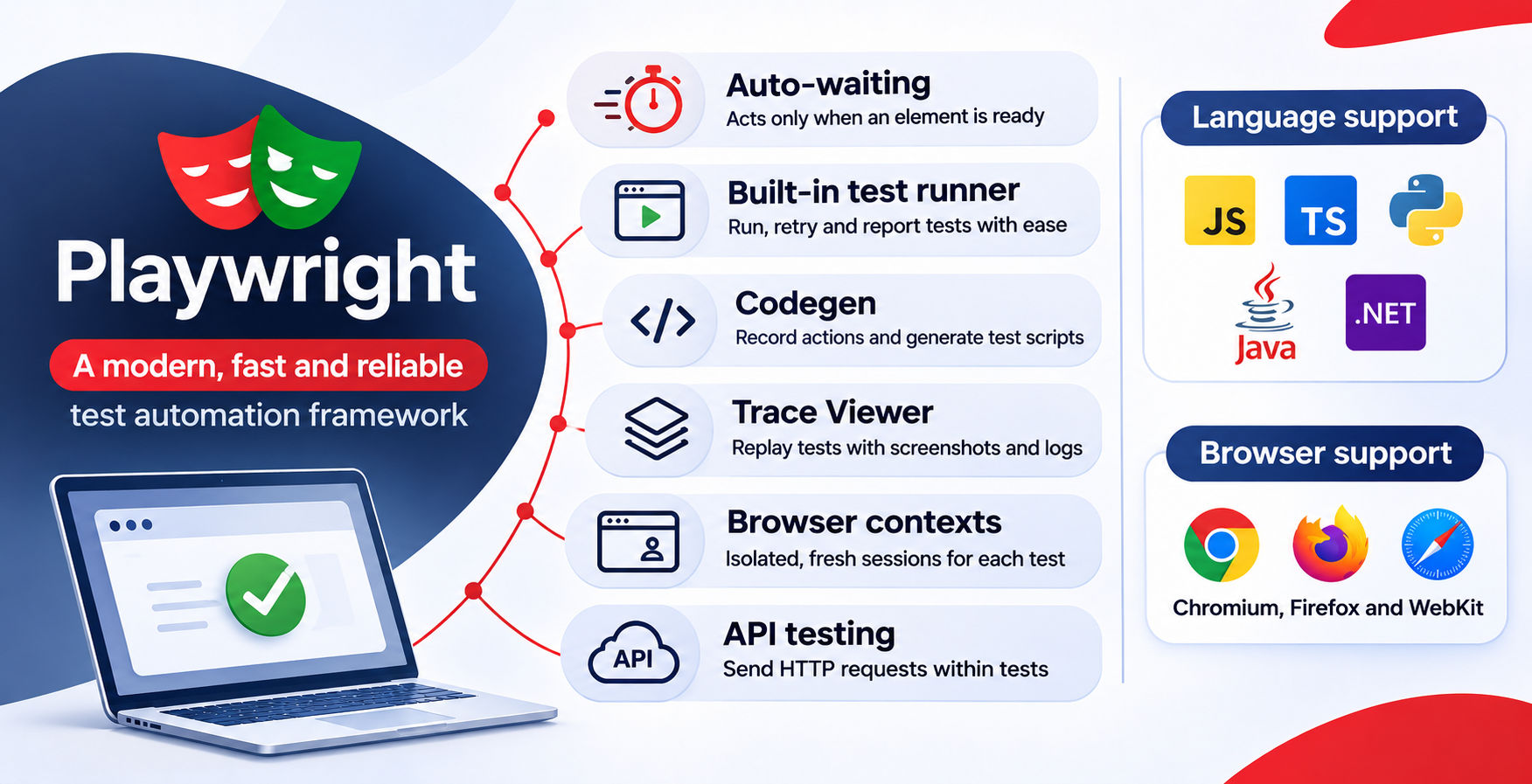
Here are its key features:
Feature |
Description |
Auto-waiting |
Checks whether an element is visible, stable and enabled before interacting with it. |
Built-in test runner |
Supports parallel testing, retries, fixtures and reports without extra libraries. |
Codegen |
Records browser interactions and converts them into test scripts. |
Trace Viewer |
Provides step-by-step test replays with screenshots, network calls and console logs. |
Browser contexts |
Creates isolated browser sessions for independent tests. |
API testing |
Allows testers to send HTTP requests within the same test suite. |
Programming language support |
Supports JavaScript, TypeScript, Python, Java and .NET. |
Playwright maintains an always-open persistent connection between your test script and the browser. The commands pass through this connection as fast two-way communications. The browser may also emit certain events, such as page load or response from the network, without being requested by your script.
The flow looks like this:
Test script → Playwright client → Persistent connection → Browser driver → Browser
Each test happens within a browser context. It's like a fresh incognito browser tab that opens right away. One browser process can host dozens of contexts, so tests don’t share cookies or storage.
This is how Playwright becomes super fast. There are no HTTP requests per each click and the tool already knows what's going on with the page.
Explore the Master’s Degree in Data Science from Liverpool John Moores University offered by upGrad. Develop practical knowledge of data analytics, programming, machine learning, and data-driven decision-making to prepare for career opportunities in the field.
Free Courses
Selenium has existed since 2004 and still conducts a large part of the browser testing performed on the planet. This is a lot of history for any software tool. This is also why so many companies have huge amounts of Selenium tests that they cannot simply discard.
Selenium is an open-source automation tool for browser testing. The main component of Selenium, Selenium WebDriver, controls a web browser and captures its responses to commands sent to it by Selenium.
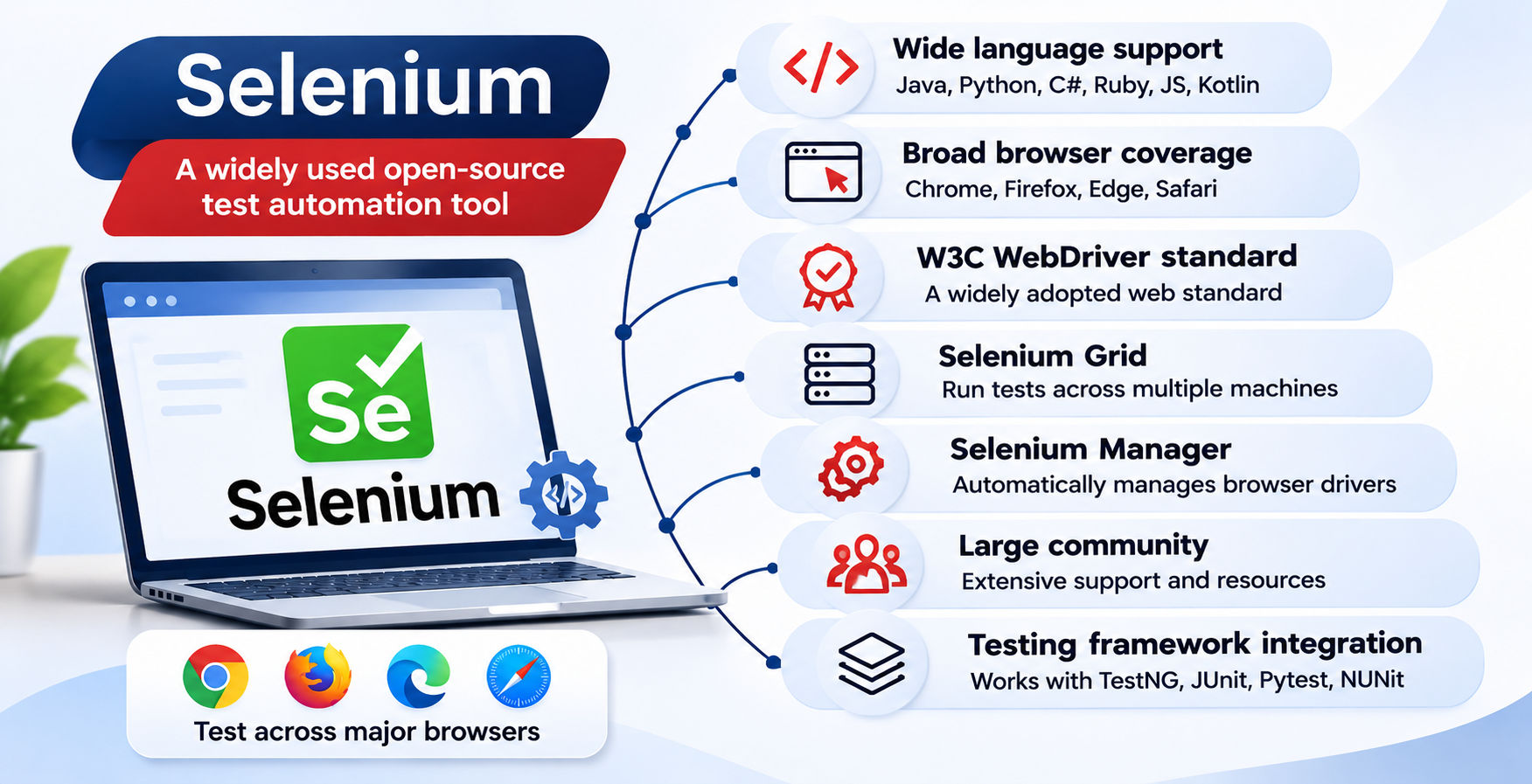
Here are the key features of Selenium:
Feature |
Description |
Wide language support |
Supports Java, Python, C#, Ruby, JavaScript and Kotlin through available bindings or ecosystem integrations. |
Broad browser coverage |
Supports Chrome, Firefox, Edge and Safari. |
W3C WebDriver standard |
Uses a standard protocol supported by major browser vendors. |
Selenium Grid |
Runs tests across multiple machines, browsers and environments. |
Selenium Manager |
Automatically manages browser drivers in recent Selenium versions. |
Large community |
Offers extensive documentation, community support and troubleshooting resources. |
Testing framework integration |
Works with TestNG, JUnit, Pytest and NUnit for test execution and reporting. |
Note: Selenium WebDriver is a browser automation tool, not a complete test framework. You'll need a separate testing framework and reporting tools for a complete testing setup.
Must read: Selenium IDE: The Complete Guide to Record-and-Playback Test Automation
The execution of selenium happens in layers, each adding a slight delay.
Test script → Language binding → HTTP request (WebDriver protocol) → Browser driver → Browser
When you send a call to any function, such as click(), it will be translated into HTTP requests that will be sent to the browser driver, for example, ChromeDriver or GeckoDriver. The driver sends a request and receives a response from the browser. This process occurs for each request.
It ensures that the operation can be carried out simply and normally. Moreover, it means that Selenium will have no idea about the processes happening at the page level unless you make it pause explicitly. As a result, explicit waits became a must-have for Selenium testers. In Selenium 4, a new protocol named WebDriver BiDi has been added with two-way communication.
Also read: Selenium Framework: Tools, Features, Challenges, and Practical Insights
Data Science Courses to upskill
Explore Data Science Courses for Career Progression
IIIT Bangalore
Executive Post Graduate Certificate in Data Science & AIPlacement Assistance
Here are the differences between Playwright vs Selenium:
Criteria |
Playwright |
Selenium |
| Architecture | Persistent browser connection | W3C WebDriver protocol |
| Browsers | Chromium, Firefox, WebKit | Chrome, Firefox, Edge, Safari |
| Languages | JS/TS, Python, Java, .NET | Java, Python, C#, JS, Ruby |
| Waiting | Built-in auto-waiting | Explicit and implicit waits |
| Speed | Faster in most suites | Depends on driver and setup |
| Parallel testing | Built-in workers and sharding | Selenium Grid and runner support |
| Test runner | Playwright Test (Node.js) | TestNG, JUnit, pytest |
| Debugging | Inspector, Trace Viewer, Codegen | External tools and logs |
| Reporting | Built-in HTML report | Third-party tools |
| CI/CD | Docker image, GitHub Actions | Grid or cloud setup needed |
| Mobile | Browser emulation | Real devices via Appium |
| API testing | Built-in | Extra libraries needed |
| Setup | One command | Multiple components |
Also read: Most Common Selenium Interview Questions & Answers You Need to Know
Despite having some major differences, there are some similarities:
Must read: Kotlin vs Java: Full Comparison Guide
Neither of the tool can do it all. Each has its positives and negatives.
Here are the advantages:
Aspect |
Playwright |
Selenium |
| Speed | Faster test runs | Slower in most suites |
| Stability | Auto-waiting cuts flaky tests | Needs careful waits |
| Debugging | Trace Viewer saves hours | External tools needed |
| Setup | One install gives browsers, runner and reports | Build your own framework |
| Maturity | Younger project | Long-established |
| Standards | Own protocol | W3C standard |
| Device reach | Mobile emulation only | Real devices via Appium |
| Hiring | Smaller talent pool | Easier, many testers know it |
And here are the Limitations:
Aspect |
Playwright |
Selenium |
| Legacy browsers | No Internet Explorer support | Supported through IE mode |
| Native app testing | No | Yes, with Appium |
| Language support | Shorter list | Wider list |
| Community resources | Fewer case studies and tutorials | Very large and established |
| Flakiness | Lower by default | Higher without careful waits |
| Setup effort | Low | High |
Conclusion
What should you choose between Playwright vs Selenium depends on the particular project, not the fame of the technology.
If you begin from scratch and are working on a modern web application, Playwright is a better choice. It will require less code for the configuration, fewer flaky tests, and fast debugging.
Use Selenium if you have some legacy browsers, real mobile devices, rare languages, or well-working suite of tests. It takes time to change, and it worth something.
Ready to start your journey? Book a free consultation with upGrad today to find the best path for your career.
Playwright is easier for most novices. Just one line of code installs the framework, browsers and test runner. Automatic waiting resolves the hardest issue for the beginner, which is timing issues. Selenium requires more time, as you have to choose a runner and configure waits and reporting.
No, not for all teams. Playwright may substitute Selenium in most cases of web testing. However, it cannot cover native mobile applications, Internet Explorer mode or such languages as Ruby. Such teams will still use Selenium, probably along with Playwright.
Yes. Teams tend to retain Selenium for existing test suites and real device testing, while writing new web tests using Playwright. Both operate in different tasks within the same CI pipeline. It provides a safer route to avoid a risky full rework and proceed in steps of increasing confidence.
Yes. Selenium is still in many QA job openings, mainly for enterprise, banking, and Java related positions. The popularity of Playwright is rapidly growing, but millions of Selenium tests are currently being operated in production. Familiarity with both will make you more employable than with either one alone.
Yes, it is a good choice. The configuration process takes very little time, codegen helps record user actions and Trace Viewer demonstrates what causes the failure in a test. Newcomers will have to have some knowledge of JavaScript or Python and a good understanding of selectors, assertions and tests creation.
Playwright is a better choice for e2e testing of almost any modern web application because it works faster, waits are done automatically and provides better evidence in case of a failure. Selenium is a better choice when e2e tests should be performed on old browsers, devices or in multilingual environment.
No. Playwright is completely standalone. It does not rely on any Selenium WebDriver and ChromeDriver. It communicates with the browser using its own protocol and its own patched versions of browsers. One can install Playwright on a machine without any installation of Selenium previously.
Start by picking up one feature area that is stable and then convert those tests using Playwright. Utilize your existing Page Object structure and replace waits with Playwright’s built-in wait and run both tests in CI. Only after a couple of weeks of stability, retire your Selenium tests.
Yes. Playwright provides a request API which allows sending GET, POST, PUT and DELETE requests without launching a browser. Test data can be generated using an API, run the UI test and finally validate the outcome using yet another API. This approach speeds up tests and reduces dependency on UI.
It is more beneficial for manual testers who are transitioning into automation testing to learn Playwright in the beginning. The easy setup and error handling simplify this process. In case your organization utilizes Selenium with Java, it would be logical to begin with Selenium.
This is case dependent because Playwright supports high-speed parallel execution, sharding and good reporting which make it suitable for large and modern web applications. Selenium grid, flexibility of language choice and real device support may be more preferable for enterprises using legacy browsers. It’s a question of fit rather than comparison.
1339 articles published
We are an online education platform providing industry-relevant programs for professionals, designed and delivered in collaboration with world-class faculty and businesses. Merging the latest technolo...
Speak with Data Science Expert
By submitting, I accept the T&C and
Privacy Policy
Start Your Career in Data Science Today
Top Resources
Master's Degree
18 Months
Executive Diploma
12 Months
Bootcamp
6 Months