S3 in Cloud Computing: A Complete Beginner's Guide
By Sriram
Updated on Jun 30, 2026 | 6 min read | 7.89K+ views
Share:

All courses
Certifications
More
By Sriram
Updated on Jun 30, 2026 | 6 min read | 7.89K+ views
Share:
Table of Contents
S3 in cloud computing is one of the most widely used storage services for computers these days. Whether you watch videos, save pictures, make websites, or build apps, you need to keep your data safe and accessed quickly. A lot of people use S3 for this. It is a way to store big data without thinking about where it is kept. It is a simple, scalable, and reliable way to store without worrying about physical storage infrastructure.
In this blog, you’ll learn about S3 in cloud computing, what it is, how S3 works, what S3 can do, the types of storage S3 offers, and why people like using S3.
Enroll Data Science Courses from upGrad and build in-demand skills in cloud storage expertise like S3 which is essential for tech careers today.
Popular Data Science Programs
S3 in cloud computing is Simple Storage Service, an object storage service from Amazon Web Services. It helps store and retrieve data from anywhere on the internet. Unlike file systems, Amazon S3 stores data as objects in buckets. Each object has a file, its details, and a unique ID.
This setup lets users store millions or billions of objects without worrying about server space. Today Amazon S3 powers websites, mobile apps, backup systems, analytics platforms, machine learning projects and business apps, over the world.
Also Read: Best Cloud Computing Course & Certification Online to Upgrade Your Career [2026]
Since Amazon takes care of the infrastructure, you only need to focus on storing and accessing your data.
The working process is straightforward:
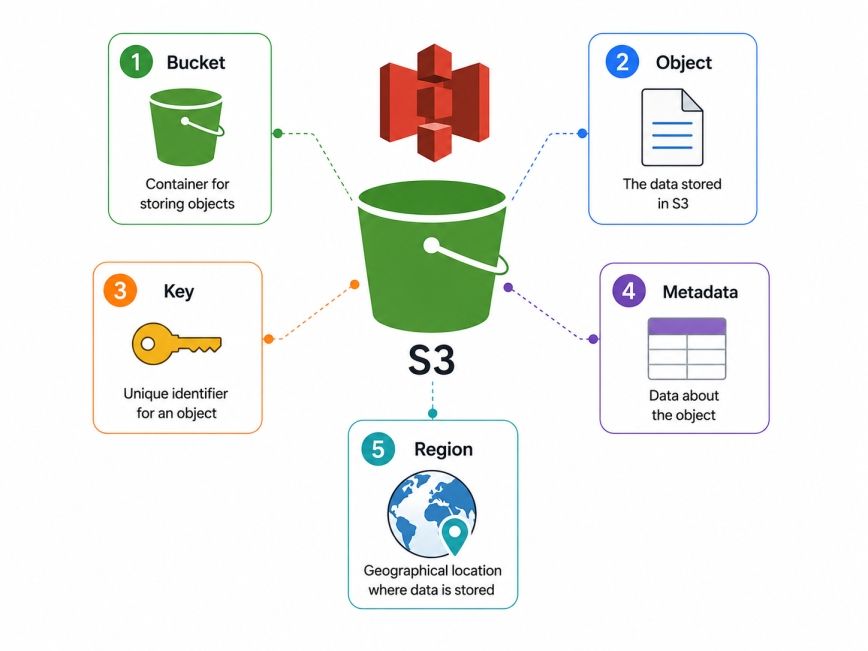
Component |
Description |
| Bucket | A container that stores objects |
| Object | A file along with its metadata |
| Key | A unique name used to identify an object |
| Metadata | Information about an object, such as file type and size |
| Region | Physical AWS location where the bucket is stored |
Several features make amazon s3 in cloud computing a preferred storage solution.
These capabilities help organizations store everything from a few documents to petabytes of business data.
Also Read: What is AWS: Introduction to Amazon Cloud Services
Free Courses
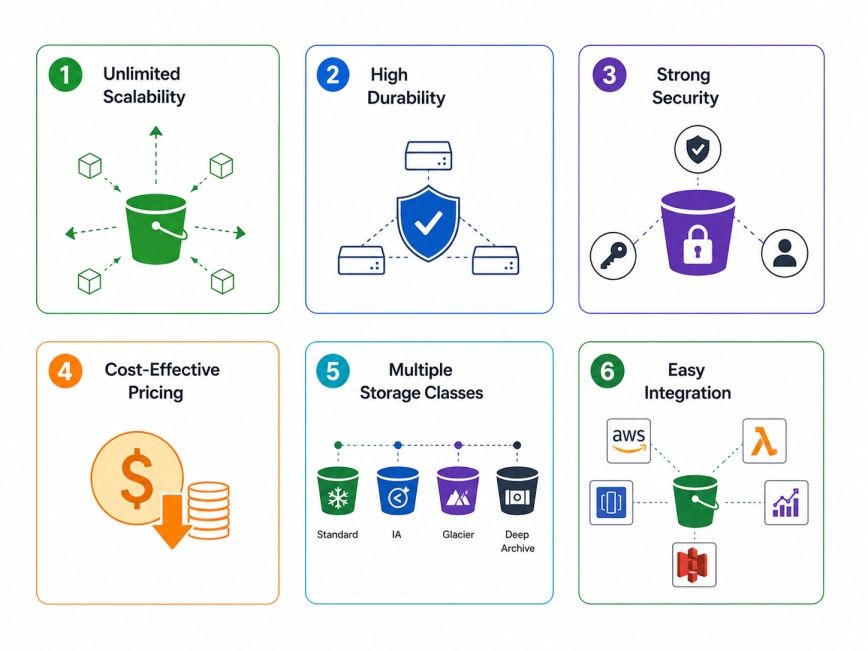
Understanding the features of S3, cloud computing helps explain why organizations of every size trust it. They can use cloud storage that grows with their needs. This way, businesses do not have to buy storage hardware. Cloud storage provides security and good performance.
Traditional storage systems eventually reach their capacity. Expanding them often requires purchasing new hardware and migrating data. When you use Amazon S3 in cloud computing, the storage gets bigger on its own as you add files. It does not matter if you have space or not, Amazon S3 can handle it.
You can have an amount of space like one gigabyte or bigger like several petabytes; Amazon S3 will still work just fine. This is helpful for businesses with changing storage requirements.
Data loss can be costly. Amazon S3 is designed to provide extremely high durability by storing multiple copies of data across different facilities within an AWS Region. This architecture helps protect files against hardware failures and unexpected outages.
For organizations storing customer records, research data, or application backups, durability is one of the biggest advantages of S3 in cloud computing.
Security remains a top concern for cloud users. These features help organizations meet security and compliance requirements without building custom solutions.
Amazon S3 provides several built-in security mechanisms, including:
One of the biggest benefits of amazon S3 in cloud computing is its pay-as-you-go pricing model. This pricing model is really helpful for startups and small businesses that do not have a lot of money to spend.
Instead of paying for unused storage capacity, businesses only pay for:
Not all data needs the same level of access. Amazon S3 offers different storage classes designed for different workloads. Choosing the right storage class can significantly reduce storage costs without affecting business operations.
Storage Class |
Best For |
| S3 Standard | Frequently accessed data |
| S3 Intelligent-Tiering | Data with changing access patterns |
| S3 Standard-IA | Infrequently accessed files |
| S3 One Zone-IA | Less critical data |
| S3 Glacier Instant Retrieval | Archived files with quick access |
| S3 Glacier Flexible Retrieval | Long-term backup |
| S3 Glacier Deep Archive | Very rarely accessed archival data |
Another strength of S3 in cloud computing is its integration with the AWS ecosystem. This allows developers to build complete cloud-based applications without worrying about storage compatibility.
It works seamlessly with services such as:
For most organizations, the combination of scalability, security, durability, and flexible pricing makes amazon s3 in cloud computing one of the most practical storage solutions available today. S3 in cloud computing is a strong choice when you need:
Also Read: Introduction to Cloud Computing: Concepts, Models, Characteristics & Benefits
Data Science Courses to upskill
Explore Data Science Courses for Career Progression
IIIT Bangalore
Executive Post Graduate Certificate in Data Science & AIPlacement Assistance
One of the things about Amazon S3 in cloud computing is that it is very flexible. The thing is, not every file needs to be super-fast or easy to get to all the time. Some files are used every day while Amazon S3 files like these are important, but other files may only be needed once a whole year. So, to deal with these needs Amazon S3 has multiple storage classes.
Choosing the right Amazon S3 storage class is a help to businesses because it lets them save money without worrying that they will not be able to get to their Amazon S3 files when they need them.
Earn a prestigious UK master's degree to accelerate your data science career. Advance globally with Master of Science in Data Science from Liverpool John Moores University MS in Data Science programme today.
Businesses do not have to move files between storage types by hand. They can make lifecycle policies that automatically move data based on how the data is used. This helps reduce the cost of storage. It also minimizes the work that administrators have to do.
Storage Class |
Best For |
Access Frequency |
| S3 Standard | Frequently accessed files | High |
| S3 Intelligent-Tiering | Unpredictable access patterns | Varies |
| S3 Standard-IA | Files accessed occasionally | Low |
| S3 One Zone-IA | Non-critical data | Low |
| S3 Glacier Instant Retrieval | Archived data requiring quick access | Very Low |
| S3 Glacier Flexible Retrieval | Long-term backups | Rare |
| S3 Glacier Deep Archive | Compliance and long-term archives | Very Rare |
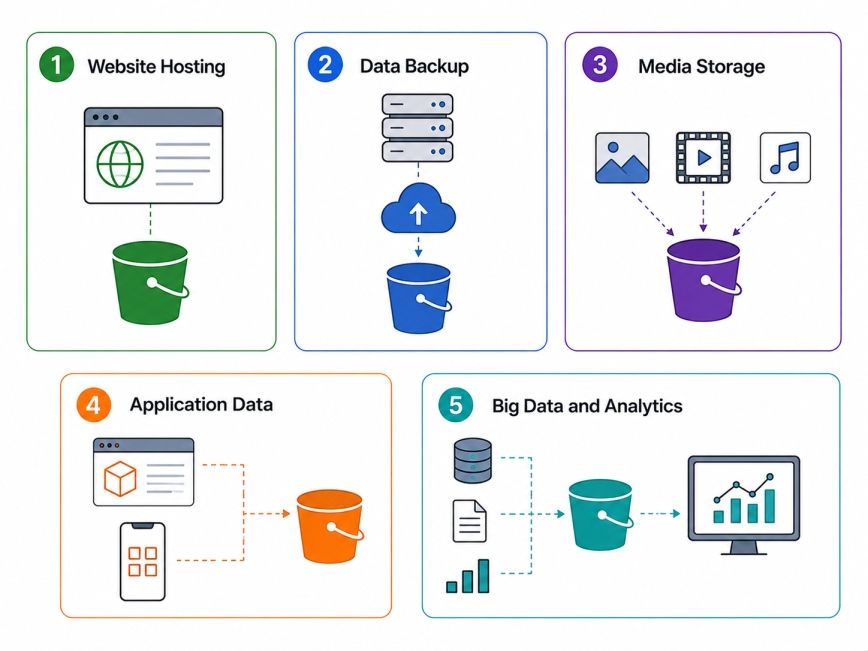
A lot of companies use Amazon S3 in cloud computing to host websites. They can store HTML files and CSS, and JavaScript. Images and downloadable documents on Amazon S3. This means that Amazon S3 can deliver these things quickly to users when they need them. Amazon S3 is really good at doing this. Companies like using Amazon S3 because it helps them get things to users fast.
Companies usually make copies of their databases of virtual machines and important papers to store them in S3. This is a thing because S3 is very good at keeping things safe. So, it is a way to back up things in case something bad happens and they need to recover their data. They use S3 for this because it is very reliable and helps with recovering from disasters.
Streaming platforms like Netflix, photography websites and people who create content all use S3 to store their media in the cloud. They do this because S3 can deal with a number of media without any problems. S3 is a help to these people because it lets them store all their videos, images and audio files in one place.
When we use applications, they make a lot of files, like user uploads and logs and reports, and configuration files. Developers do not store these files on the application servers. They store Amazon S3 files on Amazon S3. This makes the applications easier to make bigger. The applications can handle users and more files because they use Amazon S3 for storage.
When we talk about sets of data that we use for looking at numbers and machine learning, we usually keep them in S3. This is because S3 works well with other services from AWS that help us understand data. We use S3 for these datasets because it is a good fit, with the analytics services that AWS offers.
Related Article: AWS Architecture Explained: Function, Components, Deployment Models & Advantages
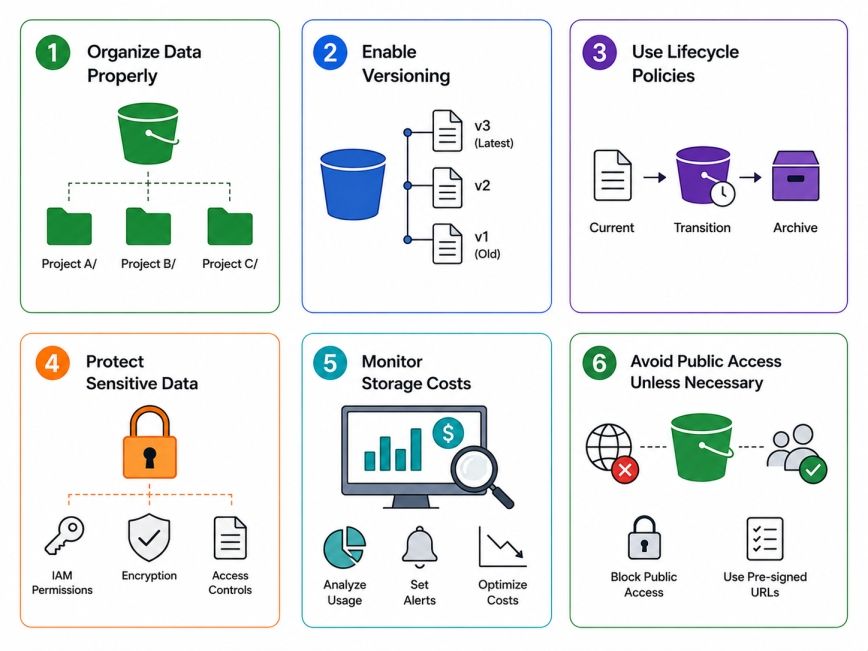
Using S3 in cloud computing is simple but if you follow some rules, you can make S3 more secure. S3 will work better and using S3 will cost you less money.
A clear bucket structure makes data easier to manage. A well-planned structure saves time as storage grows.
For example:
Versioning keeps previous versions of files instead of permanently replacing them.
This feature is useful when:
Lifecycle rules automatically move files between storage classes or delete unnecessary files after a defined period. This reduces manual work and helps optimize cloud storage costs.
Security should always be a priority when using amazon s3 in cloud computing.
Some recommended practices include:
AWS provides tools that help track storage usage and spending.
Monitoring usage regularly allows organizations to:
Many accidental data leaks occur because storage buckets are made publicly accessible. For most business data, private access is the safest option.
Before enabling public access:
For organizations adopting cloud computing, S3 in cloud computing offers greater flexibility and lower operational overhead compared to traditional storage systems.
Feature |
Amazon S3 |
Traditional Storage |
| Scalability | Automatic | Manual expansion |
| Maintenance | Managed by AWS | Managed by organization |
| Pricing | Pay as you use | Hardware investment |
| Availability | High | Depends on infrastructure |
| Backup Options | Built-in features | Manual implementation |
As organizations continue moving their applications and data to the cloud, reliable storage becomes more important than ever. S3 in cloud computing provides a simple yet powerful solution for storing, protecting, and managing data of almost any size.
Whether you're building a website, backing up business data, hosting media files, or supporting analytics workloads, Amazon S3 offers the scalability, durability, security, and cost efficiency needed for modern applications. By understanding its storage classes, features, and best practices, beginners can confidently start using amazon s3 in cloud computing while organizations can optimize both performance and storage costs over time.
S3 in cloud computing is Amazon Web Services' object storage service that stores data as objects inside buckets. It is designed to provide scalable, secure, and highly durable cloud storage for files, backups, media, analytics, and business applications. Users can access their data from anywhere using the internet.
S3 stands for Simple Storage Service. It is an object storage service developed by AWS that allows users to store and retrieve virtually unlimited amounts of data. Its simple architecture and automatic scalability make it one of the most widely used cloud storage solutions today.
Terms like S1, S2, S3, and S4 are not official AWS storage services. In many contexts, they may refer to different levels, stages, or classifications used by specific organizations or products. Within AWS, only Amazon S3 is the well-known cloud storage service called Simple Storage Service.
The four common types of cloud storage are object storage, file storage, block storage, and archive storage. Object storage is ideal for scalable cloud applications, file storage supports shared access, block storage is commonly used with databases and virtual machines, while archive storage is designed for long-term data retention.
No. Amazon S3 is not a database. It is an object storage service that stores files and unstructured data. While databases organize structured records for querying, S3 is mainly used to store documents, images, videos, backups, application logs, and other files.
AWS offers a Free Tier that includes limited Amazon S3 usage for new users. After the free limits are exceeded, pricing depends on storage used, requests made, and data transferred. This pay-as-you-go model allows businesses to scale without paying for unused capacity.
Amazon S3 in cloud computing is popular because it combines scalability, durability, security, and cost efficiency. Businesses can store virtually unlimited data without managing hardware, making it suitable for startups, enterprises, developers, educational institutions, and government organizations.
Yes. Beginners can start with Amazon S3 because its core concepts—buckets, objects, and permissions are straightforward. AWS also provides documentation, tutorials, and hands-on practice through the Free Tier, making it easier to understand cloud storage fundamentals.
Yes. Amazon S3 includes several security features such as encryption, Identity and Access Management (IAM), bucket policies, access logging, and versioning. When configured correctly, these features help organizations protect sensitive data and meet industry compliance requirements.
Many industries rely on S3 in cloud computing, including healthcare, finance, education, retail, media, manufacturing, and technology. It supports workloads such as backups, analytics, application hosting, content delivery, disaster recovery, and long-term archival storage.
The best place to learn about amazon s3 in cloud computing is the official AWS documentation. You can also explore AWS Skill Builder courses, hands-on labs, certification programs, and community tutorials to build practical knowledge and gain real-world experience with cloud storage.
730 articles published
Sriram K is a Senior SEO Executive with a B.Tech in Information Technology from Dr. M.G.R. Educational and Research Institute, Chennai. With over a decade of experience in digital marketing, he specia...
Speak with Data Science Expert
By submitting, I accept the T&C and
Privacy Policy
Start Your Career in Data Science Today
Top Resources
Master's Degree
18 Months
Executive Diploma
12 Months
Bootcamp
6 Months