Data Mapping Tools: What They Are and How to Choose the Right One
By Rahul Singh
Updated on Jun 17, 2026 | 7 min read | 4.04K+ views
Share:

All courses
Certifications
More
By Rahul Singh
Updated on Jun 17, 2026 | 7 min read | 4.04K+ views
Share:
Table of Contents
Data mapping tools are software solutions that help organizations match, transform, and transfer data between different systems, databases, and applications. They automate the process of connecting source fields to target fields, reducing manual effort and improving data accuracy.
Many modern tools offer visual drag-and-drop interfaces, automated mapping suggestions, and validation features, making data migration, integration, ETL processes, and cloud data management faster, more reliable, and easier to manage.
In this blog, you will learn what data mapping tools are, why they matter, how they work, and which ones are worth your time.
Transform your career with upGrad’s Data Science Course. Learn from industry experts, work on hands-on projects, and gain the skills top employer’s demand.
Popular Data Science Programs
Imagine you have customer data in Salesforce and you want to move it into your company's internal CRM. The fields in both systems do not match perfectly. Salesforce might call it "First Name" while your CRM calls it "given_name." A data mapping tool builds that bridge.
These tools remove the guesswork. Instead of writing custom code every time, you define the rules once and let the tool do the heavy lifting. This matters more as companies use more software and store data in more places.
Without a proper data flow mapping tool, these tasks become error-prone and time-consuming. A mistake in field mapping can corrupt records, break workflows, or cause reporting errors that are hard to trace.
Also Read: Data Warehouse Architecture: Discover Layers That Enhance Your Data!
Role |
Common Use Case |
| Data Engineer | Building ETL pipelines and warehouse schemas |
| Business Analyst | Comparing source and target data structures |
| IT Developer | Integrating APIs and third-party systems |
| Database Administrator | Managing migrations between database systems |
| Data Scientist | Cleaning and preparing datasets for modeling |
You do not have to be deeply technical to use many modern data mapping tools. Several platforms now offer drag-and-drop interfaces that make field mapping visual and straightforward.
Free Courses
Not all data mapping tools work the same way. The type you need depends on your technical background, the complexity of your data, and what you want to achieve.
These are spreadsheets or simple table-based tools where you document field relationships by hand. Useful for small projects or when you are creating a reference document for developers. Not scalable for large datasets.
These tools suggest field matches based on column names, data types, or pattern recognition. You still review and approve, but the tool speeds up the initial draft. Good for medium-complexity migrations.
Using machine learning, these tools detect patterns and automatically map fields across large datasets. Best for enterprise-level data work where the volume makes manual review impractical.
These are the most beginner-friendly category. You see both datasets side by side and drag one field onto another to create a mapping. No code required. Map data visualization tools fall into this category, and they are growing fast in popularity because they make the process transparent.
If you prefer writing Python, SQL, or JSON, code-based tools give you precise control. Tools like dbt or custom scripts fall here. Best for developers who need flexibility and version control.
Data Science Courses to upskill
Explore Data Science Courses for Career Progression
IIIT Bangalore
Executive Post Graduate Certificate in Data Science & AIPlacement Assistance
Here is a look at some of the most widely used data mapping tools available today. Each has different strengths depending on your use case.
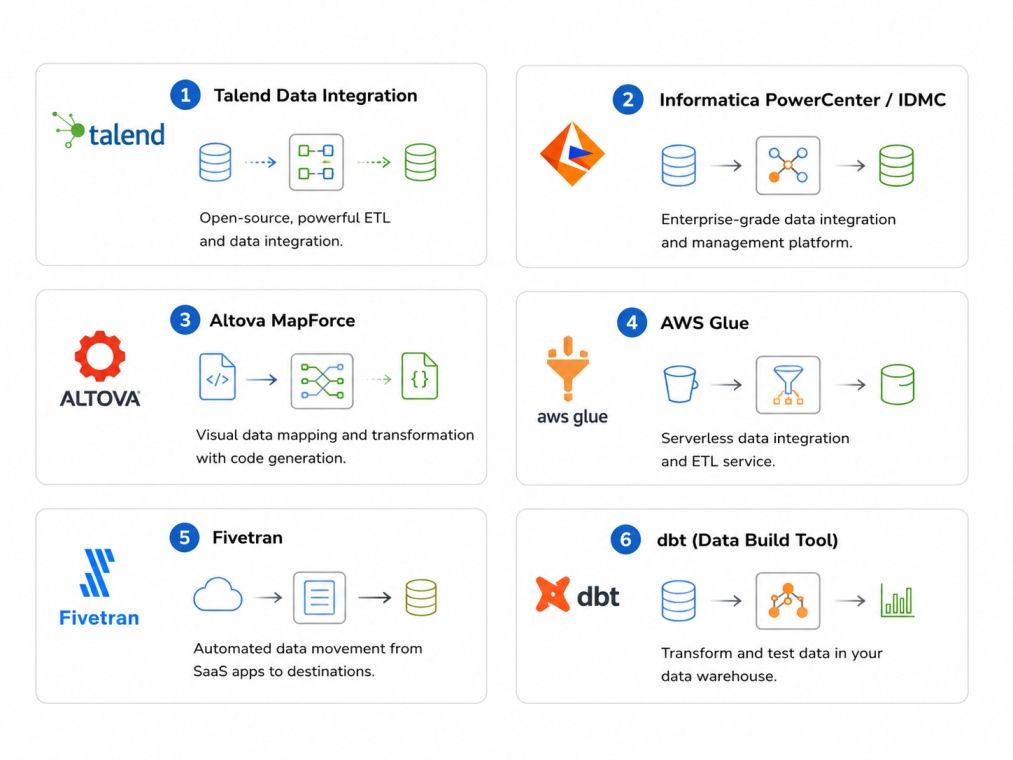
One of the most established names in data integration. Talend offers a visual interface with hundreds of pre-built connectors for databases, cloud platforms, and APIs. It works well for ETL pipelines and is a strong choice for enterprise teams.
Informatica is considered one of the best data mapping tools for large organizations. It handles complex transformations, supports real-time data flows, and has strong metadata management. The learning curve is steep, but the capability is deep.
MapForce is a visual data mapping and transformation tool that supports XML, JSON, databases, flat files, EDI, and more. You can generate code from your mapping logic in Python, Java, C++, or XSLT. Great for developers who need both visual design and code output.
If you are working in the AWS ecosystem, AWS Glue is a managed ETL service with a visual data integration interface. It automatically generates transformation code and scales with your workload. Good as a data flow mapping tool for cloud-based pipelines.
Fivetran focuses on automated data movement from source systems into data warehouses. The mapping is largely automated. It is not a fully flexible mapping tool, but it is reliable and fast to set up for standard integrations.
dbt is a code-first transformation tool for analysts and engineers comfortable with SQL. It does not handle raw data movement but is excellent for transforming and mapping data once it is in your warehouse. A favorite among modern data teams.
Also Read: Top Data Analytics Tools Every Data Scientist Should Know About
Tool |
Best Use Case |
No-Code Option |
Price Range |
| Talend | ETL pipelines | Yes (Visual UI) | Free to enterprise |
| Informatica | Enterprise governance | Partial | Enterprise pricing |
| Altova MapForce | Format transformation | Yes | Paid license |
| AWS Glue | Cloud data pipelines | Partial | Pay per use |
| Fivetran | SaaS to warehouse | Yes | Based on connectors |
| dbt | SQL transformation | No | Free to paid |
With so many options, picking the right tool can feel overwhelming. Here is a simple framework to help you decide.
Are you migrating data once, or building an ongoing pipeline? One-time migrations need different tools than recurring integrations. Know what you are trying to accomplish before looking at features.
List every system involved. Some tools connect to hundreds of sources natively. Others require custom connectors or code. Make sure the tool supports your specific databases, cloud platforms, or file types.
Be realistic about your team's skills. If no one knows how to code, a visual map data visualization tool will save you significant time and reduce errors. If your team is developer-heavy, a code-based approach gives more control.
How much data are you moving? A small team mapping 10,000 records monthly has very different needs than a company processing billions of events daily. Make sure the tool can scale with you.
Check if the tool integrates with your existing stack. Look for active documentation, community forums, and support options. Good vendor support matters when things go wrong in production.
Also Read: Artificial Intelligence Tools: Platforms, Frameworks, & Uses
Also Read: Free AI Tools You Can Use for Writing, Design, Coding & More
Data mapping tools are no longer optional for teams working with multiple data sources. Whether you are a beginner building your first integration or an engineer managing complex pipelines, there is a tool built for your needs.
Start by understanding your data sources, clarify your use case, and match the tool's capabilities to your team's skills.
Want personalized guidance on Data Science and upskilling? Speak with an expert for a free 1:1 counselling session today.
A data mapping tool is used to define relationships between fields in two different datasets or systems. It helps teams move, transform, or integrate data accurately by specifying which field in the source maps to which field in the target.
Data mapping is a step within data migration. Mapping defines how fields relate to each other, while migration is the actual process of moving data from one system to another. You need a solid mapping plan before any migration begins.
Yes. Many modern data mapping tools offer visual, drag-and-drop interfaces that require no coding. Tools like Fivetran and Talend's visual interface let beginners build mappings by connecting fields without writing a single line of code.
A data flow mapping tool tracks how data moves through a system, from its source to its final destination. It shows the path data takes, what transformations happen along the way, and where it ends up. It is useful for both system design and compliance documentation.
Yes. Several tools offer free tiers or open-source versions. Talend Open Studio and dbt Core are popular free options. AWS Glue has a pay-per-use model with a free tier. The right choice depends on your data volume and feature needs.
AI-assisted data mapping tools use machine learning to automatically suggest field matches based on naming patterns, data types, and historical mappings. This reduces manual effort, speeds up the process, and lowers the chance of human error in large-scale projects.
Map data visualization tools help analysts see how fields connect across systems, which makes it easier to spot errors, redundancies, or gaps in the data structure. Visual representation of mappings also helps communicate data logic to non-technical stakeholders clearly.
Most advanced data mapping tools support multiple formats including CSV, JSON, XML, Excel, relational databases, and cloud platforms. Tools like Altova MapForce are specifically designed for cross-format transformations, letting you map between XML and a relational database, for example.
For enterprise use, prioritize tools with strong security and access controls, support for large data volumes, metadata management, scheduling and automation, audit trails, and integration with data governance platforms. Vendor support and reliability are also critical factors.
Setup time depends on the complexity of your data and the tool you choose. A simple one-time mapping between two flat files might take a few hours. A multi-source enterprise migration with transformations could take weeks of planning and testing. Starting with clear documentation of both source and target schemas helps reduce setup time.
A data mapping tool defines the relationship between source and target fields. An ETL tool handles the full extract, transform, and load process. Many ETL tools include data mapping as one of their features, but a standalone mapping tool may offer more detailed control over how fields are matched and transformed without handling the data movement itself.
98 articles published
Rahul Singh is an Associate Content Writer at upGrad, with a strong interest in Data Science, Machine Learning, and Artificial Intelligence. He combines technical development skills with data-driven s...
Speak with Data Science Expert
By submitting, I accept the T&C and
Privacy Policy
Start Your Career in Data Science Today
Top Resources
Executive Diploma
12 Months
Master's Degree
18 Months
Bootcamp
6 Months