Data Factory: A Beginner's Guide to Modern Data Integration
By Sriram
Updated on Jun 13, 2026 | 5 min read | 2.53K+ views
Share:

All courses
Certifications
More
By Sriram
Updated on Jun 13, 2026 | 5 min read | 2.53K+ views
Share:
Table of Contents
Every day, businesses pull in data from websites, mobile apps, databases, cloud platforms, customer interactions, and a dozen other systems. Keeping all of that organized is one of the bigger headaches modern companies face and that's essentially the problem a data factory is built to solve. It pulls data in from different places, cleans it up, reshapes it, and brings it together somewhere teams can actually use it.
This article covers what a data factory is, how it works, its main components, why it matters, and where Azure Data Factory fits into all of this. Whether you're a student, a working professional, or just getting into data engineering, the goal here is to keep things simple and practical.
Ready to work with real-world data pipelines? Explore upGrad’s Data Science courses, Artificial Intelligence Courses and develop the skills needed for careers in data engineering, analytics and AI.
Popular Data Science Programs
At its core, a data factory is a system that automates how data moves, gets transformed, and is managed across different sources and destinations. A useful way to think about it: it's like an assembly line, but for data instead of physical goods. Raw materials go in one end, and something useful comes out of the other.
Businesses typically pull data from places like:
On their own, these systems don't talk to each other, so the data just sits scattered and hard to use. A data factory ties everything together and creates a smoother flow of information between systems.
Say you run an e-commerce business and you're pulling data from:
A data factory would take all of that, clean it, strip out duplicates, get everything into a consistent format, and load it into a data warehouse where it can be used for reporting.
Also Read: What are the Sources of Big Data?
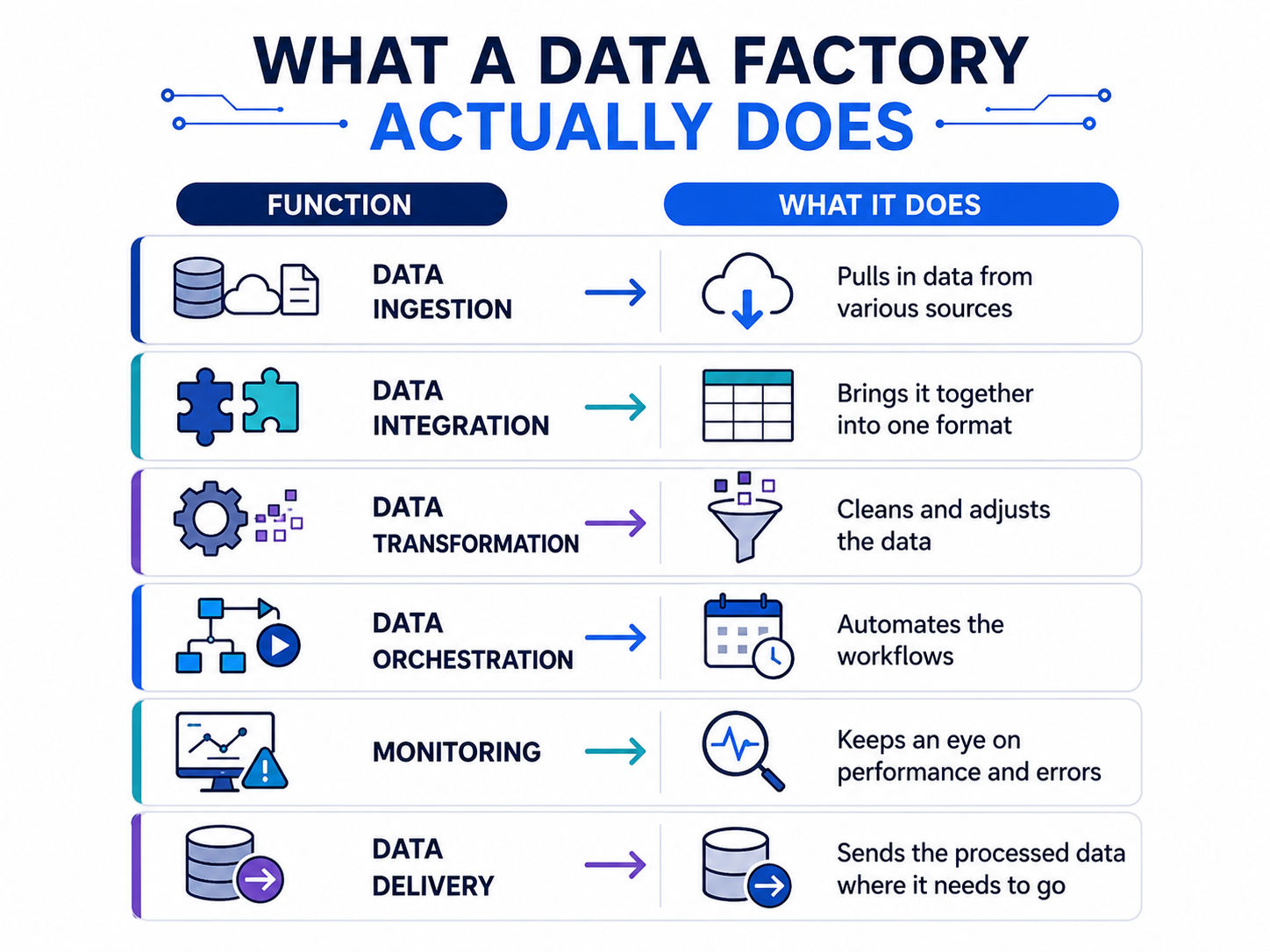
Function |
What it does |
| Data Ingestion | Pulls in data from various sources |
| Data Integration | Brings it together into one format |
| Data Transformation | Cleans and adjusts the data |
| Data Orchestration | Automates the workflows |
| Monitoring | Keeps an eye on performance and errors |
| Data Delivery | Sends the processed data where it needs to go |
Most organizations today run on data-driven decisions, and a solid data factory setup helps by cutting down manual work, improving data quality, enabling near real-time insights, and making analytics and machine learning projects easier to support. As more companies move to the cloud, tools like Azure Data Factory have become a go-to choice for building these kinds of pipelines at scale.
Free Courses
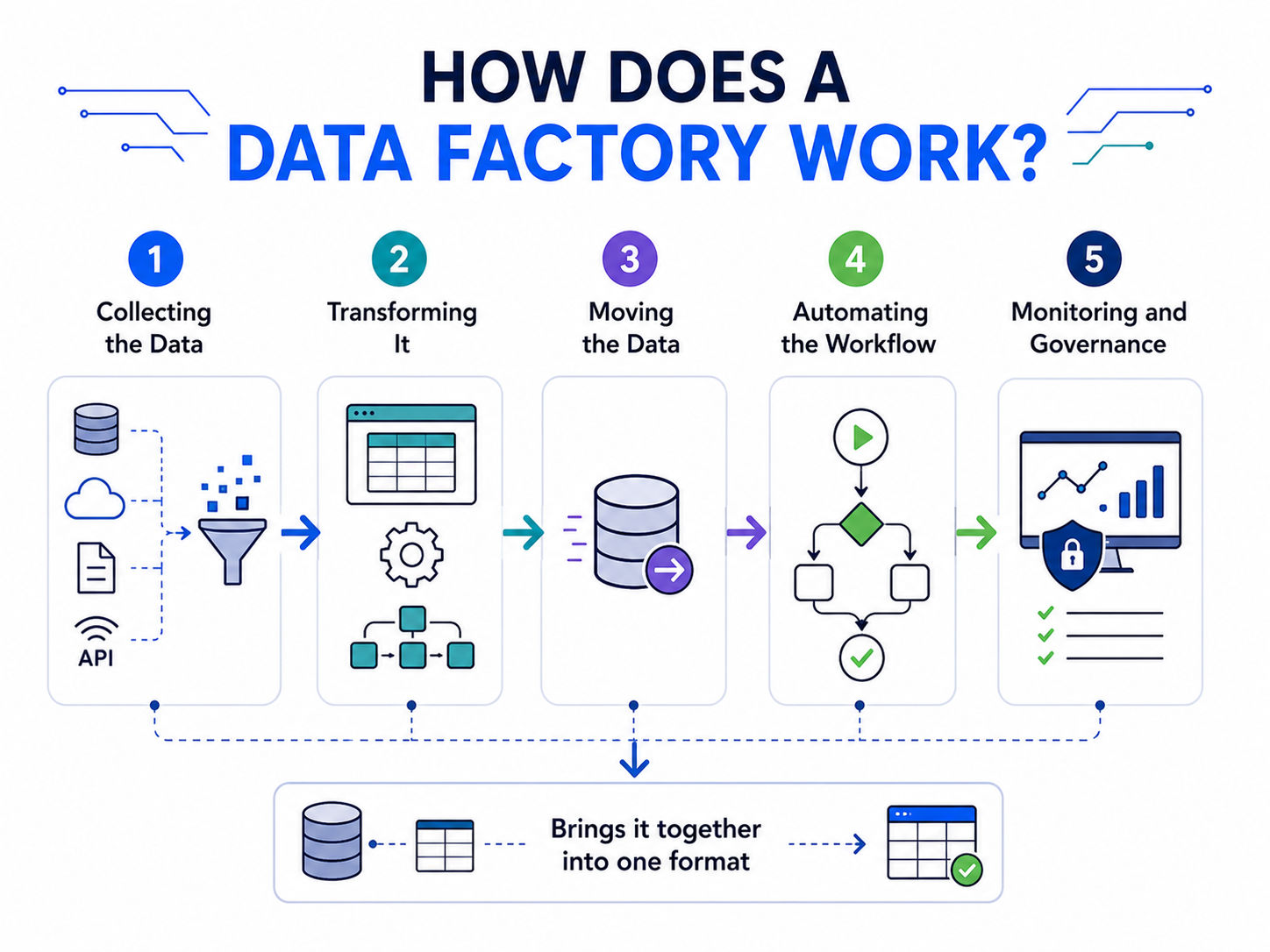
The exact setup varies from company to company, but the general flow tends to look pretty similar.
This is where everything starts pulling data from wherever it lives. That could be SQL databases, cloud storage, APIs, SaaS tools, or streaming platforms. The idea is to grab this data without disrupting whatever system it's coming from.
Raw data is messy more often than not incomplete, inconsistent, full of duplicates. This step is where the data factory cleans things up: fixing bad records, standardizing formats, removing duplicates, enriching datasets, and applying whatever business rules are needed. A common example is taking customer names that are formatted differently across systems and getting them into one consistent format.
Once it's cleaned and transformed, the data heads to its destination, usually a data warehouse, data lake, analytics platform, or BI tool.
This is one of the biggest wins of using a data factory. Instead of someone manually running these processes, tasks can be scheduled to run hourly, daily, weekly, or based on specific triggers which cuts down on manual work and makes the whole thing more reliable.
Most modern data factories come with dashboards that let teams catch failures early, track how pipelines are performing, manage security, and stay on top of compliance requirements.
Stage |
What happens |
| Ingestion | Data gets collected |
| Processing | It's cleaned and transformed |
| Storage | Processed data gets saved |
| Analytics | Insights get generated |
| Monitoring | Reliability gets checked |
Also Read: A Comprehensive Guide to Understanding the Different Types of Data in 2025
Data Science Courses to upskill
Explore Data Science Courses for Career Progression
IIIT Bangalore
Executive Post Graduate Certificate in Data Science & AIPlacement Assistance
A lot of organizations end up using Azure Data Factory because it's a fully managed, cloud-based data integration service. If you're wondering what is “Azure Data Factory” in the simplest terms - it's Microsoft's cloud platform for building, scheduling, and managing data pipelines, with support for hundreds of connectors across both on-prem and cloud environments.
Azure Data Factory is probably the most well-known tool when it comes to modern data integration, mainly because it lets teams build pipelines without having to manage a ton of underlying infrastructure.
To put it simply, it's a cloud-based data integration service from Microsoft Azure that lets you build ETL (Extract, Transform, Load) and ELT workflows to move data between systems.
Wide connectivity: It connects to SQL Server, Oracle, SAP, Amazon S3, Azure Blob Storage, Salesforce, and many others.
Visual pipeline design: You can build workflows using drag-and-drop, without needing to write much code.
Scalability: It automatically scales depending on how much workload you're running.
Hybrid integration: Works across both cloud and on-premises systems.
Security and compliance: Comes with built-in features to help keep sensitive business data protected.
Benefit |
What it means |
| Automation | Less manual effort needed |
| Scalability | Handles growing data volumes |
| Flexibility | Works with multiple data sources |
| Cost Efficiency | Pay-as-you-go pricing model |
| Reliability | Built on enterprise-grade infrastructure |
Retail: Companies combine sales, inventory, and customer data to power business intelligence dashboards.
Financial Services: Banks process huge amounts of transaction data to support fraud detection and stay compliant.
Healthcare: Providers bring together patient records from different systems to support better decisions.
Marketing: Teams pull campaign data from multiple channels together for attribution analysis.
Given how widely it's used, it's no surprise that Azure Data Factory interview questions show often in data engineering hiring processes.
As companies lean more on data, the role of data factories keeps growing.
Data Warehousing: Pulling information from multiple systems into one central place.
Business Intelligence: Feeding clean data into dashboards and reports.
Machine Learning: AI models need a lot of well-prepared data, and data factories help automate that prep work.
Regulatory Reporting: Industries like banking and healthcare rely on data factories to keep their reporting accurate and compliant.
Also Read: AWS Vs Azure: Which Cloud Computing Platform is Right For You?
Employers often test practical knowledge with questions like:
Getting comfortable with these kinds of Azure Data Factory interview questions can go a long way if you're aiming for a data engineering role.
Some industries work with very specific kinds of data. Traders, for instance, often look at forex factory data to track economic events and market movements, and a data factory can pull this in alongside other trading and financial data.
On the manufacturing side, teams sometimes need to go through a factory data reset when systems are being reconfigured, migrated, or tested. Good governance practices help make sure nothing important gets lost in the process.
Read: Complete Guide to Synthetic Data Generation
Knowing your way around data integration tools is becoming a pretty valuable skill. Common roles include Data Engineer, Data Analyst, Cloud Engineer, ETL Developer, Analytics Engineer, and Data Architect.
Related Article: Cloud Computing Architecture [With Components & Advantages]
A data factory sits at the heart of modern data integration collecting, processing, transforming, and delivering information across systems, so businesses can make faster, better-informed decisions. Tools like Azure Data Factory have made this whole process far more accessible and cost-effective than it used to be.
Whether you're looking to break into data engineering, prepping for Azure Data Factory interview questions, working with forex factory data, or managing pipelines at enterprise scale, understanding how a data factory works is a genuinely useful skill to have in today's data-driven world.
Want to explore more about data factory? Book your free 1:1 personal consultation with our expert today.
A data factory focuses on moving, transforming, and managing data across systems. A data warehouse is a storage solution that holds processed data for reporting and analytics. The data factory prepares and delivers information, while the warehouse stores it for business use.
Yes, Azure Data Factory is widely used for ETL and ELT processes. It helps organizations extract data from multiple sources, transform it according to business requirements, and load it into target systems such as data warehouses and data lakes.
Professionals typically need knowledge of SQL, cloud computing, data modeling, ETL processes, and workflow orchestration. Familiarity with Azure Data Factory, Python, and analytics platforms can also improve career opportunities in data engineering.
Azure Data Factory simplifies cloud migration by connecting on-premises systems with cloud services. It enables automated data transfer, transformation, and validation, helping organizations move workloads without major disruptions to operations.
Azure Data Factory primarily supports batch processing, but it can integrate with streaming services and event-driven architectures. This allows businesses to build near real-time data pipelines for analytics and operational reporting.
Linked services define connection information for external resources. They act as connection strings that allow Azure Data Factory to communicate with databases, storage systems, APIs, and other supported platforms during data pipeline execution.
Azure Data Factory interview questions help employers evaluate a candidate's understanding of data integration concepts, pipeline design, transformation techniques, and troubleshooting skills. Strong preparation often improves success in technical interviews.
Forex factory data is commonly used by traders and analysts to track economic events, market announcements, and trading conditions. Integrating this data into analytics systems can help identify patterns and support decision-making.
A factory data reset generally refers to restoring a system or platform to its original state. In data environments, this process may be used during testing, migrations, or troubleshooting while ensuring critical information remains protected.
Yes, Azure Data Factory offers flexible pricing and scalable infrastructure. Small businesses can start with basic workloads and expand usage as their data processing needs grow over time without major infrastructure investments.
The future of data factories will be shaped by automation, artificial intelligence, real-time analytics, and cloud-native technologies. Organizations are increasingly building intelligent pipelines that reduce manual effort and accelerate business insights.
730 articles published
Sriram K is a Senior SEO Executive with a B.Tech in Information Technology from Dr. M.G.R. Educational and Research Institute, Chennai. With over a decade of experience in digital marketing, he specia...
Speak with Data Science Expert
By submitting, I accept the T&C and
Privacy Policy
Start Your Career in Data Science Today
Top Resources
Executive Diploma
12 Months
Master's Degree
18 Months
Bootcamp
6 Months