Discover the Hidden Power of Bitwise Operators in Java for Faster Code
By Rohan Vats
Updated on Jun 25, 2026 | 15 min read | 18.33K+ views
Share:

All courses
Certifications
More
By Rohan Vats
Updated on Jun 25, 2026 | 15 min read | 18.33K+ views
Share:
Table of Contents
Bitwise operators in Java perform operations directly on the binary representation of numbers, making them useful for tasks such as bit masking, data manipulation, encryption, compression, and performance optimization. Operators like &, |, ^, ~, <<, >>, and >>> give you precise control over individual bits and are widely used in low-level programming.
In this blog, we’ll explore the types, implementation, and practical advantages of using bitwise operators in Java.
Advance your AI career with upGrad’s Artificial Intelligence courses. Gain practical experience in machine learning, generative AI, and real-world industry applications.
Popular upGrad Programs
Bitwise operators in Java are specialized tools that perform operations directly on binary representations of integers. They work at the bit level, manipulating individual bits to execute tasks like shifting, flipping, or combining binary values. These operators are highly efficient for low-level programming, data encryption, and optimization tasks.
These Bitwise logical operators make Java highly efficient for tasks like encryption, encoding, and optimizing memory usage. Understanding their behavior is crucial for binary-level operations.
Now, let’s explore the different types of Bitwise operators in Java and how they work.
Free Courses
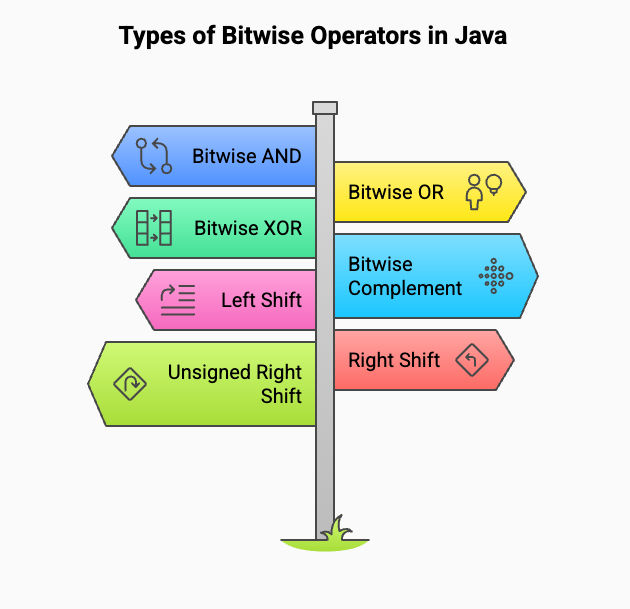
Bitwise operators in Java are powerful tools that allow programmers to manipulate individual bits of binary numbers. These operators are essential for tasks like combining, shifting, and flipping bits, which are fundamental in low-level programming, encryption, and optimization processes.
By working directly with binary data, Bitwise operators help you write efficient and compact code for operations that require precision and speed.
Building on this connection, understanding the types of Bitwise operators in Java is crucial for implementing such optimizations effectively.
Let’s dive into the various Bitwise operators with detailed explanations, examples, and truth tables, starting with a quick overview of them in a tabular format.
Operator |
Symbol |
Description |
| Bitwise AND | & | Returns 1 if both corresponding bits are 1. |
| Bitwise OR | ` | ` |
| Bitwise XOR | ^ | Returns 1 if the bits are different. |
| Bitwise Complement | ~ | Inverts each bit (1 becomes 0 and 0 becomes 1). |
| Left Shift | << | Shifts bits to the left, adding zeros on the right. |
| Signed Right Shift | >> | Shifts bits to the right, preserving the sign bit. |
| Unsigned Right Shift | >>> | Shifts bits to the right, filling zeros regardless of sign. |
Also Read: Java Language History: Why Java Is So Popular and Widely Used Today
Let us now have a look at each of these operators in detail.
The Bitwise OR operator (|) compares each bit of two numbers and returns 1 if either of the corresponding bits is 1.
Syntax:
result = number1 | number2;Example:
Let’s calculate 5 | 3:
Truth Table:
A truth table is a tabular representation used in logic, mathematics, and computer science to show all possible truth values for logical expressions or operations. It lists all combinations of input values (e.g., true or false) and their corresponding output for a given logic gate or operation.
Truth tables are essential for understanding the behavior of logical operations like AND, OR, and NOT.
Here is a truth table for the example above:
Bit 1 |
Bit 2 |
Result (OR) |
| 0 | 0 | 0 |
| 0 | 1 | 1 |
| 1 | 0 | 1 |
| 1 | 1 | 1 |
Bitwise OR is commonly used in bit masking and setting specific bits. Let’s move to Bitwise AND, which filters bits by preserving only the 1s common to both inputs.
The Bitwise AND operator (&) compares each bit of two numbers and returns 1 only if both corresponding bits are 1.
Syntax:
result = number1 & number2;Example:
Let’s calculate 5 & 3:
Truth Table:
Bit 1 |
Bit 2 |
Result (&) |
| 0 | 0 | 0 |
| 0 | 1 | 0 |
| 1 | 0 | 0 |
| 1 | 1 | 1 |
This operator is useful in extracting specific bits from numbers. Next, let’s look at Bitwise XOR, which toggles bits based on differences.
Also Read: Bitwise Operators in C Programming: Types and Implementation with Code Examples in 2025
The Bitwise XOR operator (^) is an important operator in Java that compares two binary numbers and returns 1 only if the corresponding bits differ.
Syntax:
result = number1 ^ number2;Example:
Let’s calculate 5 ^ 3:
Truth Table:
Bit 1 |
Bit 2 |
Result (^) |
| 0 | 0 | 0 |
| 0 | 1 | 1 |
| 1 | 0 | 1 |
| 1 | 1 | 0 |
This operator is widely used in encryption and error detection. Let’s move on to the Bitwise Complement Operator, which flips every bit of a number.
Start your Java journey with upGrad’s free course, Core Java Basics. Learn the fundamentals of Java in a simple, practical way and build a strong programming foundation to kickstart your career.
The Bitwise Complement Operator (~) inverts each bit of a number, flipping 1 to 0 and 0 to 1.
Syntax:
result = ~number;Example:
For 5:
The Bitwise complement operator (~) inverts all the bits of a number, turning 0 into 1 and 1 into 0. For the number 5, here's the step-by-step explanation:
Decimal result: -6. This happens because the Bitwise complement flips all bits, and in two's complement, the result represents the negative of the original number incremented by 1.
Truth Table:
Bit |
Result (~) |
| 0 | 1 |
| 1 | 0 |
This operator is effective for inverting bits but requires caution with negative results. Next, let’s discuss Shift Operators, starting with Bitwise Left Shift.
Also Read: Top 8 Reasons Why Java is So Popular With Developers in 2025
The Bitwise Left Shift Operator (<<) moves bits to the left by a specified number of positions, adding zeros on the right. Each shift multiplies the number by 2.
Syntax:
result = number << shifts;Example:
For 3 << 2
A left shift (<<) moves the binary digits of a number to the left by the specified number of positions.
This effectively multiplies 3 by 22=4
Truth Table:
Number |
Shifts |
Result |
Binary Result |
| 3 | 2 | 12 | 00001100 |
Build advanced software engineering and data science skills with upGrad's industry-focused programs. Learn through real-world projects and prepare for high-demand technology roles.
The Signed Right Shift Operator (>>) moves bits to the right while preserving the sign bit.
Syntax:
result = number >> shifts;Example:
For -8 >> 2:
A right shift (>>) moves the binary digits of a number to the right by the specified positions, keeping the sign bit (most significant bit) unchanged for negative numbers. For -8 >> 2:
This effectively divides -8 by 22=4 rounding toward negative infinity.
Truth Table:
Number |
Shifts |
Result |
Binary Result |
| -8 | 2 | -2 | 11111110 |
The Unsigned Right Shift Operator (>>>) moves bits to the right and fills zeros from the left, ignoring the sign bit.
Syntax:
result = number >>> shifts;Example:
For -8 >>> 2:
An unsigned right shift (>>>) moves the binary digits to the right, filling the leftmost bits with 0 regardless of the sign. For -8 >>> 2:
This treats the number as unsigned, effectively dividing it by 22=4 while discarding the sign.
Truth Table:
Number |
Shifts |
Result |
Binary Result |
| -8 | 2 | 1073741822 | 00111111 11111111 ... |
These operators collectively enable powerful and efficient binary manipulations in Java.
Also Read: 45+ Best Java Project Ideas for Beginners in 2025 with Source Code & Best Practices
Now that we've explored the significance of Bitwise operators in Java, let's look at how to implement them effectively for tasks like data manipulation and solving string permutation problems.
Recommended Courses to upskill
Explore Our Popular Courses for Career Progression
IIIT Bangalore
Executive Diploma in Machine Learning and AI360° Career Support
O.P.Jindal Global University
MBA from O.P.Jindal Global UniversityLive Case Studies and Projects
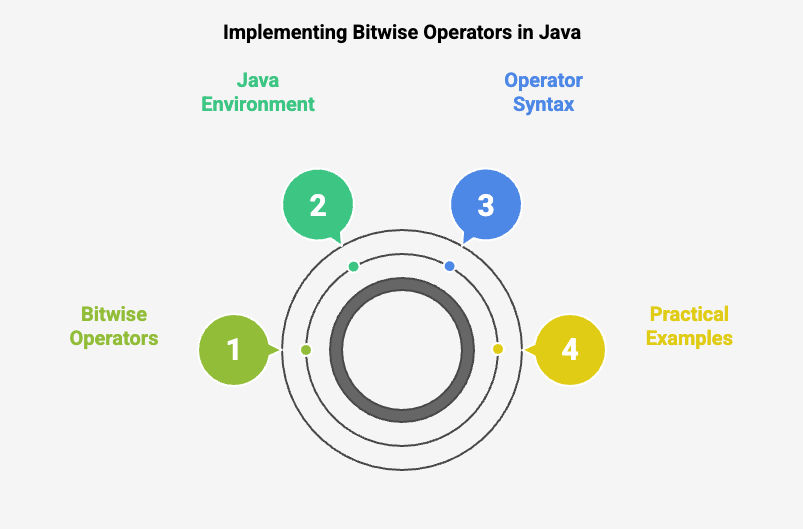
Bitwise operators in Java allow you to perform operations on individual bits of integer data. They are especially useful for low-level programming tasks like cryptography, graphics programming, and bit manipulation.
Below, you'll find a complete guide to implementing these operators, along with detailed examples and explanations.
Bitwise operators include Bitwise AND, OR, XOR, and the Bitwise complement operator. Let’s implement them with examples.
Example: Basic implementation of Bitwise operators
public class BitwiseOperatorsDemo {
    public static void main(String[] args) {
        int num1 = 6;  // Binary: 0110
        int num2 = 3;  // Binary: 0011

        // Bitwise AND
        int andResult = num1 & num2; // Binary: 0010
        System.out.println("Bitwise AND of " + num1 + " and " + num2 + " is: " + andResult);

        // Bitwise OR
        int orResult = num1 | num2; // Binary: 0111
        System.out.println("Bitwise OR of " + num1 + " and " + num2 + " is: " + orResult);

        // Bitwise XOR
        int xorResult = num1 ^ num2; // Binary: 0101
        System.out.println("Bitwise XOR of " + num1 + " and " + num2 + " is: " + xorResult);

        // Bitwise Complement
        int complementResult = ~num1; // Binary: Inverts all bits of num1
        System.out.println("Bitwise Complement of " + num1 + " is: " + complementResult);

        // Left Shift
        int leftShiftResult = num1 << 1; // Shifts bits of num1 left by 1 (Binary: 1100)
        System.out.println(num1 + " left-shifted by 1 is: " + leftShiftResult);

        // Right Shift
        int rightShiftResult = num1 >> 1; // Shifts bits of num1 right by 1 (Binary: 0011)
        System.out.println(num1 + " right-shifted by 1 is: " + rightShiftResult);
    }
}
Input and Output Explanation:
When you run the program, it performs various Bitwise operations. Here’s the output and its breakdown:
Input Values:
Output:
Bitwise AND of 6 and 3 is: 2
Bitwise OR of 6 and 3 is: 7
Bitwise XOR of 6 and 3 is: 5
Bitwise Complement of 6 is: -7
6 left-shifted by 1 is: 12
6 right-shifted by 1 is: 3
Explanation of Results:
Understanding how to implement Bitwise operators in Java is only half the story. While their ability to manipulate individual bits offers unmatched efficiency, it's equally important to recognize their practical implications.
Also Read: Java Vs. JavaScript: Difference Between Java and JavaScript
This brings us to the advantages and challenges of using Bitwise operators in Java—key considerations that will help you decide when and how to use them effectively in your projects.

Bitwise operators in Java are incredibly powerful, especially in scenarios requiring precise control over data at the binary level. However, while they offer significant advantages, they also come with certain challenges.
Here’s a detailed breakdown to help you understand both the benefits and the hurdles.
Advantages |
Disadvantages |
| High Performance: Bitwise operations are faster than arithmetic operations as they work directly on binary data. | Complex Readability: Bitwise logic can make the code harder to understand without proper documentation. |
| Low Memory Usage: Bit masking and toggling bits help process large datasets with minimal memory usage. | Error-Prone for Beginners: Binary representations and bit shifts can be confusing, leading to bugs. |
| Essential for Low-Level Programming: Vital in fields like graphics programming, encryption, and compression. | Limited to Integer Types: Bitwise operators work only with integer types (byte, short, int, long), not float or double. |
| Precise Data Control: Allows modification of specific bits without affecting the rest of the data. | Challenging Debugging: Small mistakes, like misplaced shifts or logical operators, can cause significant issues. |
| Compact and Concise Code: Simplifies tasks like toggling, setting, or clearing bits compared to other methods. | Not Beginner-Friendly: Requires a strong understanding of binary arithmetic, which can overwhelm newcomers. |
Also Read: Python vs Java: Which One Should You Master for Your Career?
Now that you understand the power of Bitwise operators, let's explore how upGrad can help you enhance your Java skills and advance your career.
Bitwise operators in Java are a powerful tool for optimizing data manipulation and improving performance, especially in encryption and memory management. However, learning these operators in depth can be difficult without a solid understanding of binary operations. To overcome this challenge, start with simple examples, use clear variable names, and document your code for better readability.
Testing each operation individually helps catch errors early. If you're struggling with these concepts, upGrad’s flexible classes and expert mentors offer personalized guidance, helping you build confidence and deepen your understanding of Java development.
In addition to the courses covered above, here are some additional programs to aid in your learning journey:
Connect with upGrad counselors or visit the nearest upGrad Career Center to explore programs aligned with your career goals. Equip yourself with the knowledge and expertise to tackle complex challenges, enhance your coding skills, and secure your position as a Java expert today.
Bitwise operators work directly on the binary representation of numbers instead of their decimal values. For example, 5 & 3 compares each bit of both numbers and returns 1. These operators are commonly used for bit masking, encryption, compression, and performance-focused programming.
Java includes several categories of operators, including arithmetic, relational, logical, assignment, and bitwise operators. It also supports unary, ternary, and shift operators. Each category serves a different purpose, from mathematical calculations to comparisons, decision-making, and binary-level data manipulation.
Bitwise operations work directly with binary data at the processor level. Since they manipulate individual bits instead of performing mathematical calculations, they often execute faster for tasks such as multiplying by powers of two, masking values, and processing binary flags in performance-sensitive applications.
Yes. The &, |, and ^ operators can also work with boolean values. Unlike the short-circuit logical operators && and ||, these operators evaluate both operands every time. They are useful when both expressions must always be evaluated during program execution.
Bitwise operators in Java are widely used in cryptography, image processing, compression algorithms, network communication, graphics programming, embedded systems, and permission management. They help developers manipulate binary data efficiently while reducing memory usage and improving execution speed in low-level operations.
The >> operator performs a signed right shift and preserves the sign bit for negative numbers. The >>> operator performs an unsigned right shift by filling the leftmost bits with zeros. This distinction becomes important when working with signed integer values.
The complement operator (~) flips every bit of a binary number. Java stores integers using two's complement representation, so inverting all bits changes the sign and value. For example, applying ~ to 5 results in -6, which often surprises beginners.
Bitwise operators in Java frequently appear in coding interviews because they test your understanding of binary operations and optimization techniques. Interview questions often involve swapping numbers, checking powers of two, counting set bits, finding unique elements, and solving XOR-based problems efficiently.
No. Bitwise operators work only with integer data types such as byte, short, int, long, and, in some cases, boolean values. They cannot be applied directly to float or double because those types use a different internal binary representation.
The easiest way to learn bitwise operators in Java is to practice binary conversions alongside small coding examples. Start with AND, OR, XOR, and complement operations before moving to shift operators. Visualizing binary values helps you understand how each operator changes individual bits.
Beginners often confuse & with &&, | with ||, misunderstand signed and unsigned shifts, ignore operator precedence, or forget how two's complement works. Writing small test programs and checking binary output after every operation can help you avoid these mistakes.
Reference:
https://www.finalroundai.com/blog/java-bit-shift-operations-tutorial-understanding-the-basics-and-beyond
418 articles published
Rohan Vats is a Senior Engineering Manager with over a decade of experience in building scalable frontend architectures and leading high-performing engineering teams. Holding a B.Tech in Computer Scie...
Get Free Consultation
By submitting, I accept the T&C and
Privacy Policy
Top Resources
Certification
3 Months
Certification
6 Months
O.P. Jindal Global University
Masters in International Accounting and Finance (Accredited by ACCA, UK)Master's Degree
12 Months