SQL String Data Type: Types, Examples, Syntax, and Best Practices
By Sriram
Updated on Jun 27, 2026 | 5 min read | 2.27K+ views
Share:

All courses
Certifications
More
By Sriram
Updated on Jun 27, 2026 | 5 min read | 2.27K+ views
Share:
Table of Contents
SQL Server splits text storage into two distinction camps. Non-Unicode character strings and Unicode character strings. The first handles everyday ASCII text the kind you'd use for standard English content. The second is built for the wider world, supporting multiple languages and special characters that ASCII simply can't accommodate.
In practice, this usually comes down to a choice between two data types: VARCHAR for standard text, and NVARCHAR when your data needs to travel across languages.
In this blog, you'll learn what SQL string data type is, in simple language, the different string types, how they work, when to use each one, practical SQL examples, and common mistakes to avoid.
Build rock-solid SQL foundations with upGrad's expert-led Data Science Courses and enhance your skills in Data Science.
Popular Data Science Programs
The SQL string data type is a type of data that holds words. These words can have letters, numbers, symbols, and spaces. They can have all of these things together.
String data is different from numbers because you cannot use it to solve math problems. It just keeps the characters you type in exactly like you typed them.
For example, all the following are SQL string data types:
Value |
Stored as String? |
| John | Yes |
| SQL Server | Yes |
| ABC123 | Yes |
| hello@email.com | Yes |
| 9876543210 | Yes (if treated as text) |
Phone numbers have digits. It is better to store them as words because you do not use phone numbers for math.
Also Read: A Comprehensive Guide to SQL Data Types
Free Courses
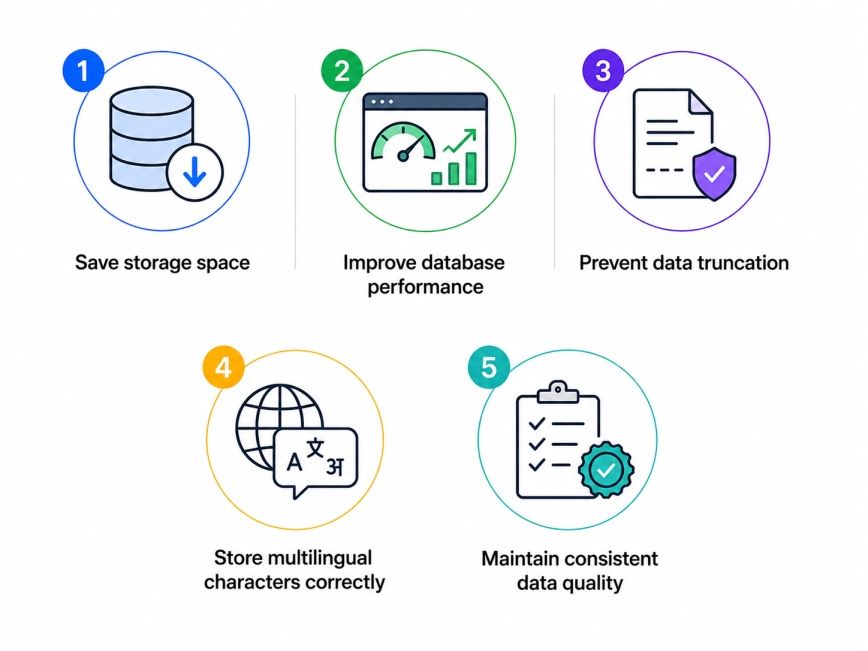
Choosing the SQL string data type is really important.
It helps you because poorly chosen string type can waste storage, or it will not be able to store some characters in the way they should be stored.
Data Science Courses to upskill
Explore Data Science Courses for Career Progression
IIIT Bangalore
Executive Post Graduate Certificate in Data Science & AIPlacement Assistance
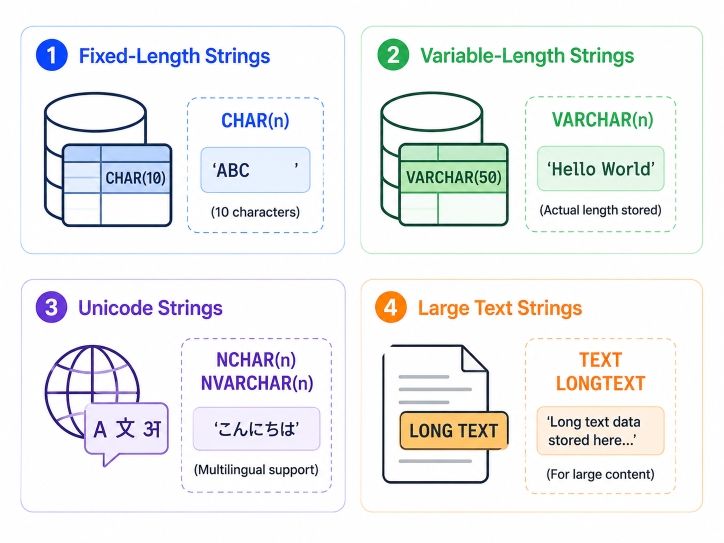
Although SQL implementations differ slightly across database systems, most support similar categories of string data.
A fixed-length string always uses the amount of space no matter how long or short the text is.
The most common example is:
CHAR(n)
Example:
CREATE TABLE CountryCodes (
   Code CHAR(2)
);
If you store "US", two characters are used.
If you store "U", SQL pads the remaining space automatically.
Variable-length strings only use the storage required for the actual value.
Example:
VARCHAR(n)
CREATE TABLE Customers (
   Name VARCHAR(100)
);
If the customer's name contains 18 characters, only those characters are stored.
This makes VARCHAR the most commonly used SQL string data type.
Many modern applications support multiple languages. If your application serves international users, Unicode should usually be the default choice.
Unicode string types allow storage of characters from languages such as:
SQL Server commonly uses:
NVARCHAR
Example:
CREATE TABLE Employees (
   EmployeeName NVARCHAR(100)
);Some applications need to store thousands of characters. Large text fields should only be used when necessary because they require different storage mechanisms.
Examples include:
Depending on the database, common options include:
Database |
Large Text Type |
| SQL Server | VARCHAR(MAX) |
| MySQL | TEXT |
| PostgreSQL | TEXT |
Also Read: SQL for Data Science: Functions, Queries, and Best Practices
When working specifically with Microsoft SQL Server, you'll encounter several SQL server string data types. Among these SQL Server string data types
VARCHAR and NVARCHAR are commonly used a in databases.
Data Type |
Unicode |
Fixed Length |
Variable Length |
| CHAR | No | Yes | No |
| VARCHAR | No | No | Yes |
| NCHAR | Yes | Yes | No |
| NVARCHAR | Yes | No | Yes |
As a rule of thumb:
Understanding these SQL server string data types helps developers build scalable and storage-efficient databases
Also Read: SQL Tutorials : Complete Learning Guide
Choosing the SQL string data type is more than just a technical decision. It affects how well your database stores things, how fast it can answer questions, and how well it works overall. When people are just starting out, they usually pick VARCHAR for every column that has text. That is not always the best thing to do.
A simple rule to follow is to think about what you will be doing with the SQL string data type. You should think about whether the length of the SQL string data type is something you can predict, and if the SQL string data type needs to be able to handle words, from many different languages.
Before creating a table, ask yourself these questions:
The answers help determine the most suitable SQL string data type.
Use CHAR when every value has a fixed length.
Examples include:
Since every value has the same length, CHAR provides predictable storage and can perform well for comparisons.
VARCHAR is the preferred option when text length varies.
Typical use cases include:
Because it stores only the characters entered, VARCHAR usually saves storage compared to CHAR.
If your application supports users from different countries, NVARCHAR is often the safest choice. Unicode support makes sure the characters are kept safe without losing any information.
When we look at the types of string data that SQL Server can handle, NVARCHAR is usually the one that people suggest for applications that are used all around the world because SQL Server NVARCHAR handles text in many languages very well.
For example, these names should all be stored correctly:
Requirement |
Recommended Data Type |
| Fixed-length code | CHAR |
| Variable English text | VARCHAR |
| Variable multilingual text | NVARCHAR |
| Fixed multilingual code | NCHAR |
| Very large text | VARCHAR(MAX) or TEXT |
If you do a simple thing, your database will be a lot easier to maintain and scale when you need to. These simple practices improve the performance of your database by not using up too much of space.
Beginners usually pick the SQL string data type.
When you work with SQL server for string data types, it is good to know the difference between CHAR and VARCHAR. Also, NCHAR and NVARCHAR are important. This helps you avoid mistakes and makes your database design better.
Some of the most common include:
The SQL string data type is one of the most frequently used data types in SQL because nearly every application store textual information. Understanding when to use CHAR, VARCHAR, NCHAR, NVARCHAR, and larger text types helps improve database efficiency, maintain data quality, and avoid common design mistakes.
As your SQL skills grow, selecting the right string type will become a natural part of designing well-structured databases. By applying the best practices covered in this guide and understanding the available SQL server for string data types, you'll be able to build databases that are easier to manage, scale, and optimize.
Want to explore more about management accounting? Book your free 1:1 personal consultation with our expert today.
SQL provides several string data types to store text values, including CHAR, VARCHAR, NCHAR, NVARCHAR, and large text types such as TEXT or VARCHAR(MAX). Each option serves a different purpose depending on the length of the data and whether Unicode support is required. Choosing the correct SQL string data type improves storage efficiency and application performance.
The four major categories of SQL data types are string, numeric, date and time, and binary. String types store text, numeric types handle numbers, date and time types store temporal values, and binary types manage files or raw byte data. Every SQL database relies on these categories to organize information efficiently.
String data types are database data types designed to store characters rather than numbers for calculations. They can contain letters, digits, punctuation marks, and spaces. An SQL string data type is commonly used for names, email addresses, product titles, and other text-based information where preserving the exact value is important.
CHAR stores values with a fixed length, while VARCHAR stores only the number of characters entered. If every value has the same length, CHAR is a good choice. For variable-length data such as customer names or addresses, VARCHAR is usually more storage-efficient and flexible.
Use NVARCHAR when your application needs to support multiple languages or special characters. Unlike VARCHAR, it stores Unicode data, making it suitable for international applications. Among sql server string data types, NVARCHAR is widely recommended for global databases because it preserves multilingual text accurately.
VARCHAR can improve storage efficiency because it uses only the required space for each value. However, performance also depends on indexing, query design, and database configuration. Selecting the appropriate sql string data type should balance storage needs with application requirements rather than focusing only on speed.
VARCHAR(MAX) is designed to store very large amounts of text, often up to several gigabytes depending on the database system. It is commonly used for articles, user-generated content, logs, or lengthy descriptions. It should only be chosen when standard VARCHAR limits are insufficient.
For applications using only English characters, VARCHAR is generally sufficient. If users may enter names in different languages, NVARCHAR is the better option. Among SQL server string data types, NVARCHAR offers the greatest flexibility for multilingual applications while maintaining data accuracy.
Yes. Numbers such as phone numbers, ZIP codes, passport numbers, and product codes are often stored as strings because they are identifiers rather than values used in calculations. Storing them as SQL string data type preserves leading zeros and formatting.
Choose a maximum length based on realistic business requirements rather than selecting an excessively large value. Review the expected input size and leave reasonable room for future growth. This approach improves storage efficiency while reducing the chance of data truncation.
Most relational database systems provide similar string types, but implementation details vary. SQL Server, MySQL, PostgreSQL, and Oracle all support fixed-length and variable-length text, though naming conventions, storage limits, and Unicode handling differ. Reviewing database-specific documentation is always recommended before designing production tables.
730 articles published
Sriram K is a Senior SEO Executive with a B.Tech in Information Technology from Dr. M.G.R. Educational and Research Institute, Chennai. With over a decade of experience in digital marketing, he specia...
Speak with Data Science Expert
By submitting, I accept the T&C and
Privacy Policy
Start Your Career in Data Science Today
Top Resources
Executive Diploma
12 Months
Master's Degree
18 Months
Bootcamp
6 Months