Top 20+ Operating Systems Projects in 2026

By Rahul Singh

Updated on Apr 20, 2026 | 11 min read | 4.73K+ views

Share:

Operating systems projects in 2026 focus on AI-native infrastructure, secure environments, and distributed systems. Instead of traditional task handling, systems now manage intelligent workloads using semantic scheduling for AI agents and embedded models.

Key areas include observability using eBPF, dynamic sandboxing for running AI-generated code safely, and secure Linux endpoint management. These trends push you to build systems that are efficient, secure, and capable of handling modern AI-driven workloads.

In this guide, you will find 20+ highly descriptive operating systems projects categorized into beginner, intermediate, and advanced, complete with technical blueprints to help you build an outstanding systems engineering portfolio.

Build in-demand AI skills with upGrad’s Artificial Intelligence Courses. Learn machine learning, prompt engineering, and real-world tools through hands-on projects. 

Beginner Friendly Operating Systems Projects

These projects introduce you to the core APIs provided by existing operating systems. You will work in user space, leveraging POSIX standards to understand how processes, threads, and basic memory allocations function under the hood.
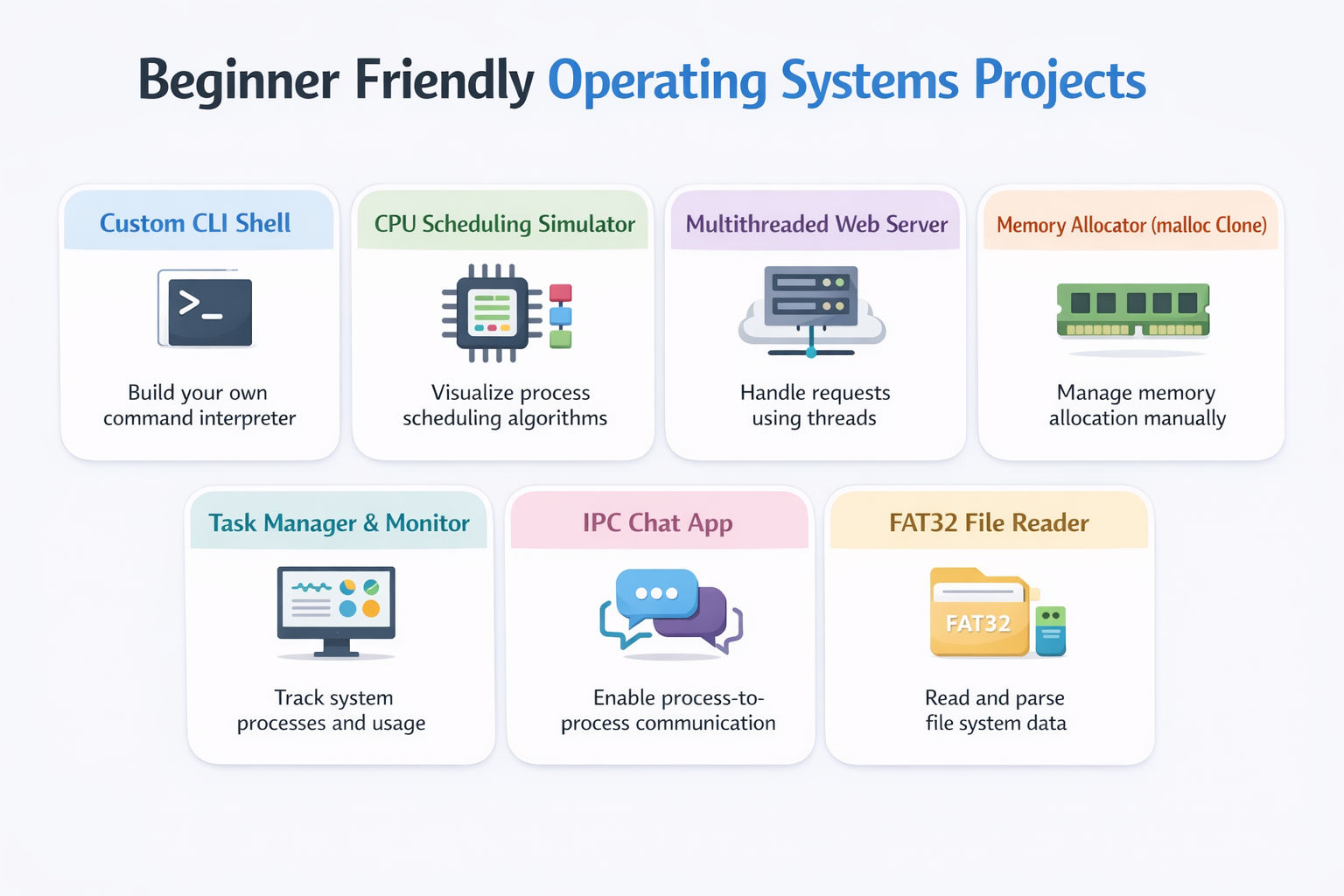
1. Custom Command Line Shell

This project teaches you process creation and the fundamentals of the Unix environment. You will build your own version of bash or zsh that can parse user commands, launch executable files, and support background processes.

Tools and Technologies Used

  • C or C++: The standard systems programming languages.
  • POSIX API: Specifically fork(), execvp(), and wait().
  • String Manipulation: For parsing command-line arguments.

How to Make It

  • Write an infinite while loop that prints a custom prompt (e.g., myshell> ) and waits for user input using getline().
  • Parse the raw input string into an array of arguments, handling spaces and identifying special characters like & for background execution.
  • Use the fork() system call to create a child process. Inside the child process, use execvp() to replace the child's memory space with the requested program (like ls or echo).
  • In the parent process, use waitpid() to pause execution until the child command finishes, returning control to your infinite loop.

Also Read: Top 25+ HTML Projects for Beginners in 2026: Source Code, Career Insights, and More 

2. CPU Scheduling Algorithm Simulator

This project helps you understand how an OS decides which program gets to run on the CPU. You will build a visual or terminal-based simulator that models algorithms like First-Come-First-Serve (FCFS), Shortest Job First (SJF), and Round Robin.

Tools and Technologies Used

  • Python or C++: For logic implementation.
  • Matplotlib (Python) or Qt (C++): For drawing Gantt charts.
  • Queue Data Structures: To manage the ready queue.

How to Make It

  • Define a Process struct/class containing attributes like Process ID, Arrival Time, Burst Time, and Priority.
  • Implement the scheduling logic for Round Robin: maintain a ready queue, allocate a fixed time quantum (e.g., 2ms) to the front process, and cycle it to the back if it isn't finished.
  • Calculate mathematical performance metrics for your simulation, including Average Waiting Time and Average Turnaround Time.
  • Output the execution timeline visually as a Gantt chart, showing exactly when each process was swapped in and out of the CPU.

3. Multithreaded Web Server

This project introduces concurrency and network sockets. You will build a low-level HTTP web server from scratch that can handle multiple simultaneous client requests without freezing.

Tools and Technologies Used

  • C Language: For raw socket programming.
  • POSIX Threads (pthreads): For concurrency management.
  • TCP/IP Sockets: For handling network traffic.

How to Make It

  • Create a master socket that binds to a specific port (like 8080) and listens for incoming TCP connections.
  • Set up a thread pool: pre-spawn a fixed number of worker threads that sit idle, waiting for tasks, rather than aggressively creating a new thread for every single request.
  • When the master socket accepts a connection, push the new client socket file descriptor onto a thread-safe queue (protected by a mutex lock).
  • A worker thread will pop the socket from the queue, read the HTTP GET request, parse the requested file path, and send the corresponding HTML file as a raw byte stream back to the browser.

Also Read: A Complete Guide to the React Component Lifecycle: Key Concepts, Methods, and Best Practices 

4. Basic Memory Allocator (malloc Clone)

This project demystifies how dynamic memory is handled. You will write your own version of the standard C library functions malloc(), calloc(), and free() to manage the heap directly.

Tools and Technologies Used

  • C Language: Essential for direct pointer manipulation.
  • sbrk() or mmap() system calls: To request raw pages of memory from the OS.
  • Linked Lists: To track free and allocated memory blocks.

How to Make It

  • Define a metadata block (a struct) that will sit in memory directly preceding the allocated space, keeping track of the block's size and whether it is currently "free."
  • Implement the malloc logic: when a user requests bytes, traverse your linked list of metadata to find a free block large enough (First Fit or Best Fit algorithm).
  • If no blocks are large enough, use sbrk() to expand the data segment of the process, creating new raw heap space.
  • Implement free() by simply marking the metadata block as "free," and write a coalescing function that merges adjacent free blocks to prevent severe memory fragmentation.

5. System Task Manager & Monitor

This project teaches you how the OS exposes hardware and process data to user space. You will build a system monitoring tool (similar to Windows Task Manager or htop) that displays live CPU, RAM, and process statistics.

Tools and Technologies Used

  • C++ or Rust: For performance and object-oriented structuring.
  • /proc Virtual Filesystem (Linux): To read kernel data.
  • ncurses library: To build a dynamic, interactive terminal UI.

How to Make It

  • Write parsing functions that continuously read standard Linux files like /proc/stat (for CPU utilization) and /proc/meminfo (for RAM usage).
  • Iterate through all the numbered directories in /proc (which represent active Process IDs) to extract the name, state, and memory footprint of every running program.
  • Use the ncurses library to draw a persistent terminal interface that refreshes this data every second without scrolling the terminal window down.
  • Implement interaction logic so the user can use their arrow keys to highlight a specific process and press 'K' to send a SIGKILL signal to terminate it.

Also Read: Top 50 React JS Interview Questions & Answers in 2026 

6. IPC Chat Application

This project focuses on Inter-Process Communication (IPC). You will build a local chat application where two entirely separate terminal processes can send messages back and forth in real-time.

Tools and Technologies Used

  • C Language: For interacting with system APIs.
  • Shared Memory (shmget, shmat): For ultra-fast data transfer.
  • Semaphores: To prevent race conditions during message reading/writing.

How to Make It

  • Create a shared memory segment using the OS API and attach it to the address space of both the "Sender" process and the "Receiver" process.
  • Define a structured message buffer inside this shared memory to hold the text string and a flag indicating if a new message is ready.
  • Implement POSIX semaphores to ensure that the Sender cannot overwrite the buffer while the Receiver is actively reading it (Mutual Exclusion).
  • Expand the project to support two-way communication, allowing either terminal to type a message and have it instantly appear in the other terminal window.

7. FAT32 File System Reader

This project introduces how data is physically structured on a disk. You will build a utility that can open a raw .img file of a FAT32 flash drive, parse the boot sector, and list the files inside without actually mounting the drive.

Tools and Technologies Used

  • C or C++: For reading binary streams.
  • Hex Editor: To manually inspect disk images for debugging.
  • Bitwise Operations: To extract specific bits from hardware registers.

How to Make It

  • Use dd on Linux to create a raw image file of a small, FAT32-formatted USB drive.
  • Open this binary file in your C program using fopen() and read the first 512 bytes (the Boot Sector) into a packed struct to extract metadata like "Bytes Per Sector" and "Sectors Per Cluster."
  • Write logic to locate the File Allocation Table (FAT) and the Root Directory based on the Boot Sector math.
  • Traverse the Root Directory to print the names, extensions, and file sizes of all the files stored on the image, effectively building an OS-level file explorer from scratch.

Also Read: Top 30 Django Project Ideas for Beginners and Professionals  

Intermediate Level Operating Systems Projects

These projects move you closer to the hardware boundary. You will step outside of standard user space, interacting with kernel APIs, writing drivers, and understanding how virtual machines and file systems are actually implemented.

1. Simple x86 Bootloader

This project teaches you the absolute first step of an operating system. You will write the code that runs the moment a computer turns on, residing in the first 512 bytes of a hard drive, to print a message to the screen without any OS assistance.

Tools and Technologies Used

  • x86 Assembly Language (NASM): For direct hardware instructions.
  • QEMU: A hardware emulator to test your bootloader safely.
  • BIOS Interrupts: For basic screen output.

How to Make It

  • Write an Assembly script set to origin 0x7C00, the exact memory address where the BIOS dumps the boot sector upon startup.
  • Define a string of text (e.g., "Hello from my custom OS!").
  • Set up a loop that loads each character of the string into the AL CPU register and triggers BIOS interrupt 0x10 (teletype output) to print the character directly to the VGA display.
  • Pad the rest of the file with zeros and end it with the magic boot signature 0xAA55 so the BIOS recognizes it as a bootable drive. Compile it using NASM and boot it in QEMU.

2. User-Space File System (FUSE)

This project requires you to implement actual file system logic. You will use FUSE (Filesystem in Userspace) to build a custom, mountable file system where standard commands like ls and touch execute your custom C code.

Tools and Technologies Used

  • C/C++: For implementation.
  • libfuse: The standard Linux framework for user-space file systems.
  • JSON or SQLite: To act as the underlying storage medium.

How to Make It

  • Implement the core fuse_operations struct, defining custom callback functions for OS operations like getattr, readdir, read, and write.
  • Build an "In-Memory" file system where files and directories are simply nodes in a C++ tree structure existing only in RAM (all data disappears on reboot).
  • Mount your compiled program to an empty directory (e.g., /tmp/myfs).
  • Open a new terminal, navigate to /tmp/myfs, and type echo "Hello" > file.txt. The Linux kernel will automatically route this command to your custom FUSE program, where your write function saves the string to your C++ tree.

Also Read: Top 21+ Next.js Project Ideas in 2026 

3. Custom Linux Kernel Module (Device Driver)

This project moves you into kernel space (Ring 0). You will write a loadable Linux kernel module that creates a virtual character device, allowing user programs to communicate directly with your kernel code.

Tools and Technologies Used

  • C Language: Using specific kernel headers (<linux/module.h>).
  • Linux Kernel Build System (Makefiles): To compile against the kernel tree.
  • insmod and dmesg: To load and debug the module.

How to Make It

  • Write a C script utilizing module_init and module_exit macros to define what happens when the module is loaded and unloaded from the kernel.
  • Register a new Character Device with the kernel, assigning it a Major and Minor number.
  • Implement file_operations for your device. Write a read function that outputs a specific string (like kernel uptime) and a write function that captures user input and prints it to the kernel log.
  • Compile the module using a specific kernel Makefile, load it using insmod, create a device node using mknod, and test it by running cat /dev/my_custom_device.

4. Paging and Virtual Memory Simulator

This project visualizes the illusion of memory. You will build a simulator that translates virtual addresses into physical addresses using page tables, simulating page faults and page replacement algorithms.

Tools and Technologies Used

  • C++ or Java: For complex object modeling.
  • Bitwise Manipulation: To separate virtual addresses into page numbers and offsets.
  • Algorithm Logic: To implement LRU (Least Recently Used).

How to Make It

  • Create a simulated "Physical Memory" array of bytes and a hierarchical "Page Table" structure mapping virtual pages to physical frames.
  • Generate a massive text file containing millions of simulated memory access requests (e.g., READ 0x1A4F).
  • For each request, parse the virtual address. If the required page is not in the page table, trigger a "Page Fault" and load it from simulated disk storage into the physical memory array.
  • If physical memory is full, implement the Least Recently Used (LRU) algorithm to decide which existing page frame to evict back to the disk, calculating your final Page Fault Rate at the end of the simulation.

Also Read: Top 45+ Nodejs Project Ideas for Beginners and Professionals  

5. Lightweight Container Runtime (Docker Clone)

This project demystifies how Docker works natively on Linux. You will write a program that isolates a process, giving it its own independent filesystem, process tree, and network stack.

Tools and Technologies Used

  • Go or C: The primary languages for container runtimes.
  • Linux Namespaces: To isolate global system resources.
  • cgroups (Control Groups): To limit CPU and RAM usage.

How to Make It

  • Use the clone() system call to spawn a new process, specifically passing flags like CLONE_NEWPID and CLONE_NEWUTS to give the process an isolated Process ID tree and hostname.
  • Use chroot or pivot_root inside the new namespace to swap the root directory to an isolated folder containing a minimal Linux filesystem (like Alpine Linux).
  • Mount the /proc filesystem inside this new root so utilities like ps work correctly but only see processes running inside the container.
  • Write a configuration to the /sys/fs/cgroup directory to artificially throttle the container, killing the process if it attempts to use more than 100MB of RAM.

6. Network Packet Sniffer & Analyzer

This project explores the OS network stack. You will build a tool (similar to a lightweight Wireshark) that captures raw Ethernet frames directly from the Network Interface Card (NIC) before the OS processes them.

Tools and Technologies Used

  • C Language: For raw socket implementation.
  • libpcap: The standard packet capture library.
  • Network Protocols: Deep understanding of TCP/IP headers.

How to Make It

  • Open a raw network socket using libpcap and put the network interface card into "Promiscuous Mode," forcing it to capture all packets traveling across the network, not just packets destined for your machine.
  • Write a continuous loop that receives raw byte arrays from the socket.
  • Cast these raw bytes into specifically sized C structs representing the Ethernet Header, IP Header, and TCP/UDP Header to extract the source/destination MAC addresses, IP addresses, and ports.
  • Print this formatted network traffic to the terminal in real-time, optionally logging the raw payloads of HTTP traffic.

Also Read: Top 36+ Python Projects for Beginners in 2026 

7. Minimal 32-bit Kernel with VGA Output

This project is the natural continuation of the Bootloader project. You will write a tiny, functional 32-bit kernel that boots via GRUB and prints colored text to the screen directly by manipulating VGA video memory.

Tools and Technologies Used

  • C and x86 Assembly: For core logic and CPU setup.
  • Linker Scripts (.ld): To control the exact memory layout of the compiled binary.
  • Multiboot Specification: To make the kernel compatible with the GRUB bootloader.

How to Make It

  • Write a short Assembly stub that complies with the Multiboot Header specification, serving as the entry point when GRUB loads your OS into memory.
  • Set up a minimal stack in Assembly and jump to your main kernel_main() function written in C.
  • In your C code, create a pointer to the physical memory address 0xB8000, which is the start of the VGA text buffer mapped directly to the hardware monitor.
  • Write a custom printf function that writes characters and color codes (e.g., green text on a black background) directly into this memory buffer array, rendering your custom text on the screen without any underlying OS.

Also Read: 35+ Android Projects with Source Code You MUST Try in 2026 (Beginner to Final-Year)  

Recommended Courses to upskill

Explore Our Popular Courses for Career Progression

360° Career Support

Executive Diploma12 Months
background

O.P.Jindal Global University

MBA from O.P.Jindal Global University

Live Case Studies and Projects

Master's Degree12 Months

Advanced Level Operating Systems Projects

These projects represent the pinnacle of systems engineering. You will architect entirely independent components of an operating system, implementing complex concurrency protocols, custom file systems, and hardware virtualization.
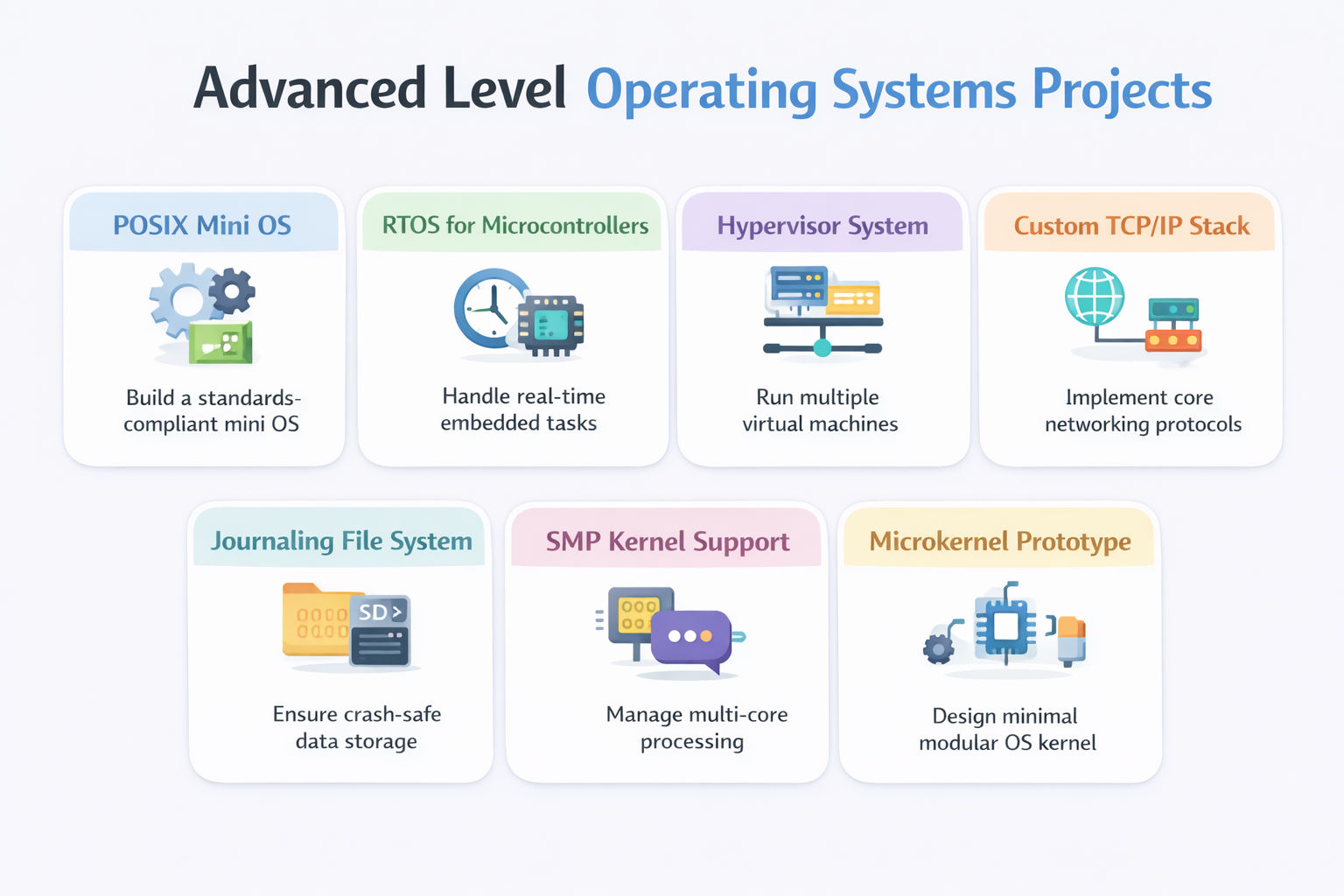
1. Complete POSIX-Compliant Mini OS

This project requires you to synthesize everything you know about systems architecture. You will build an educational, UNIX-like operating system capable of running multiple user-space programs simultaneously.

Tools and Technologies Used

  • C and Assembly: For full system implementation.
  • Interrupt Descriptor Table (IDT): For handling CPU exceptions and hardware interrupts.
  • xv6 (MIT's educational OS): As a reference architecture.

How to Make It

  • Implement a Global Descriptor Table (GDT) and IDT to handle hardware interrupts, specifically wiring up the Programmable Interval Timer (PIT) and the keyboard.
  • Build a physical and virtual memory manager, implementing page directories to isolate kernel memory from user-space memory.
  • Write a preemptive process scheduler; use the PIT hardware timer to trigger an interrupt every 10ms, forcibly saving the CPU state of the current process and restoring the state of the next process in the ready queue.
  • Implement fundamental system calls (fork, exec, read, write) allowing you to compile simple C programs using a cross-compiler and run them successfully inside your custom OS.

2. Real-Time Operating System (RTOS) for Microcontrollers

This project shifts focus from standard PCs to embedded hardware. You will build a highly deterministic RTOS designed for IoT devices, guaranteeing that high-priority tasks execute within strict microsecond deadlines.

Tools and Technologies Used

  • ARM Cortex-M Assembly: For context switching on modern microcontrollers.
  • C Language: For task management logic.
  • QEMU (ARM) or physical hardware (e.g., STM32 board): For testing.

How to Make It

  • Implement a highly optimized Task Control Block (TCB) struct and a priority-based preemptive scheduler specifically avoiding dynamic memory allocation (malloc) to guarantee deterministic execution times.
  • Write the context switch logic in ARM Assembly, pushing the CPU registers onto the specific task's stack and triggering a PendSV interrupt to swap tasks safely.
  • Implement priority inheritance protocols on your mutexes; if a low-priority task holds a lock needed by a high-priority task, temporarily boost the low-priority task to prevent "priority inversion" deadlocks.
  • Run multiple LED-blinking tasks simultaneously on an STM32 board to visually verify your scheduling accuracy.

Also Read: 30 Best Cyber Security Projects Ideas in 2026  

3. Hardware Virtualization Hypervisor

This project explores how cloud providers run virtual machines. You will write a Type-2 Hypervisor (Virtual Machine Monitor) using native Linux APIs to run a "Guest OS" directly on the CPU while intercepting its restricted instructions.

Tools and Technologies Used

  • C Language: For system-level programming.
  • Linux KVM (Kernel-based Virtual Machine) API: To access hardware virtualization.
  • ioctl system calls: To configure the virtual CPU.

How to Make It

  • Open the /dev/kvm device node and use ioctl calls to create a new Virtual Machine and allocate a chunk of your host RAM to act as the "Physical RAM" for the guest.
  • Initialize a virtual CPU (vCPU) and load a tiny compiled binary (the Guest OS) directly into the allocated memory.
  • Execute the vCPU. The hardware will run the guest code at native speeds until the guest attempts a restricted operation (like writing to a hardware port).
  • When the restricted operation occurs, the hardware triggers a "VM Exit," pausing the guest and handing control back to your hypervisor C code to emulate the hardware behavior before resuming the guest.

4. Custom TCP/IP Network Stack

This project replaces the Linux kernel's networking logic. You will bypass the OS network stack and write the code that mathematically constructs and deconstructs network packets layer by layer.

Tools and Technologies Used

  • C/C++: For high-performance byte manipulation.
  • TUN/TAP Virtual Interfaces: To inject raw packets into the Linux kernel.
  • RFC Specifications: Deep reading of networking standards.

How to Make It

  • Create a TUN interface in Linux. When a local application sends data to this interface, your C program receives the raw IP packet directly.
  • Write the Internet Protocol (IP) layer: parse the IP header, verify the checksum using ones' complement math, and handle IP fragmentation if the packet is too large.
  • Write the Transmission Control Protocol (TCP) layer: implement the complex 3-way handshake (SYN, SYN-ACK, ACK), manage sequence numbers, and handle packet retransmission timeouts.
  • Provide an API so a user-space program can create a "Socket," bind to a port, and send HTTP data using entirely your custom TCP/IP stack rather than the operating system's stack.

5. Journaling File System Implementation

This project tackles data corruption and storage reliability. You will build an advanced file system that implements Write-Ahead Logging (WAL) to guarantee that power failures do not destroy the directory structure.

Tools and Technologies Used

  • C Language: For structural implementation.
  • Block Device Drivers: To interact with raw sectors.
  • FUSE (Filesystem in Userspace): For easier testing and debugging.

How to Make It

  • Design a disk layout featuring a Superblock, an Inode Bitmap, a Data Block Bitmap, and a specific continuous region reserved for the "Journal."
  • Modify the write operations so that before actual data is written to its final location on the disk, a highly specific "Transaction Record" is appended sequentially to the Journal.
  • Commit the transaction to the journal, then asynchronously flush the real data to the main disk areas.
  • Write a recovery utility that runs on boot; if the system crashed during a write, the utility reads the Journal and perfectly replays the interrupted transactions to restore the file system to a consistent state.

Also Read: 15+ Web Development Projects  

6. Symmetric Multiprocessing (SMP) Kernel Support

This project introduces extreme concurrency. You will upgrade a single-core hobbyist kernel to support multi-core processors, fundamentally changing how memory and scheduling are handled.

Tools and Technologies Used

  • C and x86 Assembly: For complex processor initialization.
  • Advanced Programmable Interrupt Controller (APIC): For multi-core management.
  • Spinlocks and Atomic Operations: For synchronization.

How to Make It

  • Parse the ACPI (Advanced Configuration and Power Interface) tables provided by the BIOS to detect exactly how many physical CPU cores exist on the motherboard.
  • Write initialization code where the Bootstrap Processor (BSP—Core 0) sends an Inter-Processor Interrupt (IPI) to wake up the Application Processors (AP—Cores 1, 2, 3).
  • Configure each core to have its own isolated stack and its own current task pointer.
  • Replace all basic interrupt disables with highly optimized spinlock routines utilizing atomic hardware instructions (like lock cmpxchg), ensuring that two distinct CPU cores do not simultaneously attempt to allocate the same page of physical memory.

7. Microkernel Architecture Prototype

This project explores OS security and stability. You will build an OS where the actual kernel is incredibly small (only handling IPC and basic memory), pushing device drivers and file systems into isolated user-space processes.

Tools and Technologies Used

  • C and Assembly: For the core kernel.
  • Message Passing Interfaces: As the core communication protocol.
  • Memory Management Unit (MMU) manipulation: For strict isolation.

How to Make It

  • Implement the core Microkernel (running in Ring 0), exposing only a handful of system calls specifically designed for synchronous and asynchronous message passing between processes.
  • Write a File System Server and a Keyboard Driver Server that run as standard, unprivileged user-space applications (Ring 3).
  • When a user program wants to read a file, it does not trap into the kernel to execute file system code. Instead, it sends an IPC message to the File System Server.
  • The File System Server processes the request and sends an IPC message back with the file data. If the File System Server crashes, the Microkernel simply restarts that isolated user process, preventing a total system kernel panic.

Also Read: GitHub Project on Python: 30 Python Projects You’d Enjoy  

Conclusion

Operating systems projects help you build strong system-level skills and understand how modern systems manage resources, security, and performance. Start with core concepts, then move to advanced areas like distributed systems and AI-driven workloads.

Focus on practical operating systems projects that handle real scenarios like scheduling, memory management, and security. This approach helps you build deep understanding and prepares you for real-world system design challenges.

"Want personalized guidance on AI and upskilling opportunities? Connect with upGrad’s experts for a free 1:1 counselling session today!"   

Similar Reads:  

Frequently Asked Question (FAQs)

1. What are the best operating systems projects for beginners?

Operating systems projects for beginners include CPU scheduling simulators, memory allocation tools, and simple file system models. These projects help you understand core concepts like process management and resource allocation without dealing with complex system-level implementations.

2. Which tools are required to build OS-based projects?

You typically use C or C++ for programming, along with a Linux environment. Tools like GCC for compilation and GDB for debugging are commonly used to build and test system-level applications effectively.

3. Are operating systems projects useful for placements?

Yes, operating systems projects are highly valued in interviews. They show your understanding of system internals, problem-solving skills, and ability to work with low-level concepts, which are important for technical roles.

4. What are some good project ideas for final year students?

Final year students can build projects like virtual memory simulators, shell implementations, or distributed system models. These projects demonstrate your ability to handle complex concepts and real-world system behavior.

5. How do operating systems projects help in understanding real systems?

Operating systems projects help you learn how processes, memory, and resources are managed in real environments. You gain practical knowledge of scheduling, synchronization, and system calls, which are essential for building efficient systems.

6. What programming languages are best for OS projects?

Languages like C and C++ are widely used because they allow low-level control of memory and system resources. These languages are ideal for understanding how operating systems work internally.

7. What are some beginner-friendly OS project ideas?

You can start with projects like process scheduling, basic file handling systems, or memory allocation simulators. These projects help you learn fundamental concepts without requiring advanced system design knowledge.

8. What are some advanced operating systems projects for real-world use?

Advanced operating systems projects include building mini kernels, distributed systems, and container runtimes. These projects involve complex logic and help you understand modern system design and scalability.

9. How long does it take to complete an OS project?

Simple projects can take a few days, while intermediate ones may take a few weeks. Advanced projects with multiple components and real-world features can take longer depending on your experience.

10. How can operating systems projects improve your resume?

Operating systems projects show your ability to work with system-level concepts and solve complex problems. These projects make your resume stronger and more relevant for roles in software development and systems engineering.

11. What mistakes should you avoid while building OS projects?

Avoid starting with complex systems without understanding basics. Do not ignore debugging and testing. Focus on building small, well-structured projects before moving to advanced implementations for better learning outcomes.

Rahul Singh

19 articles published

Rahul Singh is an Associate Content Writer at upGrad, with a strong interest in Data Science, Machine Learning, and Artificial Intelligence. He combines technical development skills with data-driven s...

Get Free Consultation

+91

By submitting, I accept the T&C and
Privacy Policy

Top Resources

Recommended Programs

upGrad

upGrad

Management Essentials

Case Based Learning

Certification

3 Months

IIMK
bestseller

Certification

6 Months

OPJ Logo
new course

Master's Degree

12 Months
