Top 20+ Internship Projects: Best Ideas for 2026
By Faheem Ahmad
Updated on Apr 17, 2026 | 10 min read | 3.96K+ views
Share:

All courses
Certifications
More
By Faheem Ahmad
Updated on Apr 17, 2026 | 10 min read | 3.96K+ views
Share:
Table of Contents
An internship project is a short-term, structured assignment that connects academic knowledge with real-world industry requirements, helping students build practical skills. These projects may involve research, creating support materials, digital marketing, software development, or UI/UX design.
They typically include clear objectives, guidance from a mentor, and a final report that outlines the work completed, tools used, and key skills gained during the internship.
In this guide, you’ll find 20+ internship project ideas broken down into beginner, intermediate, and advanced levels. These are designed to help you stand out to recruiters and land that dream role.
Build job-ready AI skills and prepare for real-world problem solving. Explore upGrad’s Artificial Intelligence Courses and start your path toward roles in machine learning, automation, and intelligent systems.
Popular upGrad Programs
If you're just starting out, these projects are great for learning the basics. They usually take a few hours to a day to finish and help you get comfortable with common developer tools.
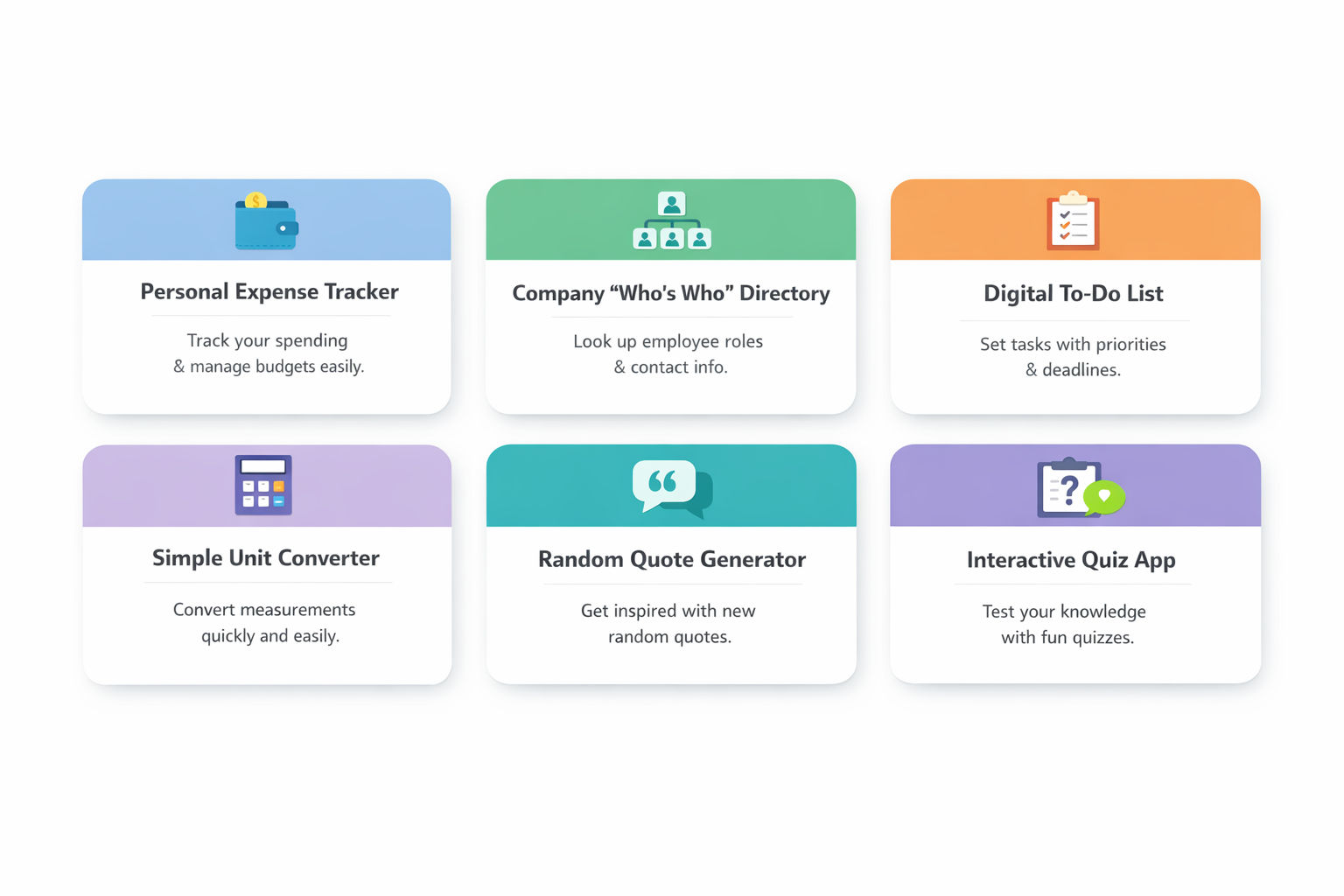
This is a classic but super useful tool for any student or professional. You’ll build an app where users can log their daily spending, categorize their expenses (like "Food," "Rent," or "Fun"), and see a total of how much they've spent. It shows you can handle user input, basic data management, and simple arithmetic logic.
Tools and Technologies Used
How to Make It
Also Read: Top 50 React JS Interview Questions & Answers in 2026
When new interns join a big company, it's hard to remember everyone. This project is a searchable directory of employees where you can search by name or department. It helps newcomers find someone's job title and email address quickly. Building this proves you can handle data filtering and responsive layouts.
Tools and Technologies Used
How to Make It
Task management is a core skill in any workplace. This project allows users to add tasks, set a priority level (High, Medium, Low), and mark them as complete. It demonstrates your ability to manage state in a web application and provide a clean user experience for daily productivity.
Tools and Technologies Used
How to Make It
Also Read: Top 25+ HTML Projects for Beginners in 2026: Source Code, Career Insights, and More
This tool is perfect for practicing mathematical logic and UI responsiveness. Users can convert between various units like Celsius to Fahrenheit, Kilometers to Miles, or Kilograms to Pounds. It’s a straightforward utility that shows you can build error-free, functional logic for common user needs.
Tools and Technologies Used
How to Make It
This project introduces you to fetching data from external sources. You will build a small widget that displays a new motivational or technical quote every time a button is clicked. It’s a great way to learn about the "Fetch API" and handling asynchronous data in a web app.
Tools and Technologies Used
How to Make It
Quiz apps are great for testing logic and score tracking. You’ll create a 5-10 question quiz on a specific topic (like "General Knowledge" or "Coding Basics"). It teaches you how to handle conditional logic, track a user's score across multiple pages, and show a final result.
Tools and Technologies Used
How to Make It
Also Read: Best Capstone Project Ideas & Topics in 2026
Free Courses
Intermediate projects move beyond basic prompts and help you build structured, real-world applications. You will work with backends, APIs, and multi-step workflows.
Think of this as a mini-Trello. You'll build a board where multiple people can add tasks to different columns like "To-Do," "Doing," and "Done." This project shows you can handle complex UI layouts and real-time data synchronization across different users.
Tools and Technologies Used
How to Make It
This project teaches you how to work with real-world weather data. It checks the weather for the user's city and then suggests what they should wear (e.g., "It's raining, bring an umbrella"). It demonstrates your ability to process external API data and apply logic to it.
Tools and Technologies Used
How to Make It
Also Read: A Complete Guide to the React Component Lifecycle: Key Concepts, Methods, and Best Practices
This project focuses on handling large amounts of data and search functionality. Users can search for movies by title, view posters, and see ratings and plot summaries. It shows you can build a search-heavy application and manage complex JSON responses from an external database.
Tools and Technologies Used
How to Make It
Developers use Markdown every day, and building a previewer is a great way to understand text parsing. Users type Markdown on the left, and the rendered HTML appears on the right. This project proves you can handle real-time text processing and use third-party libraries effectively.
Tools and Technologies Used
How to Make It
Also Read: Full Stack Developer Tools To Master In 2026
URL shorteners are a core part of web infrastructure. You'll build a tool where a user pastes a long link and gets a short, shareable one in return. This project introduces you to database management and creating custom API endpoints for redirection.
Tools and Technologies Used
How to Make It
This is a great project for learning how to filter complex data. Users type in the ingredients they have, and the app finds recipes they can actually make. It shows you can work with specialized APIs and build helpful, user-centric search tools.
Tools and Technologies Used
How to Make It
This expands on the basic expense tracker by adding historical data. Users can see their spending over the last 6 months and set monthly budget limits. It demonstrates that you can handle more complex data storage and time-based calculations.
Tools and Technologies Used
How to Make It
Also Read: Best Social Media Project Ideas
Recommended Courses to upskill
Explore Our Popular Courses for Career Progression
IIIT Bangalore
Executive Diploma in Machine Learning and AI360° Career Support
O.P.Jindal Global University
MBA from O.P.Jindal Global UniversityLive Case Studies and Projects
Advanced projects push you to build production-level systems with real-world impact. You will work on scalable architectures and systems that automate complex tasks.
You’ll build a site where users can upload a file, get a secret link, and share it. To make it "advanced," the file will automatically delete itself after 24 hours. This project proves you can handle cloud infrastructure and secure, temporary data management.
Tools and Technologies Used
How to Make It
Must Read: Top 21+ Risk Management Projects: The 2026 Master List
This tool helps HR departments manage hundreds of applicants. Recruiters upload a batch of resumes, and the system automatically extracts the name, email, and top skills from each one. This shows you can solve major business pain points using automation and data extraction.
Tools and Technologies Used
How to Make It
Building a store is the ultimate test of a developer’s skills. You’ll create a product catalog, a shopping cart, and a secure checkout process. This project demonstrates that you can handle payments, user sessions, and complex order management in a professional way.
Tools and Technologies Used
How to Make It
This is a more advanced version of a chat app where users can create private rooms and see who is currently online. It teaches you about persistent connections, "room-based" logic, and managing real-time notifications for users who aren't in the active tab.
Tools and Technologies Used
How to Make It
Also Read: Top MBA Finance Project Topics and Black Book Projects
This project combines text and image generation into one workflow. A user types a blog topic, and the system generates the article text and a matching header image. It shows you can orchestrate multiple AI services together to create a complete product.
Tools and Technologies Used
How to Make It
This tool allows non-technical employees to get data from a database without knowing code. They ask a question like "How many users signed up last week?" and the AI generates and runs the correct SQL query. This is a high-value business tool.
Tools and Technologies Used
How to Make It
This project focuses on chained workflows. A user inputs a link to an article, and the system generates three different social media posts (one for Twitter, one for LinkedIn, one for Instagram) and schedules them. This shows you can handle multi-platform content creation.
Tools and Technologies Used
How to Make It
Most developers don’t struggle with the technology; they struggle with building something useful. The ones who get hired faster don’t stop at basic tutorials; they create systems that connect data, automate tasks, and deliver real outcomes. If your internship project ideas solve clear problems and go beyond simple prompts, you will move ahead of the competition.
"Want personalized guidance on courses and upskilling opportunities? Connect with upGrad’s experts for a free 1:1 counselling session today!"
An internship project meaning goes beyond just a task; it represents your ability to apply classroom theory to professional challenges. Successfully completing an internship project proves to employers that you can handle responsibility and deliver measurable results in a real workplace.
When selecting internship project topics, consider your long-term career goals and the company’s current needs. Picking a relevant summer internship project allows you to specialize in a niche while ensuring your work provides genuine value to your host organization.
Most companies or universities provide a standard internship project report format. Generally, your internship project report should include an abstract, methodology, results, and a conclusion. Following a professional format ensures your technical findings are easy for stakeholders to read.
Project management internships focus on coordination and leadership rather than just technical execution. By taking ownership of a summer internship project, you demonstrate that you can manage timelines, resources, and team communication, which are vital skills for any future manager.
Your internship project report should prioritize data-backed results and personal reflections. Highlighting the challenges you overcame during your internship project shows growth. A well-structured report acts as a permanent record of your achievements for future job interviews and applications.
Yes, many internship project topics, like AI dashboards or data analysis, are perfect for remote work. Even in project management internships, you can use digital tools to lead a summer internship project effectively from anywhere, showing your adaptability to modern environments.
To manage a summer internship project, set clear milestones from the first week. Documenting your progress daily makes writing your final internship project report much easier. Efficient planning is what separates a basic task from a high-impact internship project.
While the basic internship project report format stays similar, the technical depth varies. For instance, tech roles focus on code documentation, while project management internships might emphasize budget tracking. Always tailor your internship project report to meet specific industry standards.
Absolutely. A successful internship project serves as a long-term job interview. When you excel at a summer internship project, you prove your reliability. Many companies hire directly from project management internships because the candidate is already trained and proven.
Struggling is part of the learning internship project meaning. Don’t hesitate to ask mentors for guidance. Documenting these hurdles in your internship project report format shows that you have problem-solving skills and a strong willingness to learn and improve.
A summer internship project is often a mandatory requirement for completing your degree. It bridges the gap between study and work. Presenting a professional internship project report demonstrates that you are ready to transition from a student to a professional.
77 articles published
Faheem Ahmad is an Associate Content Writer with a specialized background in MBA (Marketing & Operations). With a professional journey spanning around a year, Faheem has quickly carved a niche in the ...
Get Free Consultation
By submitting, I accept the T&C and
Privacy Policy
Top Resources
Certification
3 Months
Certification
6 Months
O.P. Jindal Global University
Masters in International Accounting and Finance (Accredited by ACCA, UK)Master's Degree
12 Months