Wrapper Classes in Java: Complete Guide for 2026
By upGrad
Updated on Jun 30, 2026 | 13 min read | 19.75K+ views
Share:

All courses
Certifications
More
By upGrad
Updated on Jun 30, 2026 | 13 min read | 19.75K+ views
Share:
Table of Contents
A wrapper class in Java converts a primitive data type into an object, allowing it to work with collections, generics, and object-oriented APIs. It also provides useful methods for parsing, comparing, and converting values while supporting features such as autoboxing and unboxing. Although wrapper classes add flexibility, using them incorrectly can affect application performance.
This blog explains wrapper classes in Java, their types, methods, advantages, autoboxing, unboxing, practical examples, performance considerations, and best practices to help you use them effectively in real-world Java applications.
Advance your programming and AI development skills with upGrad's Agentic AI and Generative AI programs. Learn to build intelligent applications, automate complex workflows, and apply modern AI techniques through hands-on projects and practical industry use cases.
Popular upGrad Programs

Each primitive data type has a corresponding wrapper class in Java that represents its value as an object. These classes, such as Integer, Double, Boolean, and Character, enable primitives to integrate seamlessly Java’s OOPs.
Beyond basic storage, wrapper classes support operations like comparison, parsing, and formatting. They are especially useful when objects are required, such as when working with generics, performing null checks, or interfacing with object-based APIs and frameworks.
Wrapper classes in Java serve two broad purposes: enabling core language features like autoboxing and nullability, and providing useful utility methods for common operations.
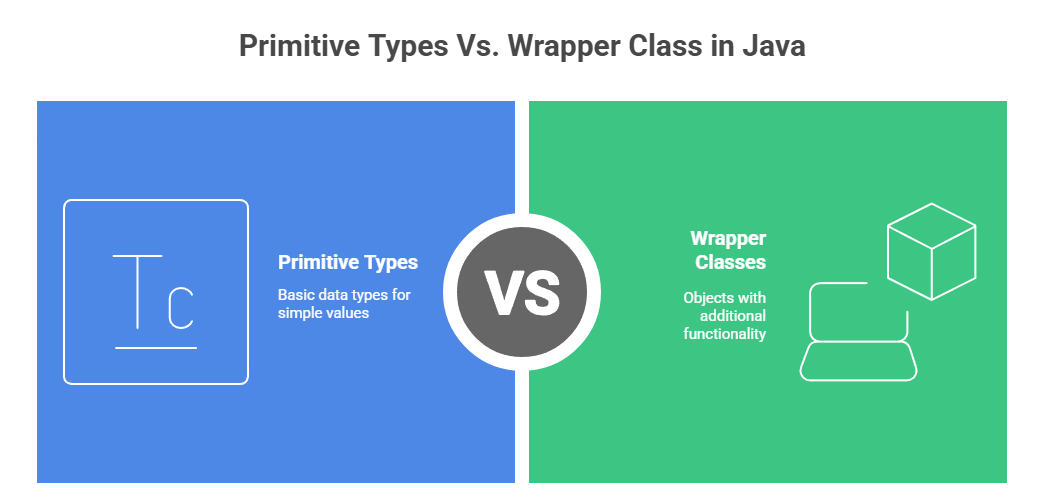
Understanding the difference between Java's primitive types and wrapper classes helps balance speed and functionality. Primitives are lightweight and memory-efficient, storing raw values directly.
Wrapper classes, on the other hand, store objects, enabling nullability, utility methods, and compatibility with collections and generics. However, they come with performance costs, especially when autoboxing and unboxing create extra objects and overhead. Use primitives for performance-critical code and wrappers when object features are required.
Below is a comparison highlighting key aspects of wrapper classes and primitives in Java:
Aspect |
Primitive Types |
Wrapper Classes in Java |
| Memory Consumption | Stores raw values directly, with minimal overhead. | Stores references to objects on the heap, resulting in higher memory use. |
| Performance | Faster execution, ideal for tight loops and CPU-intensive tasks. | Slower due to object creation and unboxing operations. |
| Nullability | Cannot represent null values. | Can represent null, useful in collections and conditional logic. |
| Usage in Collections | It cannot be used directly with Java collections. | Compatible with collections like ArrayList<Integer>. |
| Methods & Utilities | No built-in methods available. | Provides utility methods for parsing, conversion, and comparison. |
| Autoboxing/Unboxing | N/A | Automatic conversion introduces some runtime overhead. |
| Equality Comparison | Compared by value using ==. | Requires .equals() method to compare values accurately. |
Example:
public class PerformanceTest {
    public static void main(String[] args) {
        int primitiveSum = 0;
        Integer wrapperSum = 0;

        long startTime = System.nanoTime();
        for (int i = 0; i < 1000000; i++) {
            primitiveSum += i; // fast, direct addition
        }
        long primitiveDuration = System.nanoTime() - startTime;

        startTime = System.nanoTime();
        for (int i = 0; i < 1000000; i++) {
            wrapperSum += i; // slower due to unboxing and object overhead
        }
        long wrapperDuration = System.nanoTime() - startTime;

        System.out.println("Primitive sum time: " + primitiveDuration + " ns");
        System.out.println("Wrapper sum time: " + wrapperDuration + " ns");
    }
}
Output:
Primitive sum time: 3183440 ns
Wrapper sum time: 13064740 ns
This example demonstrates how primitives are more efficient in performance-critical situations, while wrapper class in Java offer the flexibility needed for working with collections and handling nullable values.
Also read: String Functions In Java | Java String [With Examples]
Understanding their practical application is essential to fully appreciating the benefits of wrapper classes in Java. Let's explore how to create and use wrapper class objects effectively in your Java programs.
Free Courses
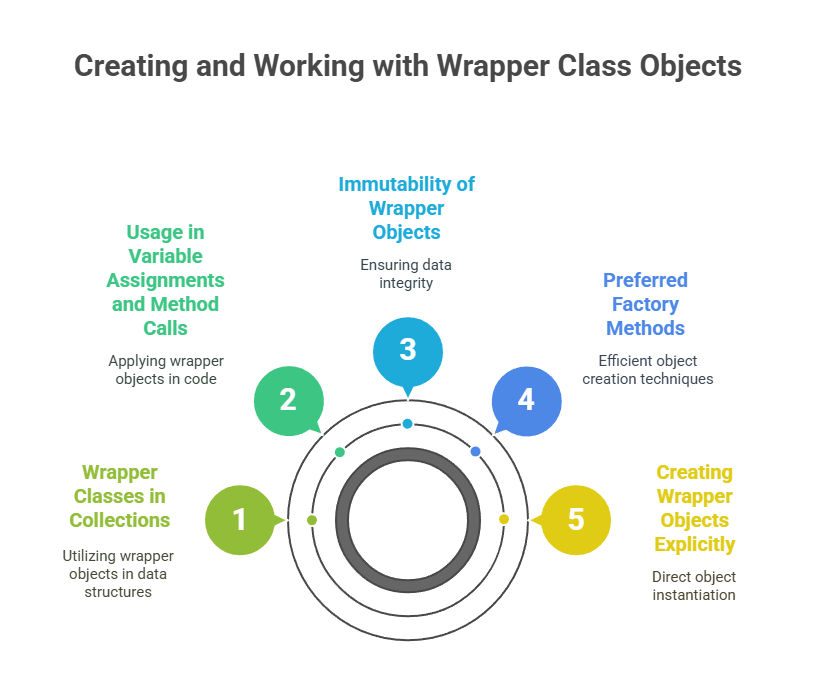
Wrapper class in Java convert primitive data types into objects. This section covers creating and using wrapper class objects, including explicit instantiation and the preferred method using factory design patterns in Java. Understanding immutability and its impact on wrapper object usage is crucial, especially when dealing with collections or method calls.
Earlier versions of Java used the new keyword to create wrapper objects. While still valid, this method is outdated and creates a new object every time, making it less efficient.
Integer i = new Integer(5); // Discouraged in modern Java
Why avoid it:
The valueOf() method is the modern and recommended way to create wrapper objects. It uses internal caching for frequently used values (e.g., Integer values from -128 to 127), improving memory efficiency.
Integer i = Integer.valueOf(5); // Recommended approachBenefits:
All wrapper class objects are immutable, once created, their value cannot be changed. Any "change" results in the creation of a new object.
Integer i = Integer.valueOf(5);
i = i + 5; // Results in a new Integer object
Key points:
Wrapper objects can be assigned to variables and passed to methods just like primitives. However, they also support null values and integrate well with object-based features like generics.
Integer a = Integer.valueOf(10);
Integer b = Integer.valueOf(20);
System.out.println(add(a, b)); // Outputs: 30
public static Integer add(Integer x, Integer y) {
  return x + y;
}
Why it's useful:
Java collections can only store objects, not primitives. Wrapper class in Java enables primitives to be stored in data structures like ArrayList or HashMap.
List<Integer> numbers = new ArrayList<>();
numbers.add(5);  // Autoboxing handles conversion
numbers.add(10);
Advantages:
Start your Java journey with this free online Core Java Basics course! Explore variables, data types, loops, and OOP principles to build strong coding skills. Perfect for aspiring developers, students, and professionals transitioning to Java.
Also read: 50 Java Projects With Source Code in 2025: From Beginner to Advanced
Now that you understand how to create and use wrapper class objects in Java, let's dive into the three most commonly used methods in wrapper classes.
Recommended Courses to upskill
Explore Our Popular Courses for Career Progression
IIIT Bangalore
Executive Diploma in Machine Learning and AI360° Career Support
O.P.Jindal Global University
MBA from O.P.Jindal Global UniversityLive Case Studies and Projects
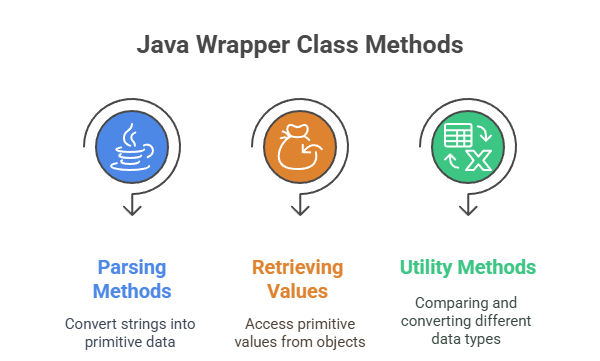
Wrapper classes in Java are not just about holding primitive values in an object form—they also provide a rich set of methods for performing various operations such as parsing, comparison, and conversion. These methods are integral to working with primitive data types in Java, ensuring they work seamlessly in an object-oriented environment. Let's dive deeper into the most commonly used methods.
Wrapper classes offer static methods like parseInt(), parseDouble(), and parseBoolean() to convert string inputs into corresponding primitive types. These are essential when reading user input or file data.
They throw NumberFormatException for invalid formats, helping enforce input validation.
Example:
int num = Integer.parseInt("100");
boolean flag = Boolean.parseBoolean("true");
valueOf() is preferred over new for creating wrapper objects as it uses caching (for certain ranges) and improves performance.
To extract primitive values from wrapper objects, use instance methods like intValue(), doubleValue(), and booleanValue().
Example:
Integer i = Integer.valueOf(42);
int raw = i.intValue();Methods like compareTo, equals, and hashCode help compare values and manage wrapper objects in collections.
toBinaryString() and toHexString() convert numeric values into binary or hex format for debugging and bit-level operations.
Example:
System.out.println(Integer.toBinaryString(10)); // "1010"Having covered the core methods in Java wrapper classes, let's now explore how these wrapper classes play a vital role in Java's collections framework.
Build practical expertise in data science, generative AI, and modern AI technologies with upGrad's industry-focused programs. Learn through hands-on projects, real-world case studies, and expert-led training to solve complex business and technology challenges.
Primitive data types in Java, such as int, char, and double, cannot be directly used in collections like ArrayList or HashMap due to Java’s restriction that collections can only hold objects.
However, the need to store primitive values in such collections arises frequently in real-world applications. This is where wrapper classes in Java come into play, enabling primitives to be stored in object-oriented collections.
Java collections like ArrayList, HashMap, and others are based on generics, which require object types for their elements. Since primitives like int are not objects, they cannot be used directly in these collections. Therefore, wrapper classes in Java provide a solution by allowing primitive data types to be wrapped in object form.
Primitive types like int and double can’t be used in collections directly, as collections only hold objects. Wrapper classes like Integer and Double solve this by wrapping primitive types into objects.
Since Java 5, autoboxing allows automatic conversion of primitives to their wrapper types when storing in collections, and unboxing does the reverse during retrieval.
Example – ArrayList with Autoboxing:
ArrayList<Integer> intList = new ArrayList<>();
intList.add(10);              // Autoboxing: int → Integer
int num = intList.get(0);     // Unboxing: Integer → int
System.out.println(num);      // Output: 10
Example – HashMap with Wrapper Keys:
HashMap<Integer, String> map = new HashMap<>();
map.put(1, "Apple");                          // Autoboxing
int key = map.keySet().iterator().next();     // Unboxing
System.out.println(key + ": " + map.get(key)); // Output: 1: Apple
Autoboxing and unboxing make using primitives in collections seamless, reducing boilerplate code and improving readability.
Wrapper classes offer object-oriented flexibility but come with performance costs compared to primitives.
In regular applications, this overhead is often negligible.
However, in performance-critical environments (e.g., real-time systems or large-scale processing), it can cause significant slowdowns.
To mitigate wrapper overhead, developers can use primitive collection libraries like Trove or fastutil, which provide collections optimized for primitives and avoid boxing/unboxing altogether. These libraries significantly reduce memory usage and improve processing speed.
A practical edge case to watch out for is inserting null keys or values into collections such as HashMap when using wrapper classes. Since primitive types cannot represent null, wrappers must be used—but unboxing a null value will cause a NullPointerException.
Also read: Float vs Double in Java: Key Differences You Should Know
Apply your understanding of wrapper classes by building these beginner-friendly Java programs:
Subscribe to upGrad's Newsletter
Join thousands of learners who receive useful tips
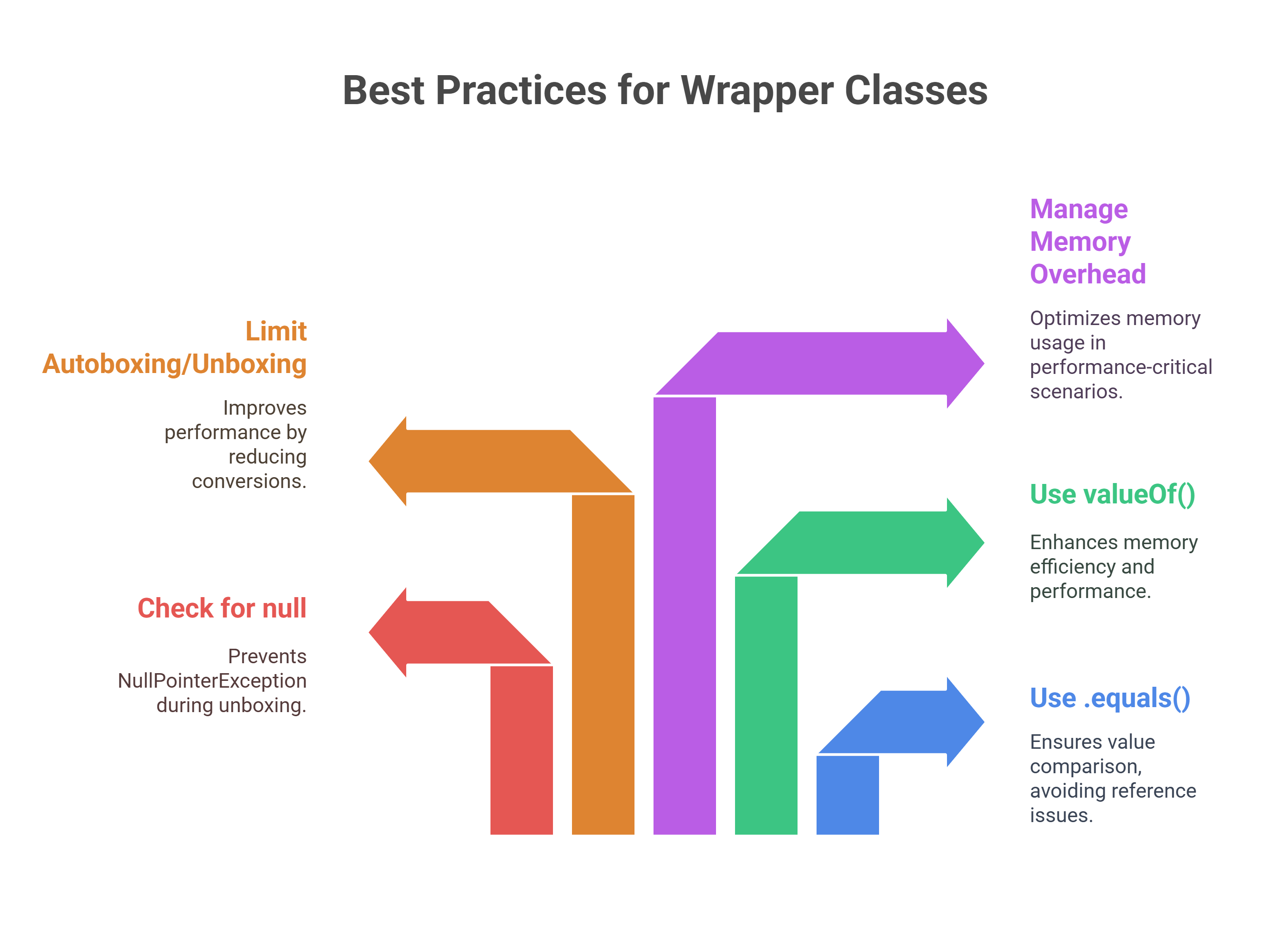
Wrapper classes in Java are essential for working with primitive types as objects. However, improper use of these classes can lead to common pitfalls that can affect the reliability and performance of your code. In this section, we'll discuss frequent mistakes developers make when working with a wrapper class in Java and how to avoid them.
Common Pitfalls with Wrapper Classes
Best Practices for Working with Wrapper Classes
Performance Debugging and Alternatives
Wrapper classes in Java bridge primitive types with object-oriented features, enabling cleaner, modular, and more reusable code. They are vital in scenarios requiring nullability, type safety, and integration with APIs or collections.
To use them effectively, developers must grasp Java’s memory behavior, object lifecycle, and how wrappers function in control flows. Understanding safe comparison and value handling practices is also key to avoiding subtle bugs.
Through structured Java learning paths and expert-led sessions, upGrad equips you with the practical skills needed to apply core Java concepts.
Along with the courses mentioned, here are some additional courses to help you grow your programming expertise:
Still exploring how to strengthen your Java fundamentals? If you're unsure how to level up your skills or apply concepts like wrapper classes effectively, book a free counseling session with upGrad for personalized guidance. You can also visit our offline centers for hands-on support.
The primary purpose of a wrapper class is to convert primitive data types into objects so they can be used with collections, generics, and object-oriented APIs. Wrapper classes also provide methods for parsing, comparison, and value conversion, making Java programs more flexible and easier to manage.
Wrapper classes are needed because many Java features, such as the Collections Framework and generics, work only with objects. They also support null values, autoboxing, unboxing, and utility methods that simplify common programming tasks like parsing strings and comparing values.
A wrapper is an object that encapsulates a primitive value inside a corresponding Java class. For example, Integer wraps an int, while Double wraps a double. This allows primitive values to behave like objects and interact with Java's object-oriented features.
A regular Java class is a user-defined or built-in blueprint for creating objects. A wrapper class is a predefined class in the java.lang package that represents a primitive data type as an object and provides several utility methods for working with that value.
A wrapper class in Java should be used whenever your program requires objects instead of primitives. Common scenarios include storing values in collections, working with generic classes, handling nullable data, processing API responses, and using utility methods for conversion and comparison.
Two commonly used wrapper class methods are valueOf() and parseInt() (or similar parsing methods for other data types). The valueOf() method creates wrapper objects efficiently, while parsing methods convert strings into primitive values for calculations and data processing.
The four pillars of object-oriented programming in Java are encapsulation, inheritance, polymorphism, and abstraction. These principles help developers build reusable, maintainable, and scalable applications by organizing code into well-defined classes and objects with clear responsibilities.
Wrapper Classes in Java allow primitive values to be stored inside collections such as ArrayList, HashMap, and HashSet, which accept only objects. Through autoboxing and unboxing, Java automatically converts between primitives and wrapper objects, making collection operations simple and readable.
Yes. Wrapper classes create objects on the heap, which consume additional memory and may trigger extra garbage collection. Frequent boxing and unboxing inside loops or large datasets can reduce performance, so primitive data types are generally preferred for computation-intensive applications.
A wrapper is used for converting primitive values into objects, enabling features such as collections, generics, serialization, nullable values, and object-based APIs. It also provides methods for parsing, formatting, comparison, and numeric conversions that simplify everyday Java programming tasks.
Use valueOf() instead of constructors, compare objects with .equals() rather than ==, check for null before unboxing, minimize unnecessary boxing in performance-critical code, and choose primitive types whenever object functionality is not required.
Reference:
https://www.ej-technologies.com/blog/2025/05/jvm-performance-watch-roundup-april-2025/
1011 articles published
We are an online education platform providing industry-relevant programs for professionals, designed and delivered in collaboration with world-class faculty and businesses. Merging the latest technolo...
Get Free Consultation
By submitting, I accept the T&C and
Privacy Policy
Top Resources
Certification
3 Months
Certification
6 Months
O.P. Jindal Global University
Masters in International Accounting and Finance (Accredited by ACCA, UK)Master's Degree
12 Months