Artificial Intelligence Animation: How AI Is Transforming Animation Process
Updated on Aug 20, 2026 | 8 min read | 3.87K+ views
Share:

All courses
Certifications
More
Updated on Aug 20, 2026 | 8 min read | 3.87K+ views
Share:
Table of Contents
Key Highlights
Want to go beyond using AI tools and actually understand how they work? Explore our AI courses and start building real skills today.
Popular AI Programs
Artificial intelligence animation is made with the help of AI instead of doing everything manually.
In the old way of making animation, an artist has to draw or model every little movement, frame by frame. That takes a lot of time and skill. With AI, the process becomes easy. You can just describe what you want (like "a cat waving hello") or upload a photo, and the AI creates the movement for you.
After a few changes, you can get an animation that takes hours working manually.
Animators do not need to worry about their jobs. Most people use AI as a helper because it does the boring, repetitive parts, so the artist can spend more time on the creative stuff, like the story, the characters, and the overall look and feel.
Also read: 15 Best Artificial Intelligence Jobs in 2026 and Skills Needed
Free Courses
In AI animation, you will find a mix of technologies; each part handles a different work of the animation process. Below is a simple breakdown of the complete process.
In this part, you give the AI a text prompt or a reference image, and the model creates a character or a scene. Here are the different ways to generate characters and scenes:
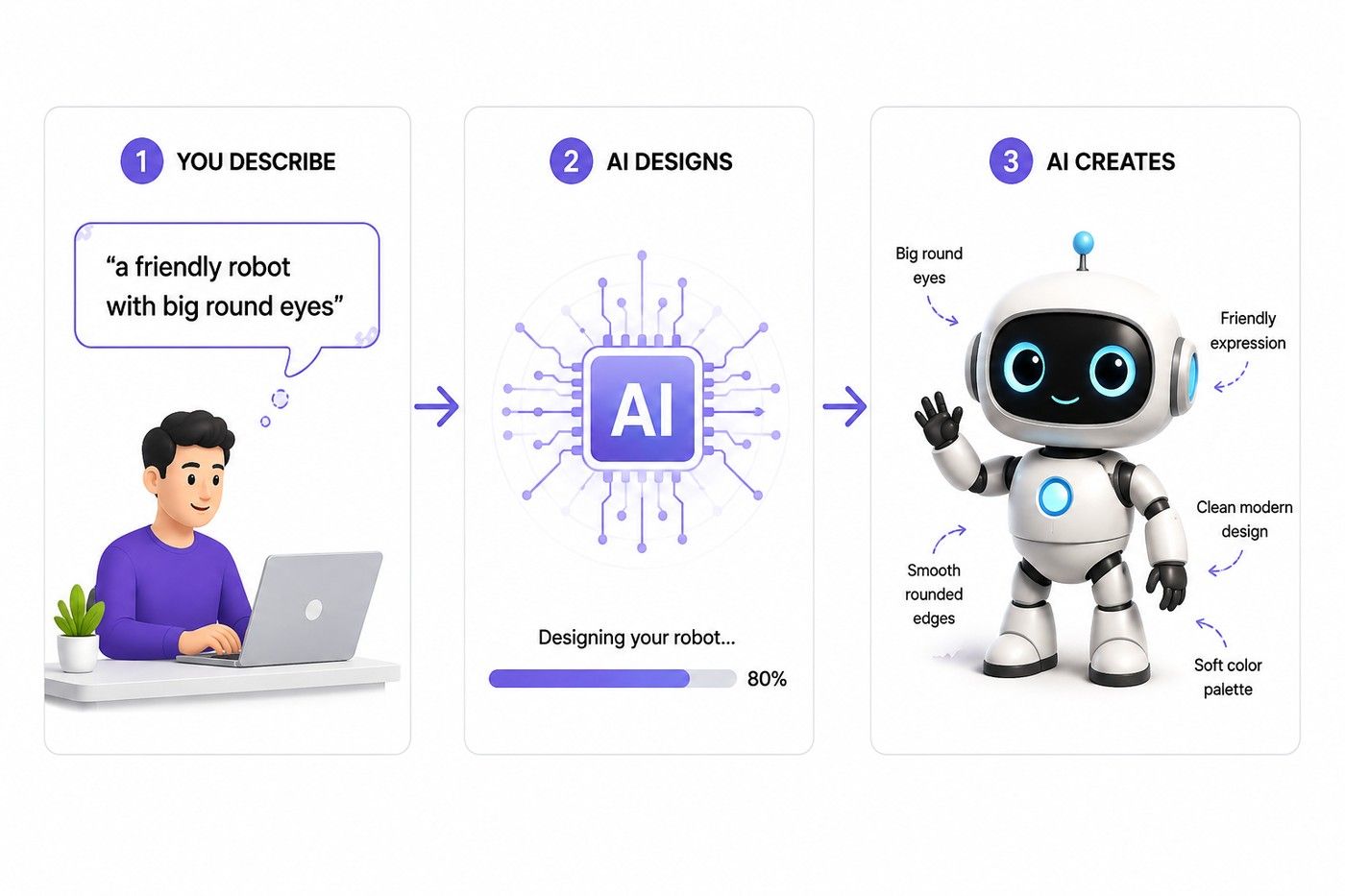
Once you have a character, your character needs to be moved. This is where you can use AI motion capture. Instead of an animator manually posing a character frame by frame, the AI studies real movement and applies it to your character.
So, if you record yourself walking or waving, the AI can transfer that same motion onto an animated character, making it move naturally without hours of manual keyframing.
Faces are tricky to animate clearly, especially when you have to create a talking character. AI helps you by analyzing audio (like a voice recording) and matching the character's mouth movements to the sounds being spoken. It also adds small facial details like blinking, eyebrow movement, or subtle expressions, which make the character feel more alive instead of stiff or robotic.
In this part, you complete the backgrounds, lighting, weather, and effects like smoke, fire, or magic sparkles. AI can help you by:
All these four pieces help you go from "just an idea" to a finished animated clip, without needing a big animation team.
Also read: Top Artificial Intelligence Applications Across Industries
AI Courses to upskill
Explore Artificial Intelligence Courses for Career Progression
In the market, there are a lot of AI animation tools and new ones keep showing. You do not need to chase the new tools every time, just know what kind of tool fits your work needs. Here is a breakdown by use case, along with some real tools worth checking out.
If you want all-in-one, and easy-to-use tools. These are a few best names in the market:
For beginners, tools that are easy to use matter more than advanced features, so starting with Vyond or Animaker AI than you can move to tools like Runway.
For lifelike movement, facial expression, and physics-based motion, these tools works best:
If you are looking for a finished, publishable animated video (not just a single clip), these are common picks:
On these platforms you will find bundle templates, narration, and export options. So, you can go from script to finished video without any animation background.
For 3D creations, dedicated software works best, but AI is now plugging into the harder, more technical steps. Some top picks are:
These tools work best as part of a hybrid workflow like AI handles rigging or rough motion. But the final polish still happens in traditional 3D software.
Turn AI knowledge into business impact, enroll in IIMK's AI for Business Professionals Certificate Program and learn to lead AI initiatives, no coding required.
Creating an animation with the help of AI is a lot simpler than the traditional process. But you have to follow a clear order instead of jumping around. Step by step process is as follows:
Before choosing any tool, decide what kind of animation you want to create. This decision of yours will help you choose a right tool.
Once you finalise your style, the next step is describing what you want. The prompt is what tells the AI what to generate, so it needs to be specific. A vague prompt will produce a generic result.
A good prompt usually includes:
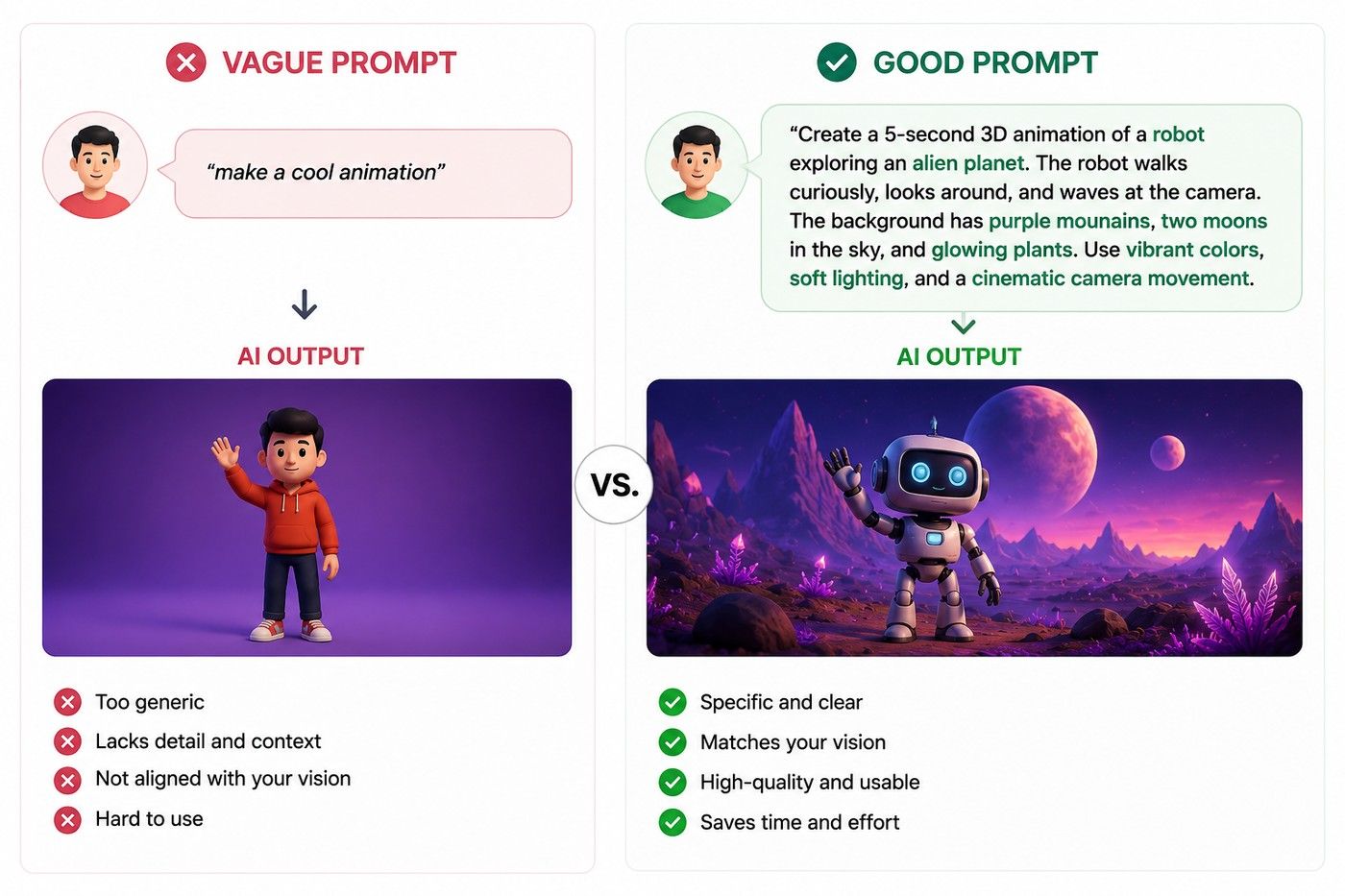
Once you give the prompt, AI will generate a first version. But it is rarely perfect on the first try. This step is about tweaking, not settling.
Once the visuals look good, your next steps are:
The last step, get the animation into a format you can actually use.
Also read: Impact of Artificial Intelligence: Benefits, Risks & Jobs
Also read: How to Write Good AI Prompts: Step-by-Step Guide
Also read: Prompt Engineering Techniques: Boost AI Accuracy
Artificial intelligence animation will not replace traditional animation. But it made animation more accessible, faster to produce, and cheaper to experiment with.
The tools are not perfect. Character consistency, realistic movement, and questions around copyright are still real problems, and most AI-generated content still needs a human to review and refine it before it is ready to publish.
The best approach right now is treating Artificial Intelligence as a tool in the process, not the whole process. Use it to speed up the repetitive parts but keep human judgment involved for the creative decisions that actually shape the final result.
Ready to start your journey? Book a free consultation with upGrad today to find the best path for your career.
The four main types are traditional (hand-drawn), 2D animation, 3D animation, and motion graphics. Traditional animation is drawn frame by frame, 2D uses vector-based digital tools, 3D uses modeled characters, and motion graphics focuses on text and shapes.
Traditional hand-drawn animation is the oldest style, dating back to early experiments in the late 1800s and early 1900s. Artists drew each frame individually on paper or cels, a technique later used by pioneers like Disney.
Stop-motion and simple 2D animation are generally considered the easiest styles to learn, since they do not require advanced software skills. Many beginners also start with AI animation tools, which lower the technical barrier even further.
Traditional animation is created manually, frame by frame, by an artist. AI animation uses machine learning to generate or assist with that process automatically, often from a text prompt or reference image, significantly reducing production time.
Yes, AI animation is fully possible and already widely used. Tools can generate characters, motion, backgrounds, and full video clips from text prompts or images, producing usable results in minutes instead of days or weeks.
ChatGPT itself does not generate animation directly, since it is a text-based model. However, it can help write scripts, prompts, or storyboards that you then feed into dedicated AI animation tools to actually generate the visuals.
You do not need traditional drawing or rigging skills to start. The main skills are writing clear, descriptive prompts, understanding basic editing, and knowing how to refine AI output to fix errors or inconsistencies.
Traditional animation can cost anywhere from a few hundred to several thousand dollars per minute, depending on complexity. AI animation tools significantly lower this cost, with many offering free tiers or affordable monthly subscriptions.
Not entirely. AI is automating repetitive tasks like in-betweening and rough motion, but creative decisions, storytelling, and quality control still rely on human animators. Most studios use AI as a tool, not a replacement.
AI is not killing creativity, but it is changing how it is applied. It handles technical and repetitive work, freeing creators to focus more on ideas, storytelling, and style rather than manual execution.
AI animation is expected to keep improving in realism, character consistency, and control. It will likely become a standard part of animation pipelines, working alongside traditional tools rather than replacing the overall creative process.
Speak with AI & ML expert
By submitting, I accept the T&C and
Privacy Policy
Top Resources
Master's Degree
18 Months
Executive Diploma
12 Months
IIIT Bangalore
Executive Programme in Generative AI & Agentic AI for LeadersIndia’s #1 Tech University
Dual Certification
5 Months