Top 20+ Cloud Computing Projects GitHub For Beginners in 2026 (With Source Code)
Updated on Jul 07, 2026 | 27 min read | 23.23K+ views
Share:

All courses
Certifications
More
Updated on Jul 07, 2026 | 27 min read | 23.23K+ views
Share:
Table of Contents
GitHub offers a valuable space for beginners to engage with practical cloud computing work. By contributing to various open-source projects such as Video Editing Platform and Cloud-Based Gaming Server, learners can gain hands-on experience in automating cloud applications, enhancing security measures, and building intelligent applications. This active involvement helps build essential skills and understanding needed for careers in cloud technology.
So, if you are looking to expand your practical learning with cloud computing projects, you are at the right place. This blog explores practical cloud computing projects on GitHub for beginners, helping you gain valuable skills and strengthen your portfolio. Read along to explore innovative cloud computing projects along with their examples, applications, future scope, and source code!
Cloud computing drives AI, big data, and SaaS, with 90% of organizations expected to adopt hybrid cloud by 2027, according to Gartner. As businesses rely on AWS, Azure, and Google Cloud for scalability, automation, and security, demand for cloud professionals continues to grow.
Thus, a cloud computing career can benefit you greatly, given the current market demands and predictions for the expanding scope of cloud computing.
In 2026, professionals with strong cloud computing skills remain in high demand as businesses rely more on scalable, secure, and efficient cloud solutions. If you want to deepen your understanding of cloud technologies and infrastructure, explore these top courses tailored for cloud learners:

Hands-on cloud projects are key to building technical skills and boosting job prospects. But finding the right project can be overwhelming.To simplify your search, we’ve curated practical, industry-relevant cloud computing projects GitHub for beginners. The next section highlights top project ideas to match your interests and career goals.
Project Level |
Project Name |
Beginner
|
|
Intermediate
|
|
Advanced
|
|
Let us now have a detailed look at each of these projects.
Cloud computing powers AI, data processing, and automation. These key cloud computing features make it essential for developers. Hands-on experience with AWS, Azure, Kubernetes, and Terraform builds expertise in cloud security, multi-cloud deployment, and automation.
Start learning now with our Comprehensive Guide to Cloud Computing Architecture for Beginners!
Explore these cloud computing projects GitHub for beginners to gain practical skills and strengthen your portfolio.
This project enables secure file upload, management, and sharing with end-to-end encryption and multi-device access. Using distributed cloud storage and scalable APIs, it enhances collaboration without physical storage. Key focus areas include cloud security, access control, and scalability.
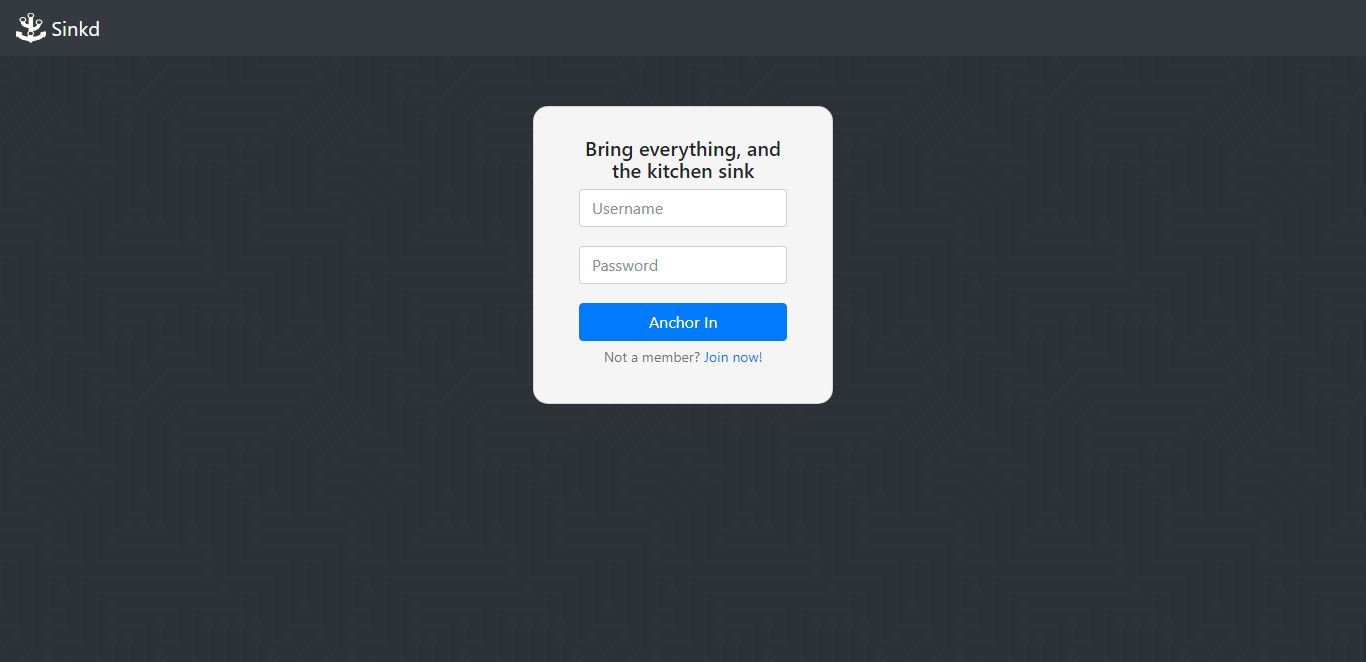
(Source: GitHub)
Technology Stack and Tools Used:
Key Skills Gained:
Examples of Real-World Scenarios:
Challenges and Future Scope:
Also Read: Cloud Computing Projects in Java
This serverless weather app retrieves and processes real-time meteorological data via cloud APIs, eliminating the need for complex backend infrastructure. With low-latency cloud functions, users receive accurate, location-based forecasts on any device. Prerequisites include API integration, serverless computing concepts, and cloud function deployment.
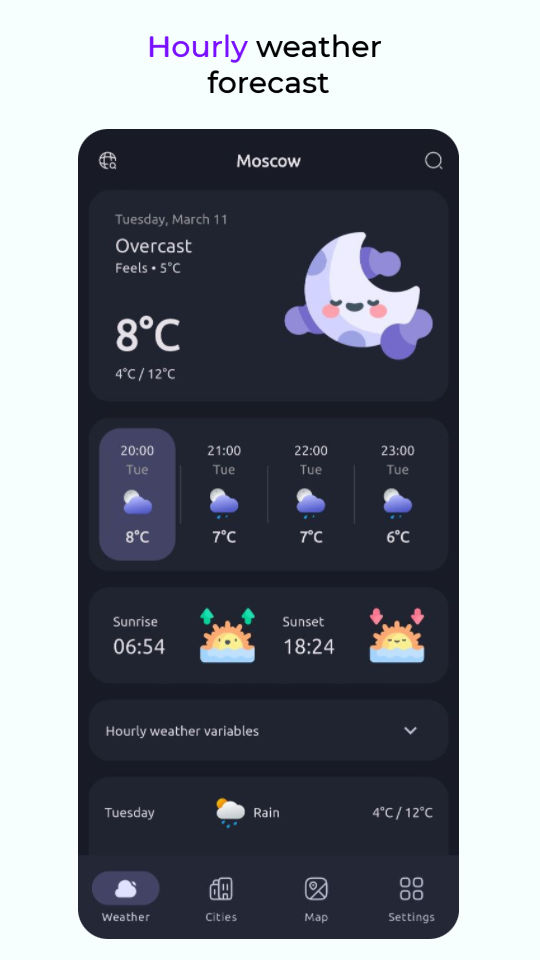
(Source: GitHub)
Technology Stack and Tools Used:
Key Skills Gained:
Examples of Real-World Scenarios:
Challenges and Future Scope:
Explore cloud computing reference models with examples and diagrams to boost your understanding.
A cloud-based task manager allows users to create, organize, and track tasks from any device. This project focuses on multi-user collaboration, ensuring seamless task synchronization. Prerequisites include database management, API development, and cloud deployment.
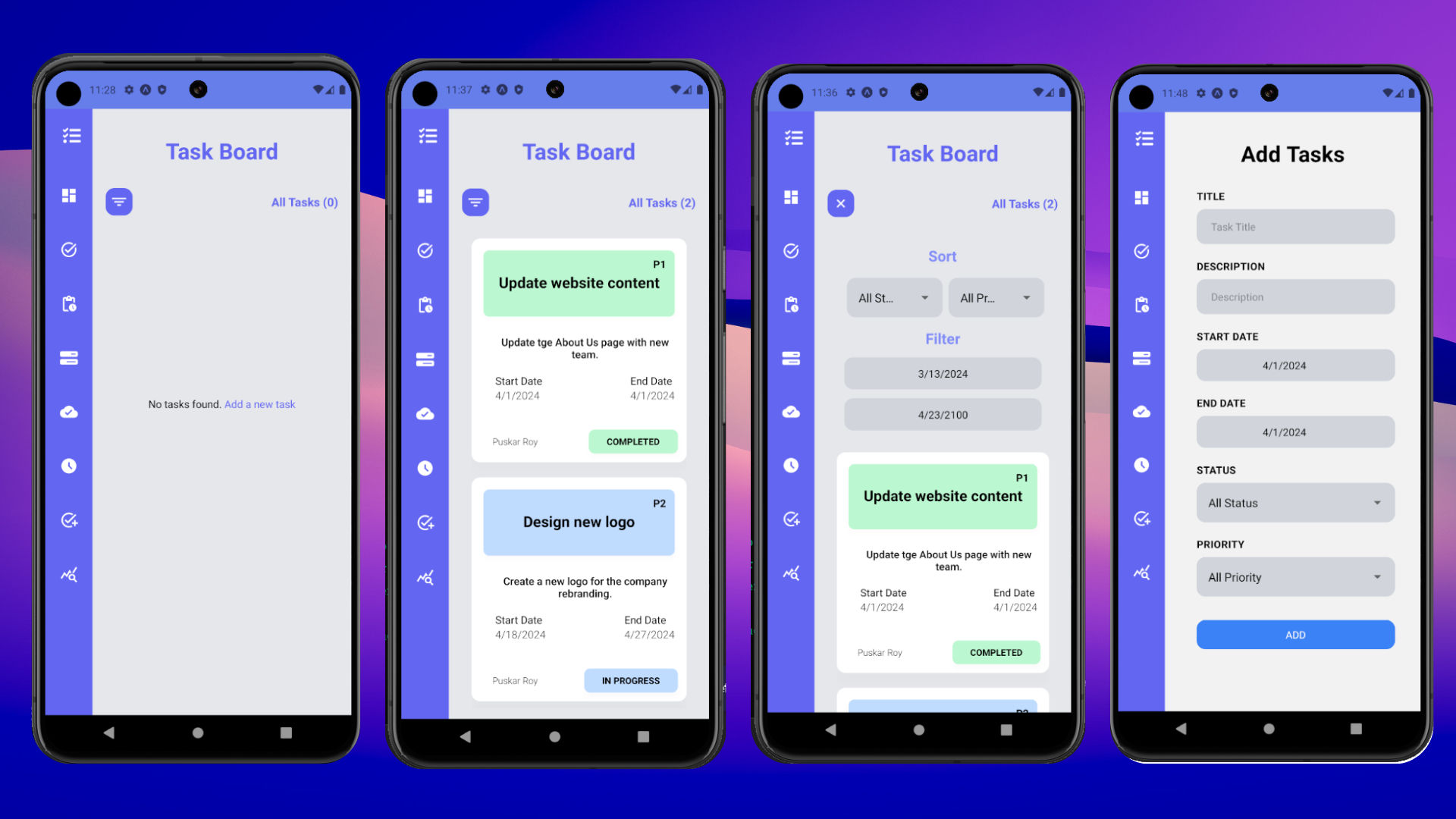
(Source: GitHub)
Technology Stack and Tools Used:
Key Skills Gained:
Examples of Real-World Scenarios:
Challenges and Future Scope:
This project helps users track income, expenses, and financial goals using cloud-based storage and analytics. Prerequisites include database handling, cloud security, and API development. It solves the problem of secure, real-time financial tracking, essential for personal and business use.
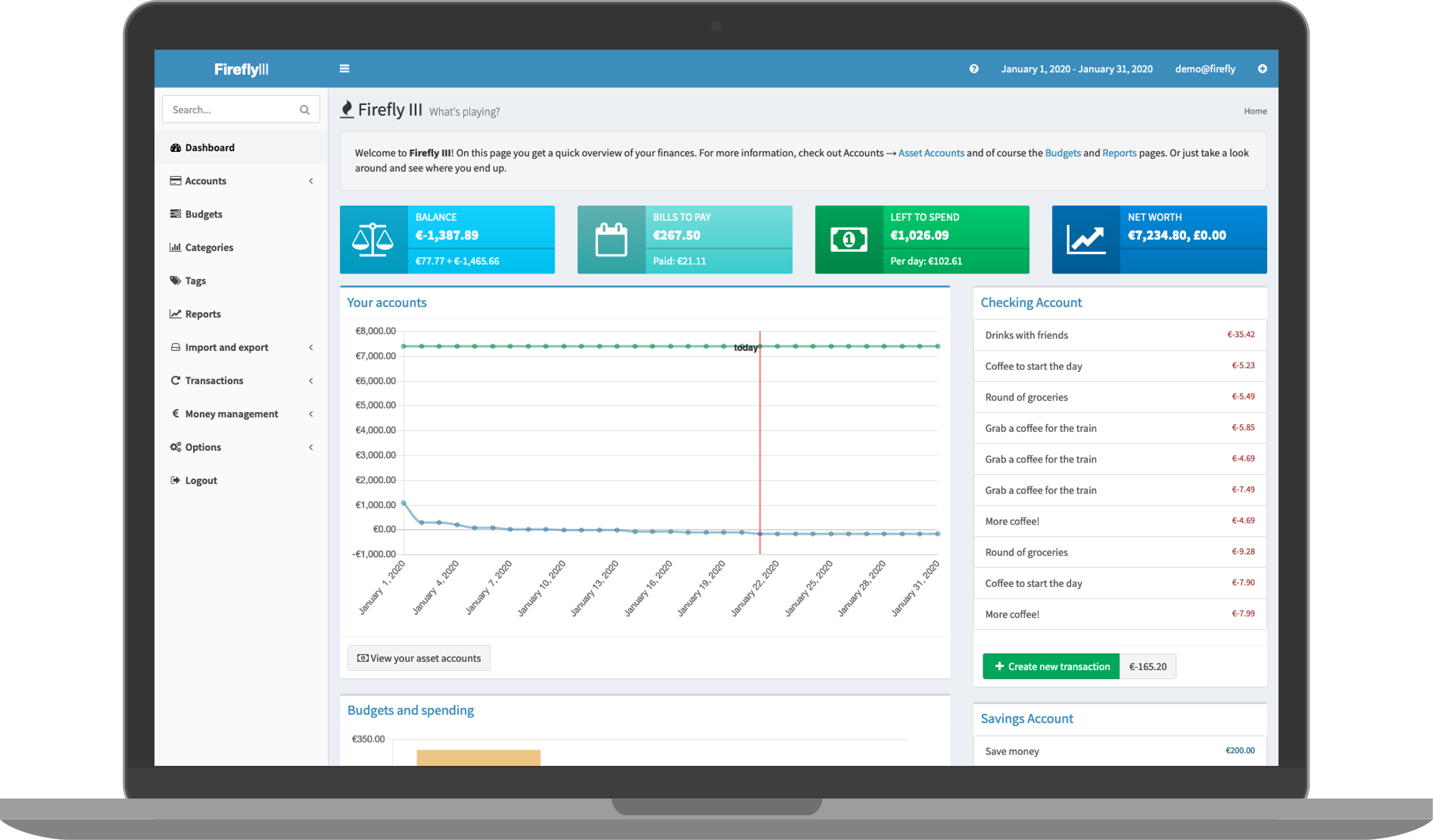
(Source: GitHub)
Technology Stack and Tools Used:
Key Skills Gained:
Examples of Real-World Scenarios:
Challenges and Future Scope:
Want to integrate cloud with interactive apps? Master JavaScript for cloud-based applications with upGrad’s free course!
This project develops a cloud-based photo editing app where users can edit, store, and share images online without needing local software. It solves the problem of device dependency and storage limitations by leveraging cloud computing for processing and storage. Prerequisites include knowledge of image processing, cloud storage, and API integration.

(Source: GitHub)
Technology Stack and Tools Used:
Key Skills Gained:
Examples of Real-World Scenarios:
Challenges and Future Scope:
Wondering how to start your cloud computing job hunt? Follow these 10 essential steps to land your first job in cloud computing!
A cloud-based video editor allows users to upload, edit, and process videos online without high-end hardware. This project reduces storage and processing constraints by shifting video rendering to cloud servers. Prerequisites include knowledge of media processing, cloud computing, and parallel computing.

(Source: GitHub)
Technology Stack and Tools Used:
Key Skills Gained:
Examples of Real-World Scenarios:
Challenges and Future Scope:
This project builds a cloud-based video streaming platform, enabling on-demand or live video streaming without buffering. It tackles challenges like scalability, bandwidth optimization, and low-latency delivery. Prerequisites include familiarity with content delivery networks (CDNs), adaptive streaming, and cloud storage.
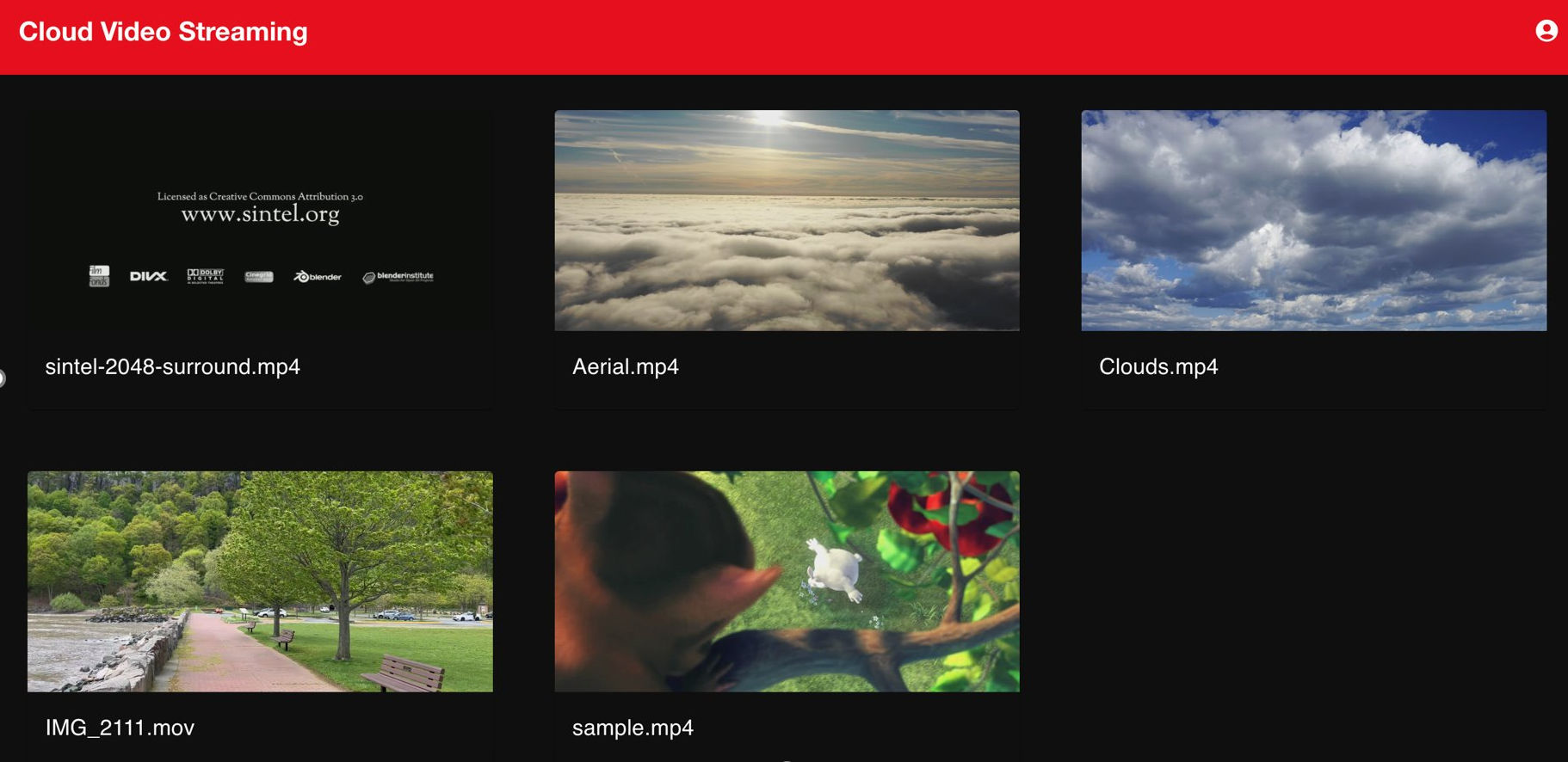
(Source: GitHub)
Technology Stack and Tools Used:
Key Skills Gained:
Examples of Real-World Scenarios:
Challenges and Future Scope:
A cloud-based CRM system helps businesses manage customer interactions, sales, and support remotely. This project improves data accessibility, automation, and customer insights. Prerequisites include understanding databases, cloud APIs, and automation workflows.
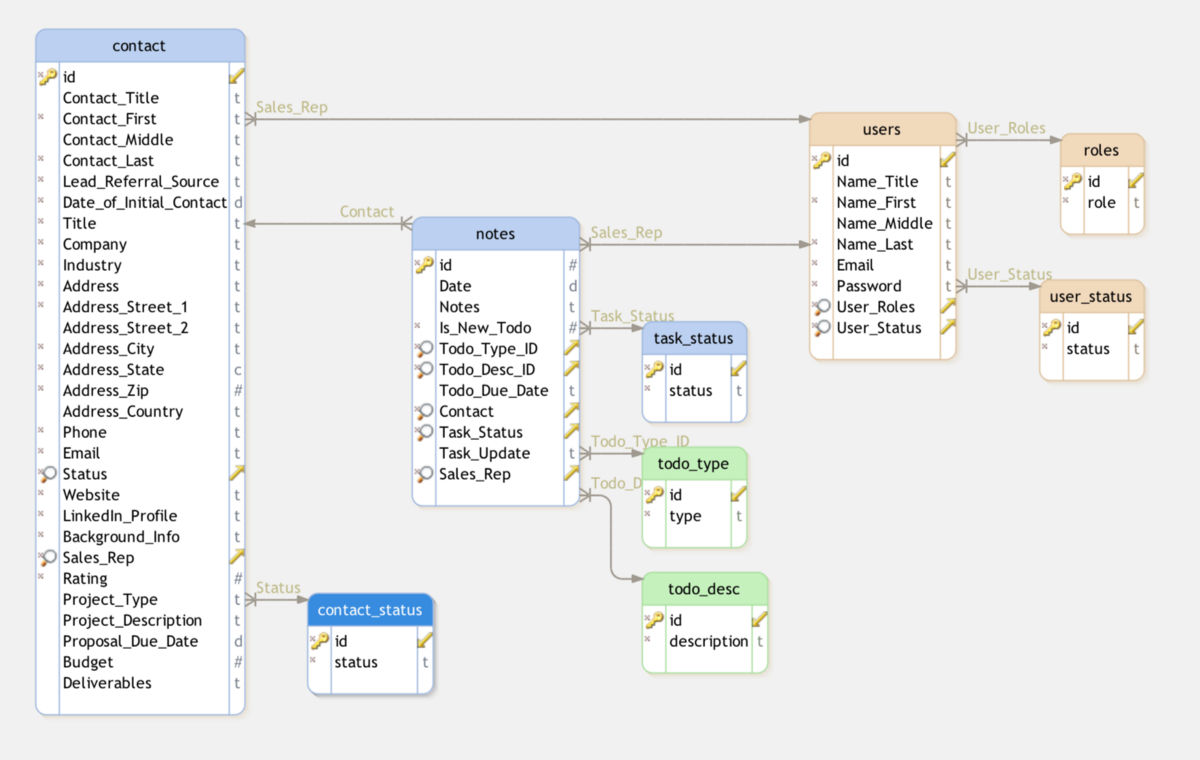
(Source: GitHub)
Technology Stack and Tools Used:
Key Skills Gained:
Examples of Real-World Scenarios:
Challenges and Future Scope:
This project develops a cloud-based inventory management system to track products, monitor stock levels, and manage supply chains in real time. It helps businesses automate inventory tracking, reduce errors, and optimize stock levels. Prerequisites include database management, API development, and cloud-based automation.
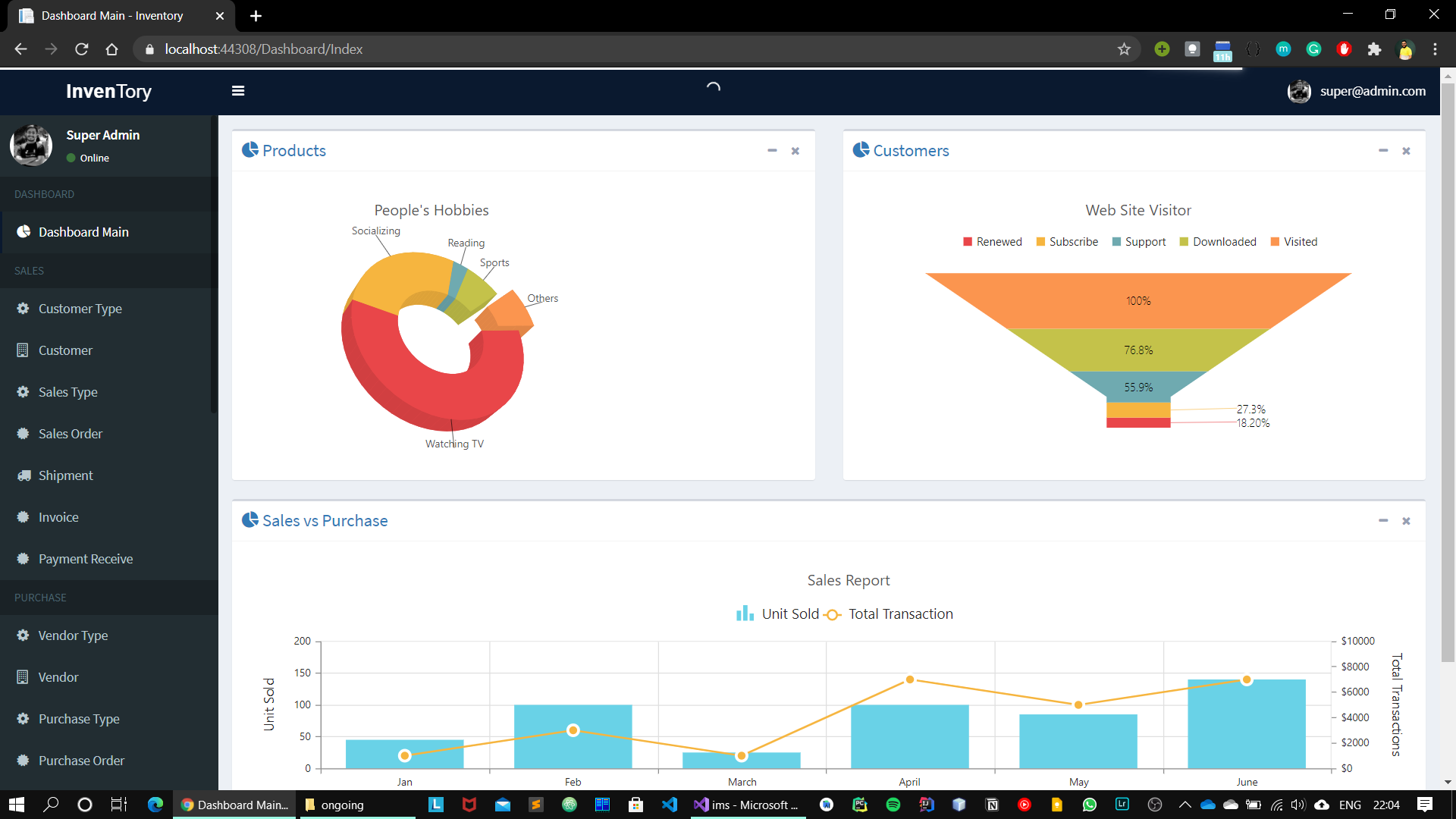
(Source: GitHub)
Technology Stack and Tools Used:
Key Skills Gained:
Examples of Real-World Scenarios:
Challenges and Future Scope:
A cloud-based e-commerce store allows businesses to sell products online, manage orders, and scale operations effortlessly. This project ensures high availability, secure transactions, and global accessibility. Prerequisites include payment gateway integration, database management, and cloud security.

(Source: GitHub)
Technology Stack and Tools Used:
Key Skills Gained:
Examples of Real-World Scenarios:
Challenges and Future Scope:
This project develops a cloud-based video conferencing solution to facilitate seamless virtual meetings with low latency. It addresses scalability, security, and real-time communication challenges. Prerequisites include WebRTC, cloud networking, and real-time data streaming.
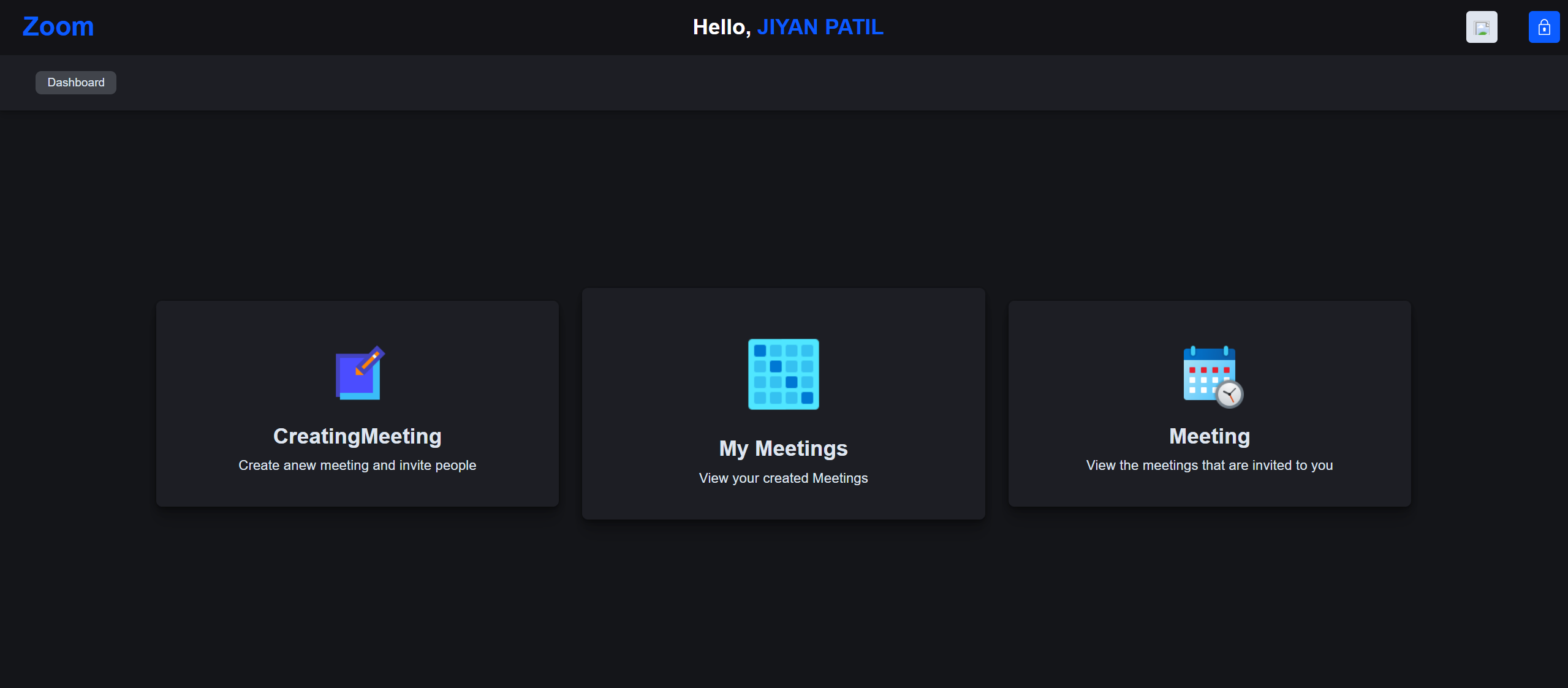
(Source: GitHub)
Technology Stack and Tools Used:
Key Skills Gained:
Examples of Real-World Scenarios:
Challenges and Future Scope:
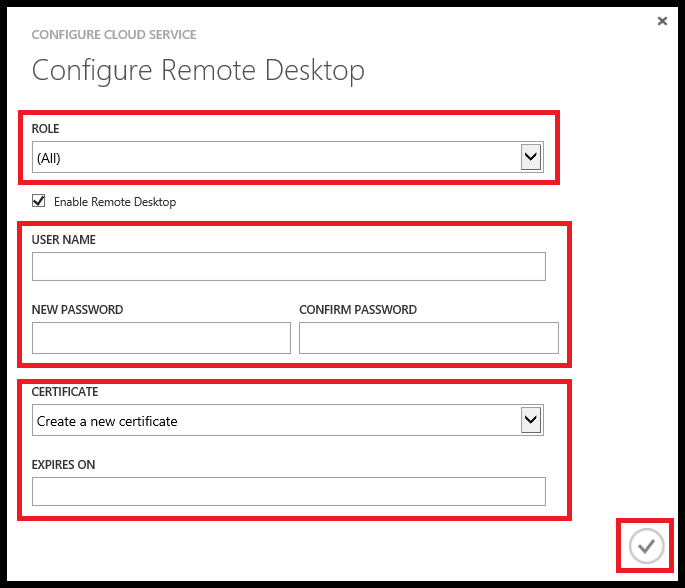
A cloud-based remote desktop service enables users to securely access their computers from anywhere. This project addresses hardware limitations, data accessibility, and IT administration challenges.
(Source: GitHub)
Securing remote access requires multi-factor authentication (MFA) and end-to-end encryption to prevent unauthorized access. Prerequisites include cloud virtualization, remote access protocols, and security encryption.
Technology Stack and Tools Used:
Key Skills Gained:
Examples of Real-World Scenarios:
Challenges and Future Scope:
Beginner projects cover cloud basics, but advancing requires hands-on experience with multi-cloud, DevOps, and automation.
Next, explore intermediate cloud computing projects GitHub focused on scalability, security, and real-time applications for career growth.
Once you’ve mastered the basics, tackling intermediate cloud computing projects GitHub helps refine your skills in automation, security, and scalability. These projects introduce multi-cloud deployments, advanced networking, and AI-driven cloud solutions, preparing you for real-world industry applications.
Below are cloud computing projects GitHub for beginners that offer deeper insights and practical experience in cloud technologies.
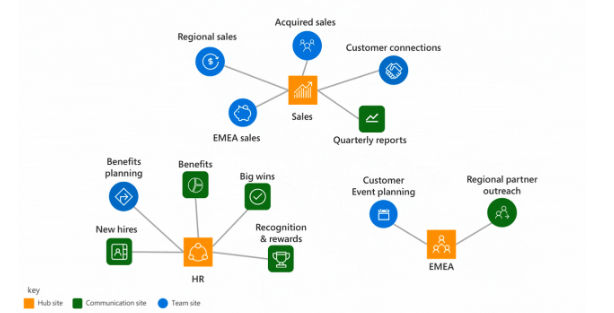
A cloud-based document collaboration tool allows multiple users to edit, comment, and share documents in real time. It solves team collaboration, version control, and data synchronization challenges. Prerequisites include knowledge of cloud storage, WebSockets, and access control mechanisms.
(Source: GitHub)
Technology Stack and Tools Used:
Key Skills Gained:
Examples of Real-World Scenarios:
Challenges and Future Scope:
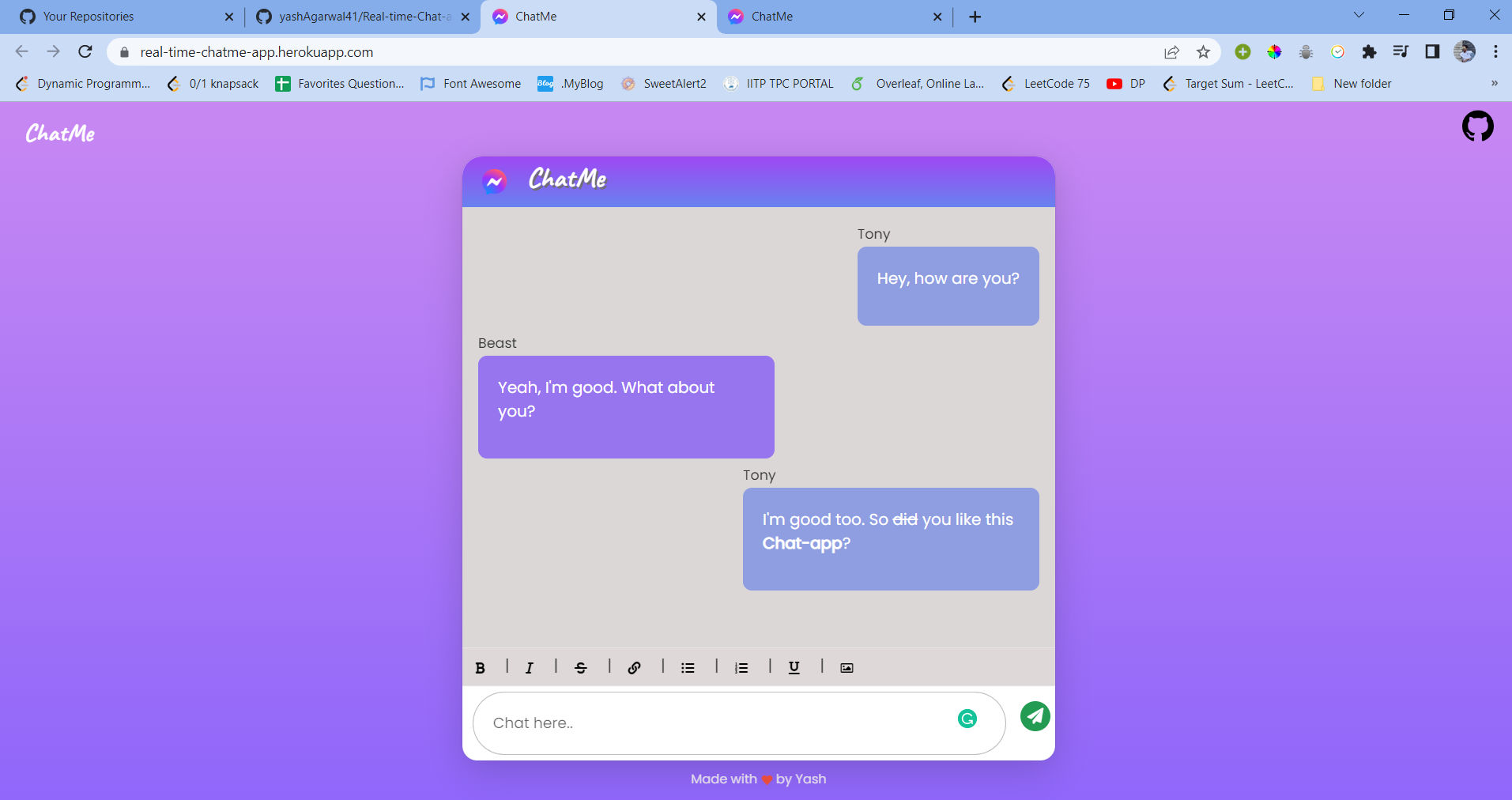
A real-time cloud-based chat app enables secure and scalable communication for individuals and teams. It ensures instant messaging, file sharing, and end-to-end encryption. Prerequisites include WebSockets, cloud security, and message queuing systems.
(Source: GitHub)
Technology Stack and Tools Used:
Key Skills Gained:
Examples of Real-World Scenarios:
Challenges and Future Scope:
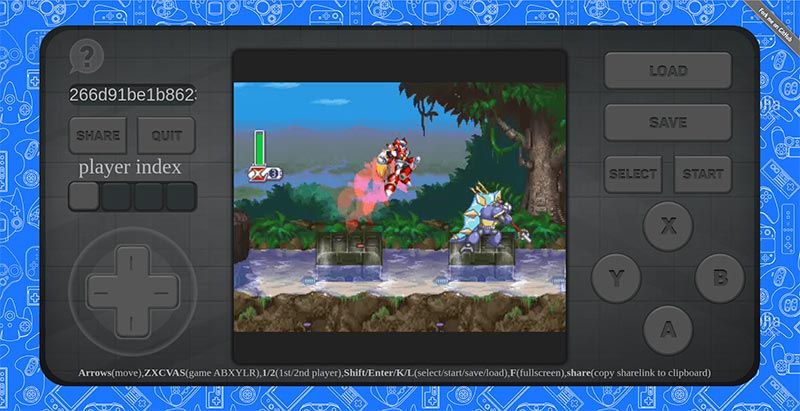
A cloud-based gaming server enables multiplayer game hosting, reducing latency and improving real-time interactions. It tackles server load balancing, security, and performance scaling. Prerequisites include cloud networking, game engine integration, and container orchestration.
(Source: GitHub)
Technology Stack and Tools Used:
Key Skills Gained:
Examples of Real-World Scenarios:
Challenges and Future Scope:
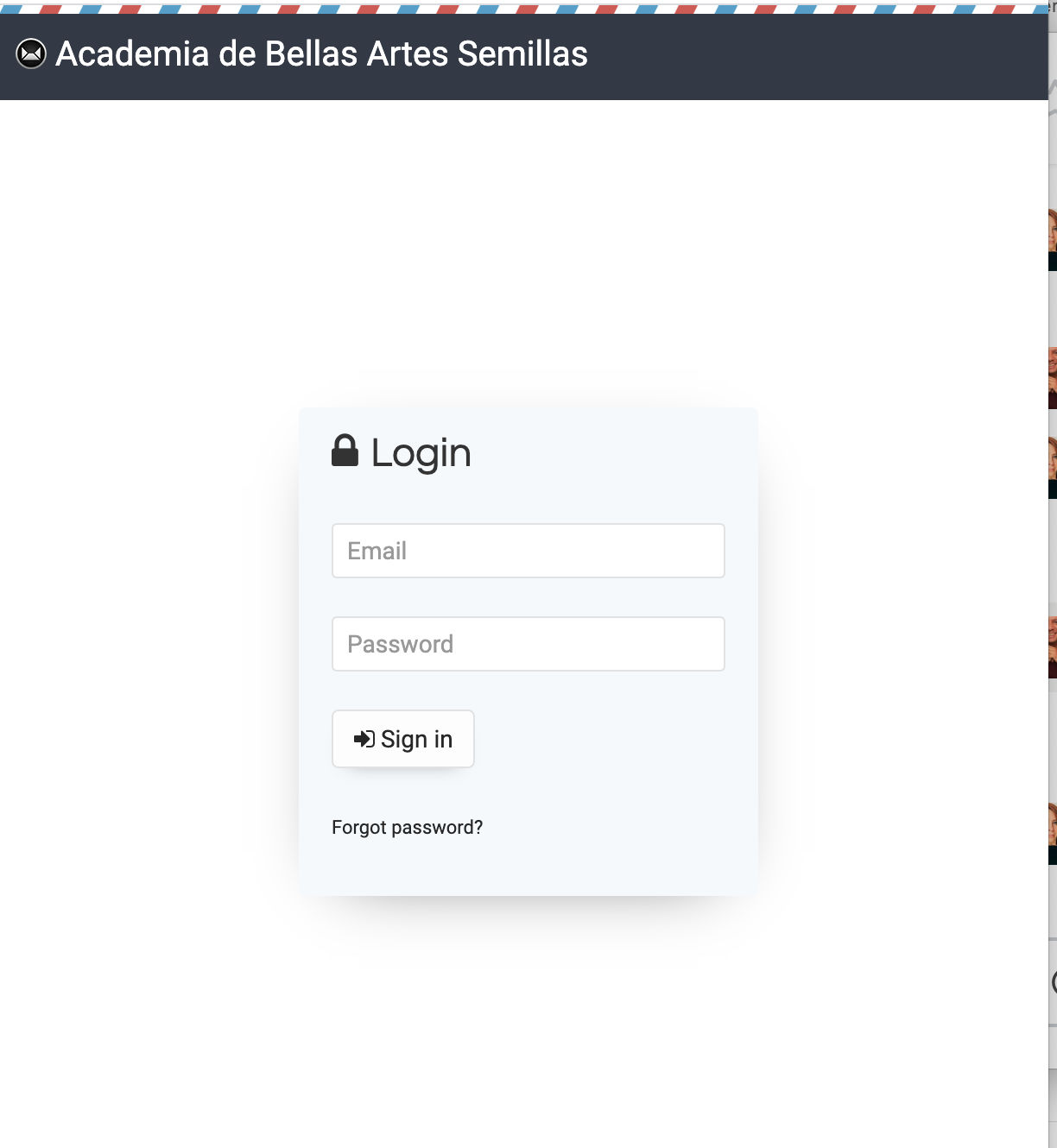
A cloud-based email marketing system automates bulk email campaigns, tracks analytics, and optimizes deliverability. It addresses scalability, personalization, and email security challenges. Prerequisites include SMTP protocols, cloud APIs, and automation workflows.
(Source: GitHub)
Technology Stack and Tools Used:
Key Skills Gained:
Examples of Real-World Scenarios:
Challenges and Future Scope:
Curious to discover the fascinating journey of cloud computing? Check out our detailed History Guide on Cloud Computing
A cloud-based disaster recovery system ensures backup, recovery, and failover in case of system failures. It mitigates data loss, downtime, and business disruption. Prerequisites include cloud backup strategies, automation scripts, and security compliance.
Technology Stack and Tools Used:
Key Skills Gained:
Examples of Real-World Scenarios:
Challenges and Future Scope:
Mastering cloud computing goes beyond deploying simple applications—it requires expertise in Kubernetes, AI-driven cloud solutions, and advanced security implementations.
As businesses adopt multi-cloud strategies and AI-powered cloud services, professionals must stay ahead by working on highly scalable, real-world projects. The next section introduces advanced cloud computing projects GitHub that will challenge your skills and help you build expertise for high-demand roles.
To specialize in multi-cloud, AI automation, and cloud security, professionals must master serverless computing, edge computing, and Kubernetes. These advanced cloud computing projects GitHub build expertise in high-performance computing, scalable infrastructure, and real-time data processing—key skills for career growth.
Below are cloud computing projects GitHub ideas designed to challenge your skills and prepare you for real-world cloud engineering roles.
A cloud-based IoT management platform enables real-time monitoring and control of IoT devices. This project helps manage device connectivity, data collection, and automation across a cloud-based network. Prerequisites include knowledge of IoT protocols, cloud storage, and edge computing.

(Source: GitHub)
Technology Stack and Tools Used:
Key Skills Gained:
Examples of Real-World Scenarios:
Challenges and Future Scope:
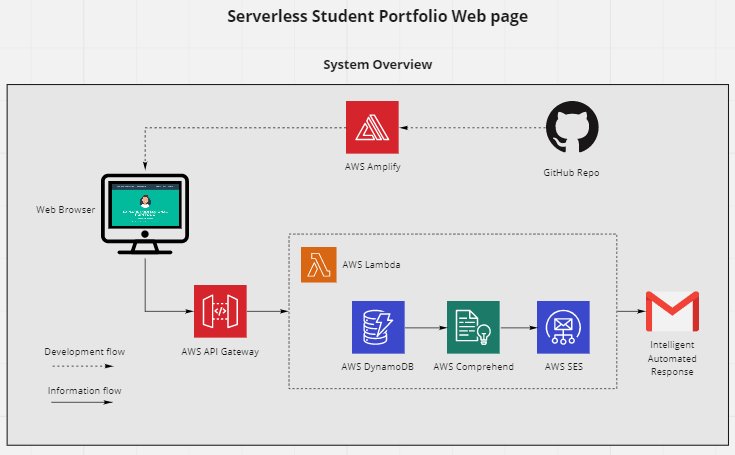
This project builds a cloud-based machine learning model training and deployment system. It solves challenges related to scalability, high-performance computing, and AI model versioning. Prerequisites include knowledge of cloud-based AI tools, data processing, and ML model deployment.
(Source: GitHub)
Technology Stack and Tools Used:
Key Skills Gained:
Examples of Real-World Scenarios:
Challenges and Future Scope:
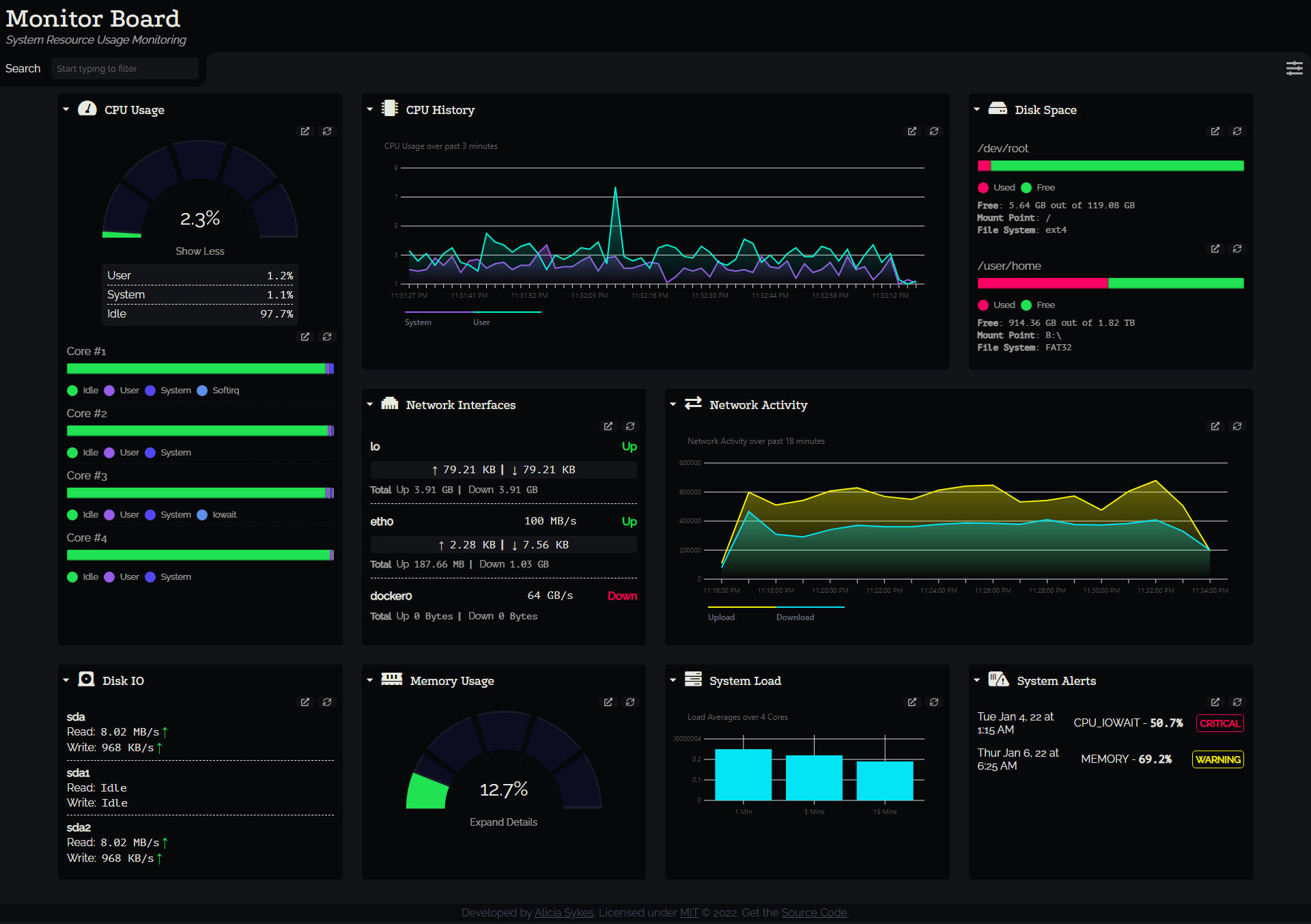
A cloud-based analytics dashboard visualizes and processes large datasets in real time. It provides insights into business metrics, user engagement, and operational performance. Prerequisites include data visualization, cloud data storage, and analytics pipelines.
(Source: GitHub)
Technology Stack and Tools Used:
Key Skills Gained:
Examples of Real-World Scenarios:
Challenges and Future Scope:
upGrad’s Exclusive Software and Tech Webinar for you –
SAAS Business – What is So Different?
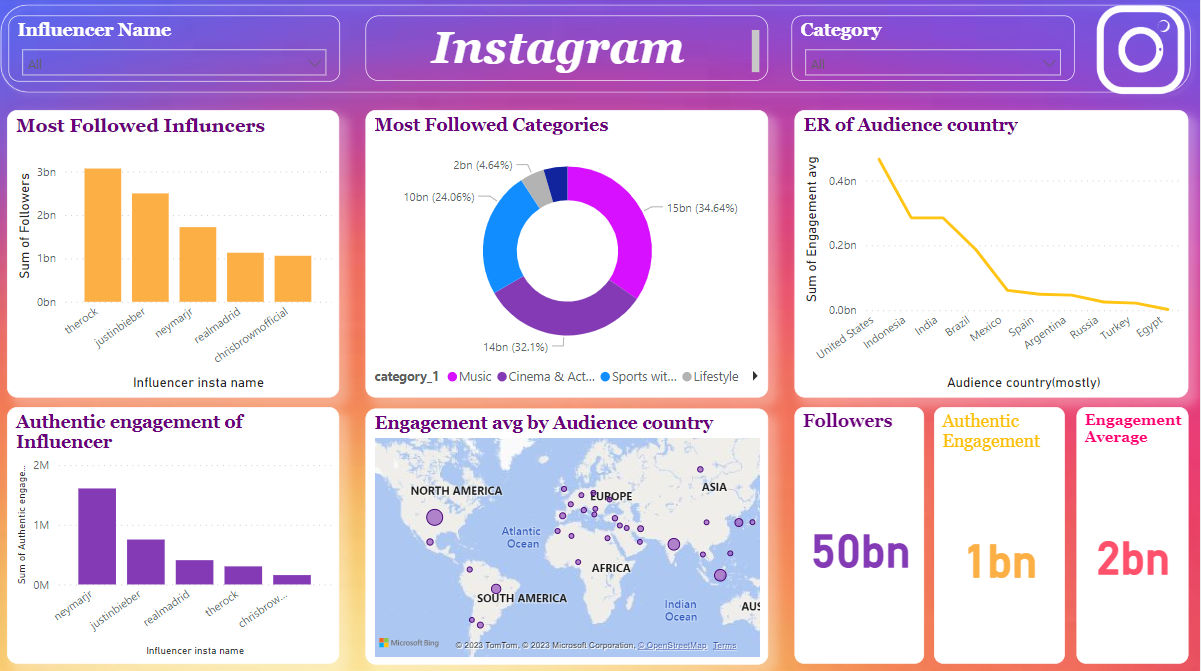
A cloud-based social media analytics tool processes engagement metrics, sentiment analysis, and audience insights to help businesses track brand performance and marketing effectiveness. This project is ideal for real-time brand monitoring, tracking viral trends, and detecting social media sentiment shifts. Prerequisites include API integration, cloud data storage, and NLP processing.
(Source: GitHub)
Technology Stack and Tools Used:
Key Skills Gained:
Examples of Real-World Scenarios:
Challenges and Future Scope:
Learn the essentials to NLP with upGrad's Introduction to Natural Language Processing free certification course. Register for free today!
This project develops a real-time cloud-based collaborative coding environment, allowing multiple developers to edit, review, and test code together. It solves remote collaboration, version control, and performance scaling issues. Prerequisites include cloud hosting, WebSockets, and containerized development environments.
(Source: GitHub)
Technology Stack and Tools Used:
Key Skills Gained:
Examples of Real-World Scenarios:
Challenges and Future Scope:
With so many cloud computing projects available on GitHub, selecting the right one can feel overwhelming. While all projects offer valuable learning experiences, choosing a project that aligns with your skill level, interests, and career goals is crucial for making the most of your time.
Let us now have a look at why GitHub cloud computing projects matter and how you can make yours standout from the crowd.
Free Courses
Engaging with cloud computing projects on GitHub offers practical learning opportunities across key cloud technologies. These experiences help build a broad skill set useful for various cloud roles.
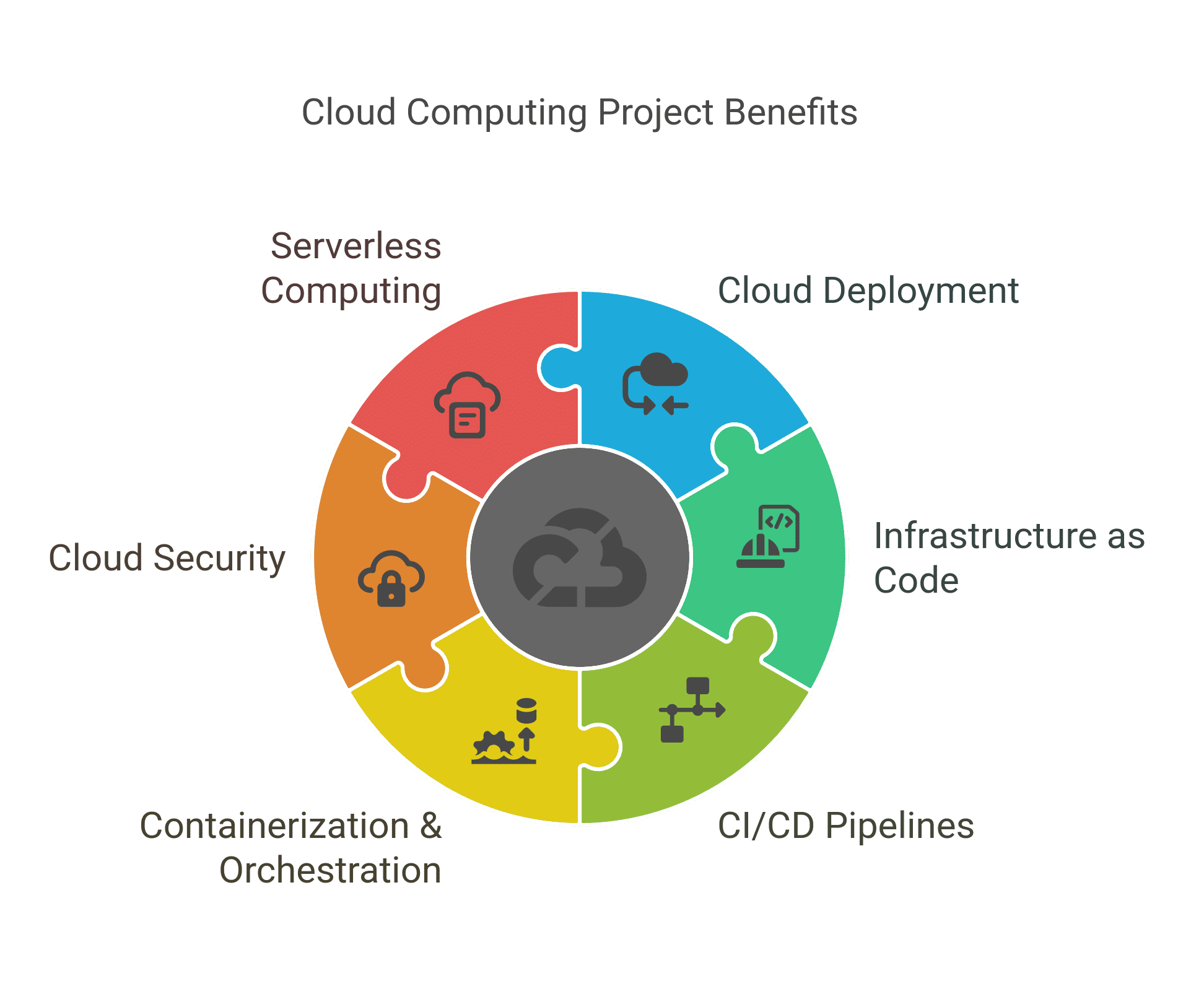
Here are the key benefits:
Learning to deploy applications on platforms like AWS Lambda, Firebase, or Heroku helps you understand how to run apps without managing underlying infrastructure.
Automating cloud infrastructure with IaC tools ensures consistent and repeatable resource management.
Automating build, test, and deployment processes improves software delivery speed and reliability.
Packaging applications in containers and managing them at scale improves portability and availability.
Protecting cloud assets involves managing access, encrypting data, and monitoring for threats.
Building applications without managing servers allows automatic scaling based on demand.
Now that the benefits of cloud computing projects on GitHub are clear, let us have a look at some tips that can help you make your project become better.
With thousands of cloud computing projects GitHub repositories, recruiters look for well-structured, impactful work.
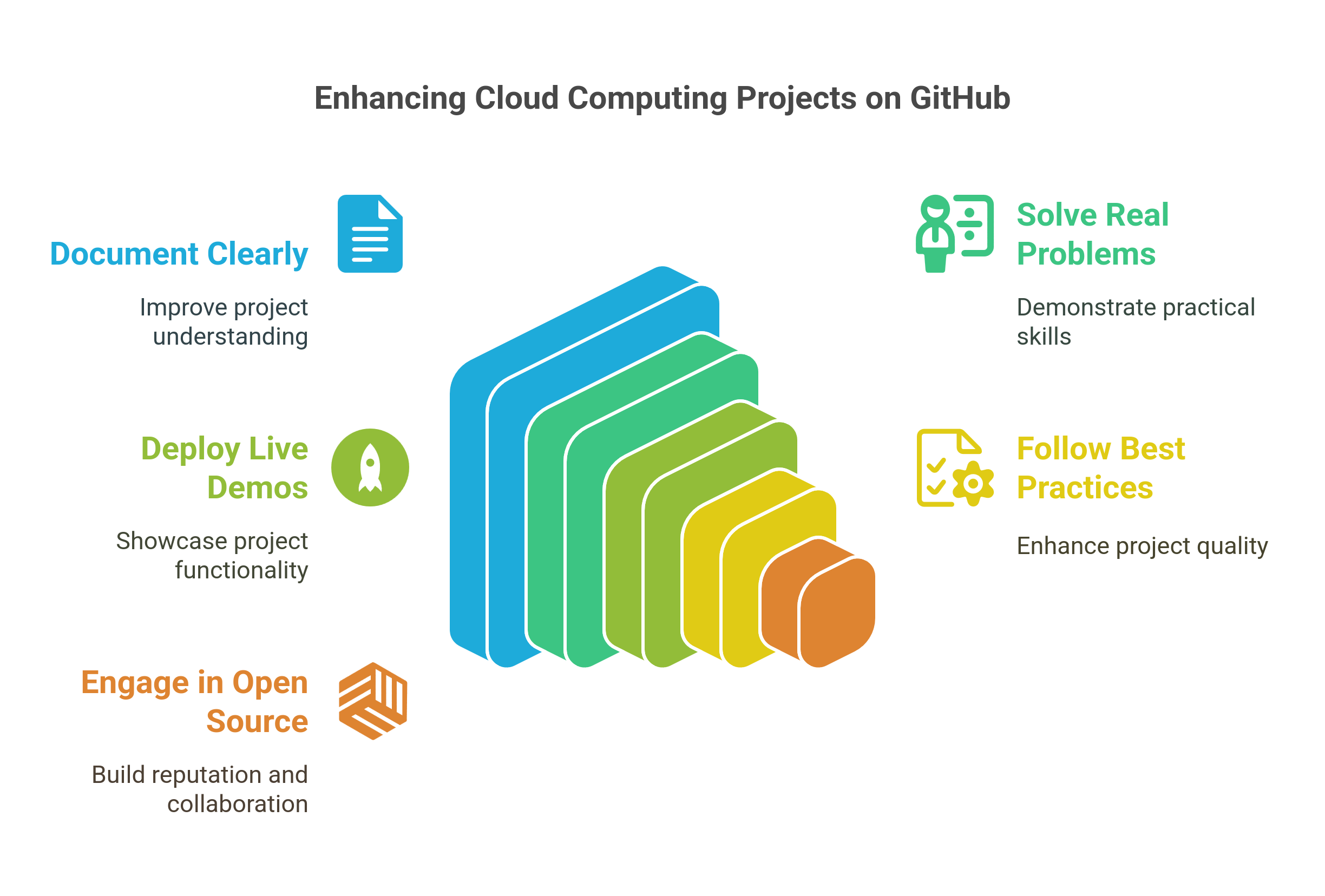
Follow these strategies to make your projects stand out:
Clear and thorough documentation makes your project easier to understand and use.
Projects that address practical challenges show your ability to apply cloud skills meaningfully.
Hosting live versions of your projects allows recruiters to see your work in action.
Applying industry standards improves project quality and demonstrates professionalism.
Active participation in popular cloud computing repositories showcases collaboration and continuous learning.
In the next section, we’ll discuss how to evaluate and choose the best cloud computing projects GitHub to maximize your learning and professional growth.
Cloud computing is reshaping industries with AI, automation, and scalable infrastructure. Choosing the right cloud computing projects GitHub can provide hands-on experience and industry-relevant skills. The key is to align projects with your skill level, career goals, and emerging trends for maximum learning impact.
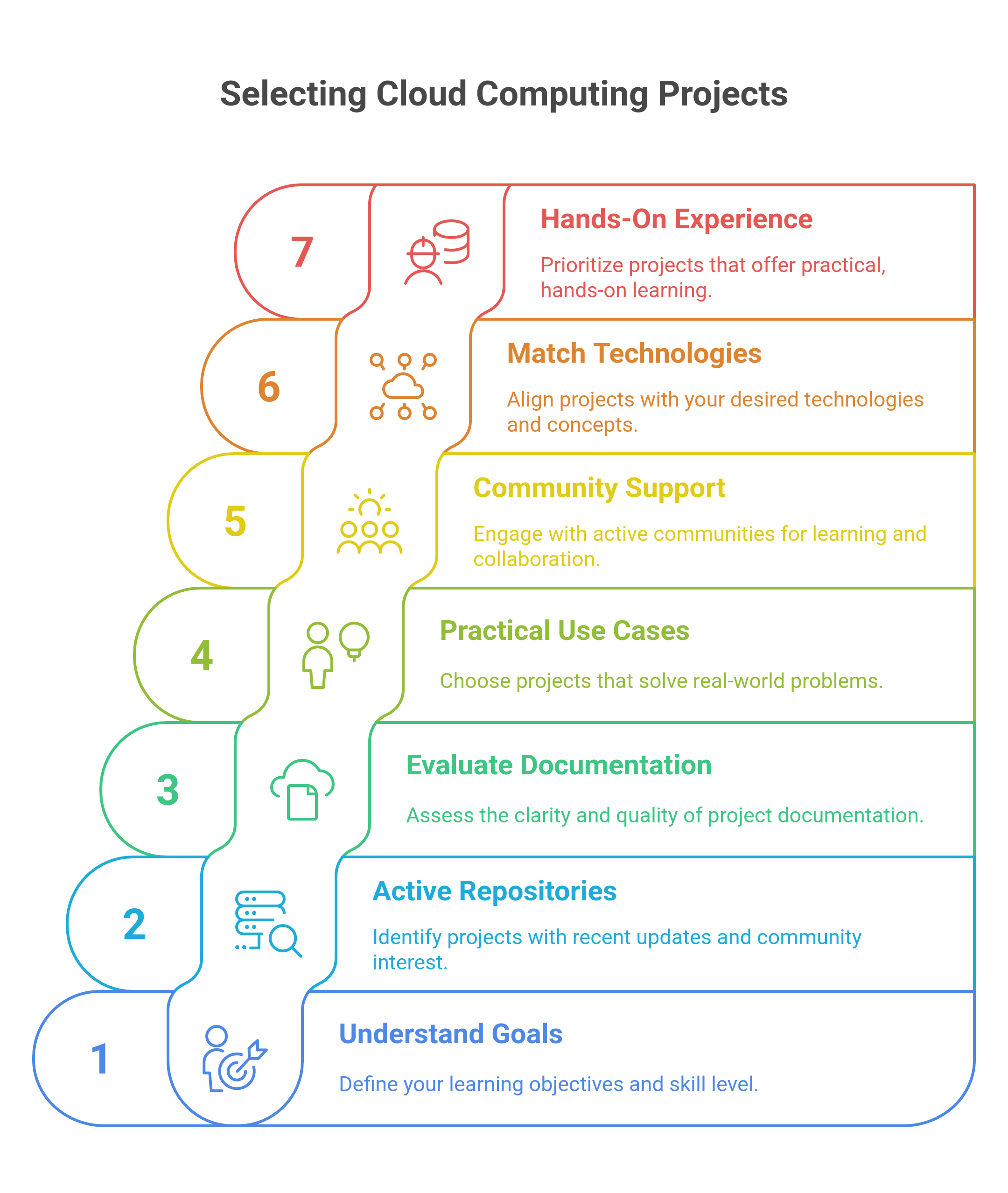
Below, we explore how to find, evaluate, and select the best cloud computing projects GitHub for beginners and beyond.
Before selecting a project, it’s important to know where you stand and what you want to achieve. Different projects suit different experience levels and career aspirations.
Understanding your current skill level will guide you to projects that help you grow steadily and meaningfully.
Project activity reflects ongoing development and community interest, which can impact how useful a project is for learning and contributing.
For example, a Kubernetes deployment project with recent contributions is likely to include current best practices, making it more relevant for study.
Clear instructions and clean code are essential for following and understanding a project effectively, especially if you’re learning independently.
If a cloud security automation project, for example, lacks basic documentation, it will be difficult to implement and learn from.
Projects that solve concrete problems offer better preparation for work environments and show how cloud technologies apply to actual challenges.
Prioritizing projects with useful applications prepares you to meet expectations commonly found in cloud-related jobs.
Active communities provide a chance to learn beyond the code by engaging with other developers, asking questions, and contributing improvements.
For instance, contributing to a multi-cloud security project with an active team can give insight into collaborative software development practices.
Choosing a project that aligns with the technologies and concepts you want to learn helps maintain focus and ensures your time is well spent.
Matching projects to your learning goals ensures progress toward the skills that will matter most for your future roles.
Actual experience comes from doing. Projects that require you to build, deploy, and troubleshoot will improve your confidence and technical skills more than passive learning.
Projects that guide you through building a CI/CD pipeline or managing Kubernetes clusters offer immediate hands-on learning benefits.
Also, make sure to check these Top 12 Prerequisites for Cloud Computing before beginning your stint in this field!
Mastering cloud computing requires hands-on experience, expert guidance, and industry-recognized credentials to stay competitive. upGrad’s cloud computing programs provide structured learning, real-world projects, and job placement support to help you secure top cloud roles.
The next section explores how upGrad can accelerate your career in cloud computing.

Building a successful career in cloud computing opens up numerous opportunities in technology and IT infrastructure. Whether you’re starting fresh or looking to upgrade your skills, upGrad offers a range of specialized courses covering cloud architecture, security, DevOps, and automation to support your growth.
At upGrad, you can choose from practical programs featuring expert guidance and real-world projects, designed to help you build hands-on experience and become job-ready in the cloud domain.
For personalized career guidance, upGrad offers one-on-one counseling sessions to help you create a structured learning plan. You can also visit upGrad’s offline centers for an interactive learning experience with industry experts.
Boost your career with our popular Software Engineering courses, offering hands-on training and expert guidance to turn you into a skilled software developer.
Master in-demand Software Development skills like coding, system design, DevOps, and agile methodologies to excel in today’s competitive tech industry.
Stay informed with our widely-read Software Development articles, covering everything from coding techniques to the latest advancements in software engineering.
Reference Link:
https://www.gartner.com/en/newsroom/press-releases/2024-11-19-gartner-forecasts-worldwide-public-cloud-end-user-spending-to-total-723-billion-dollars-in-2025
https://www.cloudzero.com/blog/cloud-computing-statistics/
Source Codes:
Cloud-Based File Sharing System Source code
Serverless Weather Application Source code
Cloud-Based Task Management App Source code
Cloud-Based Personal Finance Manager Source code
Cloud-Based Photo Editing and Sharing App Source code
Cloud-Based Video Editing Platform Source code
Cloud Video Streaming Platform Source code
Cloud-Based Customer Relationship Management (CRM)Source code
Cloud-Based Inventory Management System Source code
Cloud-Based E-Commerce Store Source code
Cloud-Based Video Conferencing App Source code
Cloud-Based Remote Desktop Service Source code
Cloud-based Document Collaboration Tool Source code
Cloud-Powered Real-Time Chat Application Source code
Cloud-Based Gaming Server Source code
Cloud-Based Email Marketing System Source code
Cloud-Based Disaster Recovery System Source code
Cloud-Based IoT Management Platform Source code
Cloud Computing for Machine Learning Source code
Cloud Data Analytics Dashboard Source code
Public cloud services are provided by third parties and shared among multiple users, offering scalability and cost efficiency. Private clouds are exclusive to one organization, giving more control and security. Hybrid clouds combine public and private clouds, allowing data and apps to move between both environments. Community clouds are shared by organizations with similar goals or compliance needs.
Cloud computing allows quick access to computing resources without the delay of setting up hardware. Businesses can scale their infrastructure up or down based on demand, helping them adapt to changes smoothly. This speed helps teams launch new products and respond to customer needs more flexibly.
Using the cloud lowers upfront spending on physical equipment and infrastructure. Organizations pay only for the resources they consume, turning fixed expenses into flexible costs. It also reduces ongoing maintenance and minimizes the need for large IT teams on site.
Virtualization creates virtual versions of physical hardware like servers and storage devices. It allows multiple virtual machines to run on one physical server, improving resource efficiency. This technology forms the foundation of cloud infrastructure by enabling flexible resource allocation.
Providers use encryption, strict access controls, and firewalls to protect data both in transit and at rest. They follow industry compliance standards and perform regular security audits. Additionally, they often offer customers tools to manage permissions and monitor security.
Multi-cloud means using services from more than one cloud provider to spread risk and avoid dependence on a single vendor. This approach can improve reliability and allow businesses to pick the best services from different providers. It also helps optimize costs and meet specific technical needs.
Cloud platforms enable access to applications and files from any location with internet. They offer tools for real-time collaboration, such as shared documents and communication apps. This allows teams to work together effectively without being physically present.
Serverless computing runs code without the need to manage servers, with the cloud provider handling all infrastructure. Users pay only for the actual execution time of their code. In contrast, traditional cloud services require setting up and maintaining virtual servers even when idle.
Migration starts with analyzing the application’s requirements and dependencies. Next, select the right cloud services and plan how to move the app, which might involve simple rehosting or more complex refactoring. After migration, thorough testing ensures the application works properly in the new environment.
Orchestration coordinates various cloud services and tasks to work together seamlessly. Automation handles repetitive processes like provisioning, scaling, and updating resources, reducing manual work and minimizing errors. Together, they improve efficiency and consistency in cloud management.
Containerization packages applications with all their dependencies into lightweight units that can run anywhere. Kubernetes is a system that automates deploying, scaling, and managing these containers across cloud environments. This combination makes application deployment more consistent and easier to maintain.
911 articles published
Pavan Vadapalli is the Director of Engineering , bringing over 18 years of experience in software engineering, technology leadership, and startup innovation. Holding a B.Tech and an MBA from the India...
Get Free Consultation
By submitting, I accept the T&C and
Privacy Policy
Top Resources
Classroom
6 Months
Microsoft
Generative AI Mastery Certificate for Software DevelopmentLearn to use GitHub copilot, Azure & more
Certification
2 months
3 Months