50 SQL Interview Questions and Answers for Freshers and Experienced
By Vikram Singh
Updated on Oct 22, 2026 | 26 min read | 15.94K+ views
Share:

All courses
Certifications
More
By Vikram Singh
Updated on Oct 22, 2026 | 26 min read | 15.94K+ views
Share:
Table of Contents
SQL interview questions test whether you can query, join and summarise data in a relational database. Freshers are usually asked about keys, joins, GROUP BY and basic commands. Experienced candidates face window functions, query optimisation, indexing and scenario questions where you write a query against a sample table.
| Level | Topics asked | Question numbers in this guide |
| Beginner | SQL basics, commands, keys, constraints, data types and database objects | 1-16 |
| Intermediate | Joins, subqueries and set operators | 17-22 |
| Window Functions | Ranking functions, window functions, aggregate comparisons and running totals | 23-26 |
| Advanced | Constraints, transactions, indexes, database objects, optimisation and performance | 27-45 |
| Scenario-based | Practical SQL queries using sample tables | 46-50 |
Looking to turn SQL skills into a data science career? Explore our Data Science Courses Online and learn SQL, Python, Machine Learning, and AI through hands-on projects and industry-focused curriculum.
Popular Data Science Programs
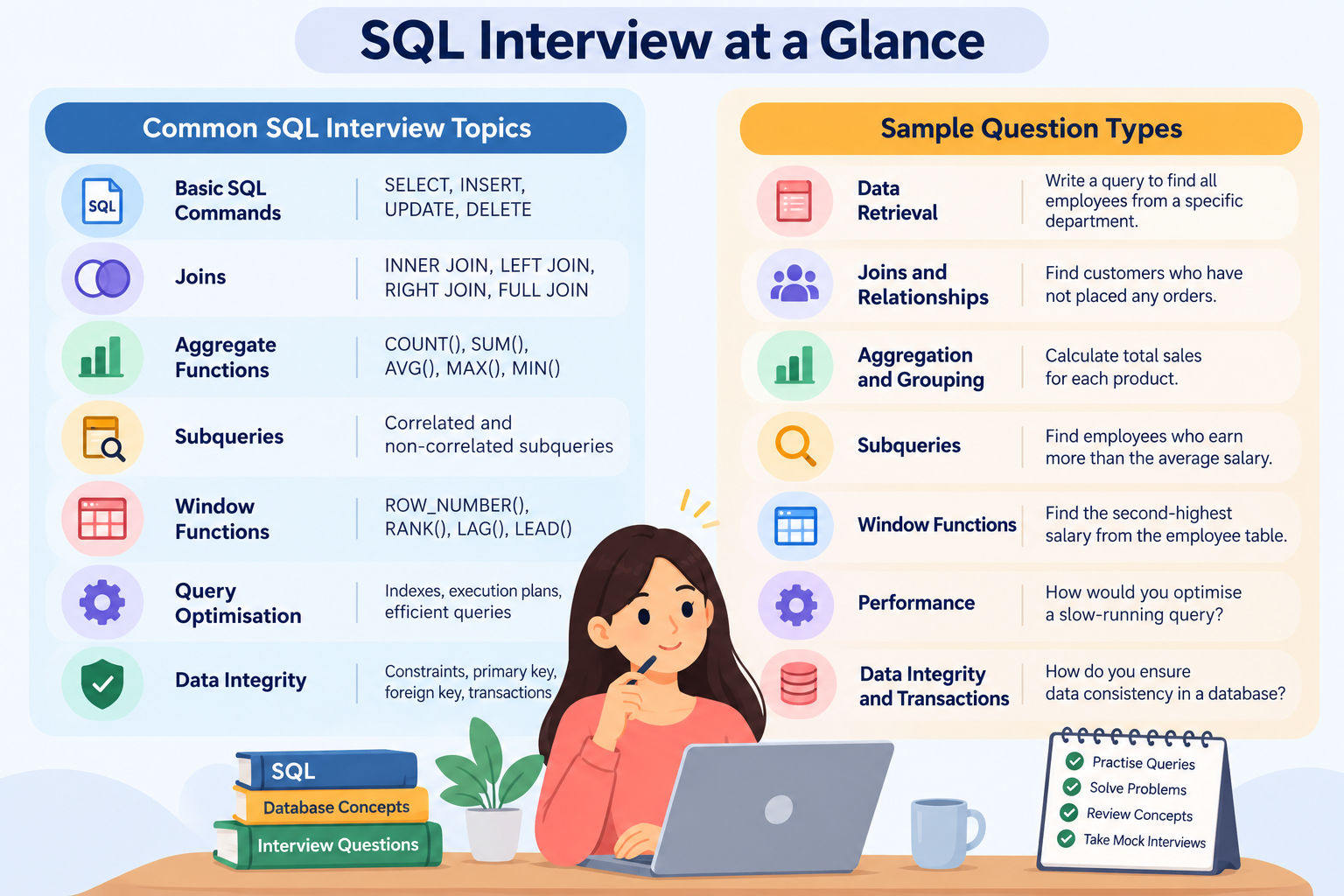
These basic SQL interview questions cover the core concepts you should know before attending an interview. They explain SQL commands, keys, data types, indexes, and other important topics that help you write and understand SQL queries.
How to Answer:
Sample Answer:
SQL (Structured Query Language) is a standard language used to manage and manipulate relational databases. It allows users to create, retrieve, update, and delete data. SQL is widely used across industries to store, organise, and manage structured data.
How to Answer:
Sample Answer:
SQL commands are divided into five main types:
How to Answer:
Sample Answer:
A primary key is a column or a group of columns that uniquely identifies each record in a table. It does not allow duplicate or NULL values. A table can have only one primary key constraint, which helps maintain data accuracy and integrity.
How to Answer:
Sample Answer:
A foreign key is a column or group of columns that refers to a primary key or another eligible unique key in a related table. It connects tables and helps maintain referential integrity by preventing invalid references.
How to Answer:
Sample Answer:
How to Answer:
Sample Answer:
SQL is a standard language used to query and manage relational databases, while MySQL is a relational database management system (RDBMS) that uses SQL. SQL defines how users interact with data, whereas MySQL provides the software to store, retrieve, and manage that data.
How to Answer:
Sample Answer:
Normalization is the process of organizing data in a database to reduce redundancy and improve data consistency. The main types are:
Looking to go beyond SQL and build expertise in AI-powered data analytics? Join upGrad’s Professional Certificate Programme in Data Science & Agentic AI and gain hands-on experience in SQL, Python, Machine Learning, and Generative AI.
How to Answer:
Sample Answer:
An index in SQL speeds up data retrieval by helping the database find records quickly. However, indexes can slow down INSERT, UPDATE, and DELETE operations because they need to be updated when data changes.
How to Answer:
Explain the differences between these two one by one.
Sample Answer:
How to Answer:
Sample Answer:
A stored procedure is a set of SQL statements stored in a database and executed when needed. It helps reduce repeated code, improve performance, reduce network traffic, and enhance security by limiting direct access to data.
How to Answer:
Explain the difference between fixed-length and variable-length data types.
Sample Answer:
Read: Difference Between VARCHAR and VARCHAR2
How to Answer:
Sample Answer:
A NULL value in SQL represents missing or unknown data. It is different from zero or an empty string. SQL uses IS NULL and IS NOT NULL to check for NULL values in queries.
How to Answer:
Explain the purpose of each clause and how they differ.
Sample Answer:
How to Answer:
Sample Answer:
A view is a virtual table based on the result of an SQL query. It displays data from existing tables and helps simplify complex queries. Views can also improve security by restricting access to selected data.
Also Read: SQL For Beginners: Essential Queries, Joins, Indexing & Optimization Tips
How to Answer:
Sample Answer:
Aggregate functions perform calculations on a set of values and return a single result. Common aggregate functions include:
How to Answer:
Sample Answer:
Constraints are rules applied to table columns to maintain data integrity. Common constraints include:
Understand Data, Features, and how models learn from patterns with Machine Learning Courses. You can master neural networks, NLP & reinforcement with Python through courses from Top Universities
Free Courses
How to Answer:
Sample Answer:
Joins are used to retrieve data from multiple tables based on a related column. The different types of joins are:
Also Read: SQL for Data Science: Functions, Queries, and Best Practices
How to Answer:
Sample Answer:
INNER JOIN returns only matching rows from both tables based on a common column. OUTER JOIN also includes unmatched rows from one or both tables. Its types are LEFT JOIN, RIGHT JOIN, and FULL JOIN, depending on which unmatched rows are included.
How to Answer:
Sample Answer:
A self-join is a join in which a table is joined with itself to compare rows within the same table. Table aliases are used to distinguish between the two instances of the table.
How to Answer:
Sample Answer:
A subquery is a query placed inside another SQL query. It helps retrieve data based on the result of an inner query. For example, a subquery can find employees whose salaries are higher than the average salary in their department.
How to Answer:
Explain how both operators combine results from multiple SELECT statements and how they handle duplicate rows.
Sample Answer:
Both queries must return the same number of columns, with compatible data types in corresponding columns.
How to Answer:
Sample Answer:
Both operators can be used to filter query results. Their performance depends on the query, database system, and available indexes.
Learn more about data science and get an affordable MS in Data Science online degree from the UK’s Liverpool John Moores University in only 18 months, apply now!
Data Science Courses to upskill
Explore Data Science Courses for Career Progression
IIIT Bangalore
Executive Post Graduate Certificate in Data Science & AIPlacement Assistance
How to Answer:
Explain the difference between these three functions one by one.
Sample Answer:
How to Answer:
Sample Answer:
A window function performs calculations across a set of rows related to the current row. Unlike aggregate functions used with GROUP BY, it retains individual row data. Examples include RANK(), DENSE_RANK(), ROW_NUMBER(), and SUM() OVER().
Also Read: Is SQL Hard to Learn? Breaking Down the Challenges and Solutions
How to Answer:
Sample Answer:
For example, AVG() with GROUP BY can show the average salary for each department, while a window function can show each employee's salary alongside their department's average salary.
How to Answer:
Sample Answer:
A running total is a cumulative sum that adds each value to the total of the previous rows. In SQL, SUM() with the OVER() clause calculates a running total. For example, a sales table can show each day's sales alongside the cumulative sales up to that day. The results are ordered by date to calculate the total correctly.
How to Answer:
Explain the difference between these two clauses.
Sample Answer:
How to Answer:
Explain the properties of each element one by one.
Sample Answer:
ACID properties ensure reliable database transactions:
How to Answer:
Explain the difference between these three one by one.
Sample Answer:
How to Answer:
Sample Answer:
A table stores data in the database, while a view is a virtual table based on an SQL query. Views simplify complex queries and can enhance security by restricting access to selected data.
How to Answer:
Sample Answer:
A trigger in SQL is a set of SQL statements that runs automatically when a specific event occurs in a table, such as an INSERT, UPDATE, or DELETE operation. It helps automate tasks and maintain data consistency.
How to Answer:
Sample Answer:
A cursor in SQL processes query results one row at a time. It is useful when a task requires individual row processing, although it can be slower than set-based operations.
How to Answer:
Explain the difference between these two keys.
Sample Answer:
A candidate key is any column or set of columns that can uniquely identify a record. A primary key is a selected candidate key that uniquely identifies rows and cannot have NULL values.
How to Answer:
Sample Answer:
The COALESCE() function returns the first non-NULL value from a list. It helps replace NULL values with meaningful data.
How to Answer:
Sample Answer:
Isolation levels control how transactions interact with each other to maintain data integrity. The four main isolation levels are:
How to Answer:
Sample Answer:
A clustered index determines the physical order of data in a table. A table can have only one clustered index because its data can be stored in only one order. It improves search performance for range queries but can slow down insertions and updates.
How to Answer:
Explain the difference between these two one by one.
Sample Answer:
A CTE (Common Table Expression) is a temporary named result set used within a single SQL statement. A temporary table stores data temporarily in the database and can be used across multiple statements within its scope. CTEs help simplify complex queries, while temporary tables are useful when intermediate results need to be reused.
How to Answer:
Sample Answer:
A materialized view stores the result of a SQL query physically in the database. Unlike a regular view, which retrieves data from its underlying tables when queried, a materialized view stores the query results. It can improve query performance but needs to be refreshed to reflect changes in the underlying data.
How to Answer:
Explain the difference between these two isolation options.
Sample Answer:
NOLOCK can reduce waiting for locks but may return inconsistent results. READ COMMITTED provides more reliable results by preventing dirty reads.
How to Answer:
Sample Answer:
Sharding divides a large database into smaller parts called shards. Each shard stores a portion of the data and can be managed separately. It helps improve scalability and handle large amounts of data efficiently.
How to Answer:
Sample Answer:
Normalization organizes data to reduce redundancy and improve consistency. Denormalization adds some redundancy to improve query performance. It is useful in reporting systems and data warehouses where faster data retrieval is more important than reducing redundancy.
How to Answer:
Sample Answer:
Learn: How to develop analytical thinking
How to Answer:
Sample Answer:
Indexing speeds up data retrieval by helping the database find records faster. However, it can slow down INSERT, UPDATE, and DELETE operations because indexes must also be updated when data changes. Choosing the right index type helps improve SQL performance.
How to Answer:
Sample Answer:
A deadlock occurs when two transactions hold resources that the other needs, preventing both from progressing. It can be prevented by:
How to Answer:
Sample Answer:
Partitioning divides a large table into smaller, manageable parts to improve data management and query performance. The main types are:
Use the following sample tables to answer the five SQL interview questions.
Sample Database Setup
The database contains three tables: Employees, Products, and Orders. A separate Customers table stores customer details.
Employees Table
| employee_id | employee_name | salary |
| 1 | Rahul | 60000 |
| 2 | Priya | 80000 |
| 3 | Amit | 50000 |
| 4 | Neha | 80000 |
| 5 | Karan | 40000 |
Products Table
| product_id | product_name |
| 101 | Laptop |
| 102 | Phone |
| 103 | Tablet |
Orders Table
| order_id | customer_id | product_id | quantity | price |
| 1 | 201 | 101 | 2 | 50000 |
| 2 | 202 | 102 | 3 | 20000 |
| 3 | 201 | 101 | 1 | 50000 |
| 4 | 203 | 103 | 2 | 15000 |
| 5 | 202 | 102 | 1 | 20000 |
The Customers table contains customer_id and customer_name. Customers 201, 202, 203, and 204 are listed. Customer 204 has not placed any orders.
How to Answer:
Use a subquery to find the highest salary below the maximum salary.
Sample Answer:
SELECT MAX(salary) AS second_highest_salary
FROM Employees
WHERE salary < (SELECT MAX(salary) FROM Employees);
Explanation: This query returns the second-highest distinct salary, which is 60000.
How to Answer:
Use GROUP BY and HAVING COUNT(*) > 1 to find repeated values.
Sample Answer:
SELECT salary, COUNT(*) AS total
FROM Employees
GROUP BY salary
HAVING COUNT(*) > 1;
Explanation: This query finds salary values that appear more than once. In the sample data, 80000 appears twice.
How to Answer:
Calculate the average salary and compare each employee's salary with it.
Sample Answer:
SELECT employee_name, salary
FROM Employees
WHERE salary > (SELECT AVG(salary) FROM Employees);
Explanation: This query returns employees whose salaries are higher than the average salary of all employees.
How to Answer:
Multiply the quantity by the price and calculate the total for each product.
Sample Answer:
SELECT p.product_name,
       SUM(o.quantity * o.price) AS total_sales
FROM Products p
JOIN Orders o ON p.product_id = o.product_id
GROUP BY p.product_id, p.product_name;
Explanation: This query calculates total sales for each product. Laptop sales total 150000, Phone sales total 80000, and Tablet sales total 30000.
How to Answer:
Use LEFT JOIN to find customers who do not have matching orders.
Sample Answer:
SELECT c.customer_id, c.customer_name
FROM Customers c
LEFT JOIN Orders o ON c.customer_id = o.customer_id
WHERE o.order_id IS NULL;
Explanation: This query returns customers who have not placed any orders. In the sample data, it returns customer 204.
Subscribe to upGrad's Newsletter
Join thousands of learners who receive useful tips
Preparing for an SQL interview requires a solid grasp of database concepts, problem-solving skills, and the ability to apply SQL in different scenarios. Whether you are a beginner or an experienced professional, these tips will help you prepare for SQL interview questions with confidence.
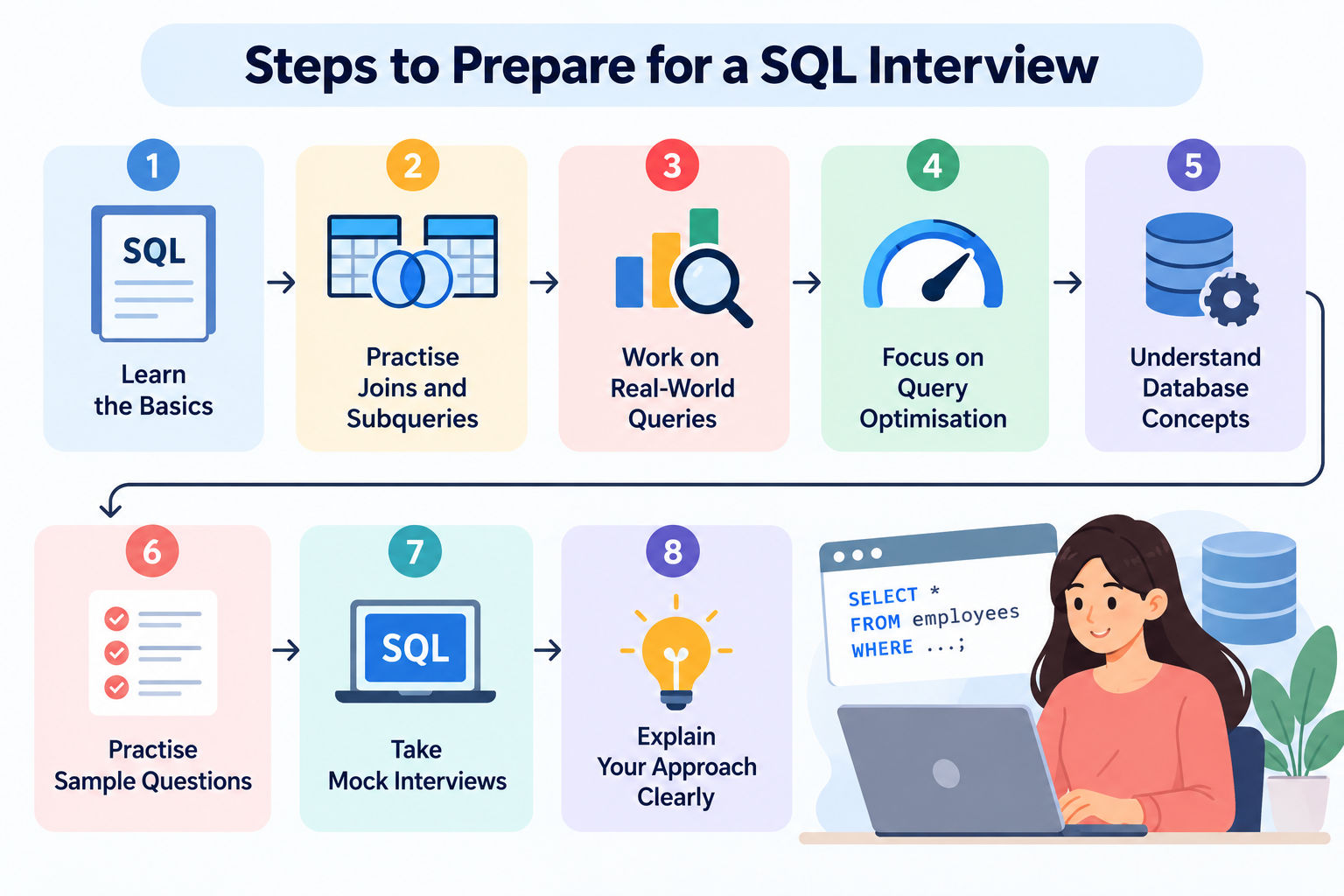
Build a strong foundation in basic SQL concepts and commands.
Learn how to improve query performance and efficiency.
Understand how joins work and when to use them.
Also Read: SQL Jobs for Freshers: Salary, Career Growth & Opportunities
Learn how to organise data and maintain database consistency.
Prepare for questions that involve nested queries and complex data retrieval.
Learn how to summarise data and filter grouped results.
Understand how to modify data and manage transactions.
Also Read: SQL Vs MySQL: Difference Between SQL and MySQL
Learn how to identify and handle missing or unknown values.
Learn how indexes affect query performance.
Prepare for features supported by the database system used in your interview.
Practise answering SQL questions under interview conditions.
Regular practice across these topics can help you strengthen your SQL skills and prepare for both basic and advanced interview questions.
Preparing for an SQL interview? Contact our experts for more tips and guidance to help you prepare with confidence. You can also explore our top courses to build your SQL skills and boost your career prospects.
Similar Reads:
Reference:
https://www.imarcgroup.com/india-database-as-a-service-market
Start by understanding what the question asks. Break the problem into smaller steps and write a clear SQL query. Check edge cases, such as NULL values and duplicate records. Explain why you chose a particular approach and how it solves the problem.
SQL interview questions can cover basic commands, keys, constraints, joins, subqueries, aggregate functions, and data manipulation. Experienced candidates may also face questions on window functions, transactions, indexing, query optimisation, and real-world problems that require writing SQL queries.
Practice problems that combine multiple SQL concepts. Start with simple queries and gradually work on questions involving multiple tables, subqueries, grouping, and window functions. Also, practise explaining your approach and checking whether your queries return the expected results.
Interviews for Data Analyst Role often include questions about filtering, joining, grouping, and summarising data. You may also be asked to find duplicate records, calculate totals and averages, compare results, or identify missing data. Prepare by practising SQL queries that help answer business questions related to a data analyst role.
Freshers should start with these topics:
Once you are comfortable with these topics, move on to window functions, indexes, and query optimisation.
Performance matters because queries should work well even when databases contain large amounts of data. Interviewers may ask how indexes, query structure, and execution plans affect performance. Explain how you would make a query more efficient while keeping it easy to understand and maintain.
Avoid rushing into a query before understanding the requirements. Check for NULL values, duplicate records, and missing matches between tables. Do not make unnecessary changes to the query or use complex logic when a simpler solution works. Always check whether your answer covers the conditions given in the question.
Explain how you break the problem into smaller steps. Describe the data you need, the conditions you must check, and how you plan to get the result. If possible, test your query with sample data and explain how you would handle unusual cases.
Explain why you selected a particular approach. For example, describe why you used a LEFT JOIN instead of an INNER JOIN or why a subquery suits the problem. Keep your explanation focused on the expected result, the data involved, and any important trade-offs.
Give a clear answer and support it with a relevant example when needed. For query-based questions, explain the main steps and mention important edge cases. For questions about database concepts, describe what the concept does and when it is useful. Keep your answer focused on the question.
Read the question carefully and identify the required output. Then divide the problem into smaller parts, such as filtering rows, joining tables, grouping data, and applying conditions. Build the query step by step and check each part before combining everything into the final query.
Explain how you would identify a slow query and investigate its execution plan. Discuss relevant steps, such as checking indexes, reviewing joins, and avoiding unnecessary data retrieval. If you have practical experience, share a specific example of how you improved a query and what changed.
Explain how database rules and transactions help keep data correct and consistent. You can discuss constraints such as PRIMARY KEY, FOREIGN KEY, and UNIQUE, along with ACID properties. Give an example of how these features help prevent invalid data or ensure that related database operations are handled reliably.
136 articles published
Vikram Singh is a seasoned content strategist with over 5 years of experience in simplifying complex technical subjects. Holding a postgraduate degree in Applied Mathematics, he specializes in creatin...
Speak with Data Science Expert
By submitting, I accept the T&C and
Privacy Policy
Start Your Career in Data Science Today
Top Resources
Master's Degree
18 Months
Executive Diploma
12 Months
Bootcamp
6 Months