SEO for WordPress: What Actually Works
By upGrad
Updated on Jun 11, 2026 | 8 min read | 1.73K+ views
Share:

All courses
Certifications
More
By upGrad
Updated on Jun 11, 2026 | 8 min read | 1.73K+ views
Share:
Table of Contents
SEO for WordPress refers to the process of optimizing a WordPress website so it ranks higher in search engine results. The goal is to help search engines understand your content and make it easier for users to find your website.
WordPress already offers several SEO advantages, like clean website structure, mobile-friendly themes, easy content management, customizable URLs, and plugin support for SEO improvements, yet many WordPress websites struggle to rank. Because SEO involves much more than installing a plugin.
This blog covers everything you need to know about SEO for WordPress, from basic settings to plugins, page structure, speed, and content. You'll walk away with a clear action plan, not vague advice.
Explore upGrad's Digital Marketing programs to build practical skills in SEO, SEM, keyword research, website analytics, performance marketing, content strategy, social media marketing, and data-driven campaign optimization.
SEO for WordPress is one of the most effective ways to increase your website's visibility on search engines and attract consistent organic traffic. While WordPress is SEO-friendly by default, simply launching a website isn't enough. You need the right setup, content strategy, technical optimization, and ongoing improvements to rank well.
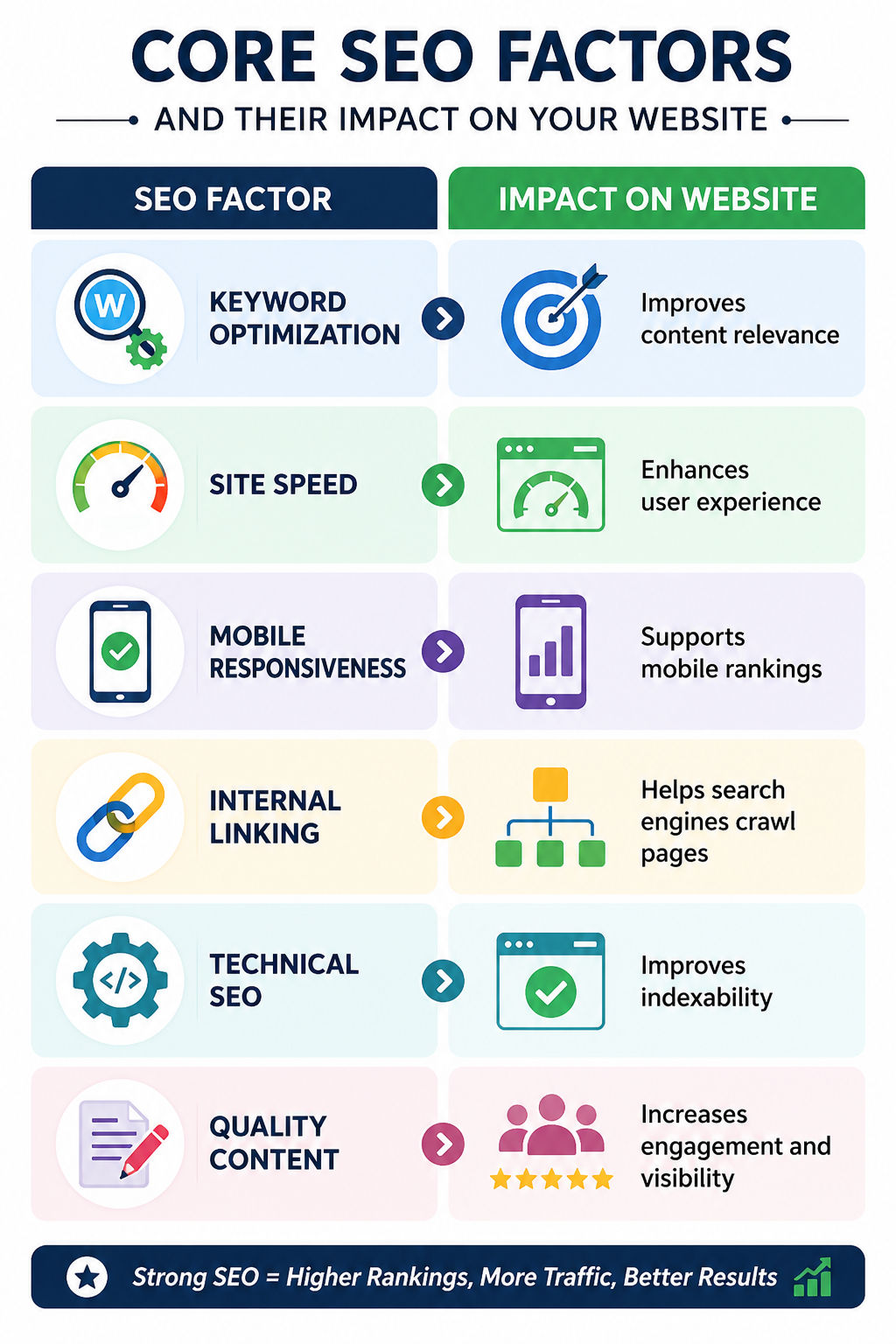
Search engines evaluate content quality, website speed, user experience, technical setup, backlinks, and many other factors before deciding where a page should appear.
Here's a quick look at the role of SEO in website growth.
Free Courses
Before anything else, the foundation has to be right. A lot of beginners jump straight into writing content without checking whether WordPress is even configured to be found by search engines.
Start by doing the following:
Go to Settings > Reading. Look for the checkbox that says "Discourage search engines from indexing this site." If that's checked, Google can't see your site at all. Uncheck it immediately.
Permalinks control how your URLs look. Go to Settings > Permalinks and select "Post name." This gives you clean URLs like yoursite.com/seo-for-wordpress instead of yoursite.com/?p=123. Clean URLs are easier for both users and search engines to understand.
This is non-negotiable. Google Search Console shows you which pages are indexed, which keywords you rank for, and what errors Google finds on your site. Set it up on day one, not after six months of publishing.
WordPress generates a sitemap automatically if you're using an SEO plugin. Your sitemap is what tells Google which pages exist on your site. Submit it inside Google Search Console under the "Sitemaps" section.
Decide whether your site runs on www or non-www and stick to one. Mixed versions confuse Google. This is usually set inside your hosting panel or through your SEO plugin. They're the baseline for doing SEO on a WordPress website properly.
Must read: What Is SEO Marketing and Why It Matters
Digital Marketing Courses to upskill
Explore Digital Marketing Courses for Career Progression
MICA Executive Alumni Status
There's no shortage of SEO plugins for WordPress. But most site owners don't need ten of them. You need what is important to you.
Here's a comparison of the three most used options:
Plugin |
Best For |
Standout Feature |
Free Plan |
Why Choose It? |
| Yoast SEO | Beginners | Real-time content analysis and readability scoring | Yes | Most beginner-friendly option, it guides users through meta titles, descriptions, and content optimization with a simple traffic-light system that's easy to understand. |
| Rank Math | Intermediate users | Built-in schema markup and keyword tracking | Yes | Offers more advanced control over SEO settings. Supports multiple focus keywords, ranking tracking, and schema configuration without requiring extra plugins. |
| All in One SEO | Business and WooCommerce websites | WooCommerce SEO support and product schema | Yes | A strong choice for e-commerce websites. It helps optimize product pages, categories, and other WooCommerce elements directly within WordPress. |
What you shouldn't do is install multiple SEO plugins. They conflict with each other. Pick one and configure it properly.
Once you've installed your plugin:
That's it. The plugin does most of the heavy lifting once it's set up correctly.
Do read: CMS Full Form: Understanding CMS in Content Management and Its Types
On-page SEO is where most WordPress users either get it right or lose rankings they should have earned. The good news is that it's learnable.
Your post title becomes your H1 and usually your meta title. Keep it under 60 characters. Include your primary keyword early. Don't make it clever at the cost of clarity.
This doesn't directly affect rankings, but it affects click-through rate. Write 155 to 160 characters that describe exactly what the page covers. Think of it as a short ad for your content.
One H1 per page. That's your post title. Use H2s for main sections. Use H3s under H2s when you need to break down a point further. Don't skip levels. Don't use H2s just to make text bold.
Link to your other relevant posts from within each article. This helps Google understand your site structure and keeps readers on your site longer. Do it naturally, not by stuffing five links into every paragraph.
Compress images before uploading. Use descriptive file names, not image001.jpg. Add alt text that describes what's in the image. This helps with accessibility and image search rankings.
Here's a quick checklist for every post:
SEO Checklist Item |
Why It Matters |
| Primary keyword in the title | Helps search engines understand the page topic and improves relevance for target searches. |
| Primary keyword in the first 100 words | Signals the main topic early to both readers and search engines. |
| Meta description written (not auto-generated) | Improves click-through rates by providing a clear and compelling summary in search results. |
| At least two internal links | Helps users discover related content and improves website crawlability. |
| All images have alt text | Improves accessibility and helps search engines understand image content. |
| URL is short and contains the target keyword | Makes URLs easier to read and strengthens keyword relevance for the page. |
Longer isn't always better. A 600-word post that directly answers a question ranks better than a 2,000-word post that circles around it. Write what the topic needs. Don't pad.
Must read: 25+ Proven SEO Strategies to Master On and Off Page SEO Techniques in 2025
Technical SEO is the most basic starting point. Slow or broken sites don't rank, no matter how good the content is.
Google uses page speed as a ranking factor. Run your site through Google PageSpeed Insights. Anything under 50 on mobile is a problem. Common fixes:
Over 60% of searches happen on mobile. Your WordPress theme should be responsive by default, meaning it adjusts to screen size automatically. Test your site on an actual phone, not just a browser window resized to look small.
Do read: 25+ Must-have SEO Tools to Explode your Ranks in 2025
In Google Search Console, go to Coverage. Any pages marked as "Error" are pages Google tried to index but couldn't. Fix broken links, redirect deleted pages, and make sure your important pages aren't accidentally set to "noindex."
If your site still runs on HTTP, that's a problem. Google flags non-HTTPS sites as insecure. Most hosting providers give you a free SSL certificate. Activate it.
Technical Issue |
Impact on SEO |
Fix |
| Slow load time | High | Caching + image compression |
| No HTTPS | High | Enable SSL in hosting panel |
| Broken links | Medium | Use a link checker plugin |
| Missing alt text | Medium | Add alt text to all images |
| No sitemap submitted | High | Submit via Search Console |
Don't try to fix all of this in one sitting. Prioritize speed and HTTPS first.
Do read: 28+ Top Free SEO Tools in 2025: Key Advantages and Application
Publishing posts without a keyword strategy is guesswork. You need to know what people are actually searching for before you write a single word.
Use Google's free tools: Search Console, Google Trends, and the autocomplete suggestions in the search bar. Paid tools like Ahrefs or Semrush give you more data, but they're not required when you're starting out.
Focus on long-tail keywords. Instead of targeting "SEO," target "how to do SEO for my WordPress website." Lower competition, clearer intent, and easier to rank for.
Search intent is what the person actually wants when they type a query. There are four types:
Your content type should match the intent. An informational query needs a guide. A commercial query needs a comparison. Mixing them up is why some pages never rank.
Pick 3 to 5 broad topics that relate to your site's subject. Write one detailed "pillar" post for each. Then write shorter supporting posts that link back to the pillar. This structure signals to Google that your site has real depth on a subject.
A post written two years ago with outdated information can hurt your rankings. Set a reminder every six months to review your top-ranking posts. Update statistics, add new sections, and check that all links still work.
Content strategy isn't about volume. It's about publishing the right thing, structured the right way, on a consistent schedule.
SEO for WordPress is not complicated when you break it into steps. Set up your site correctly first. Choose one good SEO plugin and configure it. Fix your technical issues before you focus on content volume. Then write posts that match what people are actually searching for.
The sites that rank aren't always the ones with the most content. They're the ones that got the basics right and stayed consistent.
Ready to start your journey? Book a free consultation with upGrad today to find the best path for your career.
No, you don't. WordPress SEO is mostly managed through plugins like Yoast SEO or Rank Math, which give you a visual interface for everything. You can handle titles, meta descriptions, sitemaps, and even schema markup without writing a single line of code.
It depends on your niche and competition, but most sites start seeing movement within three to six months of consistent effort. Brand-new sites with no backlinks can take longer. Established sites that optimize existing content often see faster results.
Yes, for most beginners and small sites, the free version covers everything important. You get meta title and description control, XML sitemaps, readability analysis, and Google Search Console integration. The premium version adds features like redirect management and internal link suggestions, which are useful but not essential when starting out.
Just one. Installing multiple SEO plugins causes conflicts and can break your sitemap, meta tags, or schema markup. Pick one plugin, configure it properly, and stick with it.
Yes, directly. Google uses Core Web Vitals as a ranking signal, and page speed is part of that. A slow WordPress site frustrates users and gets penalized in search results. Use a caching plugin, compress your images, and choose a lightweight theme to improve load times.
Your focus keyword is the main term you're trying to rank for. Secondary keywords are related phrases that support the topic, like variations or questions people also search for. A good post targets one primary keyword but naturally uses several secondary ones to cover the topic fully.
Every six months is a good baseline. Check your top posts in Google Search Console, update any outdated statistics or examples, refresh the meta description if click-through rates are low, and add internal links to newer content you've published since the original post went live.
Your contact, about, and privacy pages don't need deep keyword optimization, but they should have proper title tags and meta descriptions. These pages matter for trust signals and site structure, even if they're not your ranking pages.
Schema markup is code that tells search engines exactly what your content is about, whether it's an article, a product, a recipe, or an FAQ. It can get you rich results in Google like star ratings or FAQ dropdowns. Rank Math includes built-in schema options, and Yoast SEO covers article schema automatically.
Yes. Google Search Console, Google Autocomplete, and Google Trends are free and give you real data on what people search for. They won't give you the same depth as Ahrefs or Semrush, but they're more than enough to build a content strategy when you're getting started.
It can, if you're not careful. Heavy page builders add extra code to your pages, which slows down load time. That said, many sites rank well using Elementor or Divi when they're combined with a caching plugin and image optimization. The builder isn't the problem; an unconfigured, bloated setup is.
1028 articles published
We are an online education platform providing industry-relevant programs for professionals, designed and delivered in collaboration with world-class faculty and businesses. Merging the latest technolo...
Get Free Consultation
By submitting, I accept the T&C and
Privacy Policy
Level Up Your Digital Marketing Career Today!
Top Resources
MICA
Advanced Certificate in AI-Powered Digital Marketing & Communication from MICAMICA Executive Alumni Status
Certification
5 Specialisation
Classroom
4 Months
Certification
2 Months